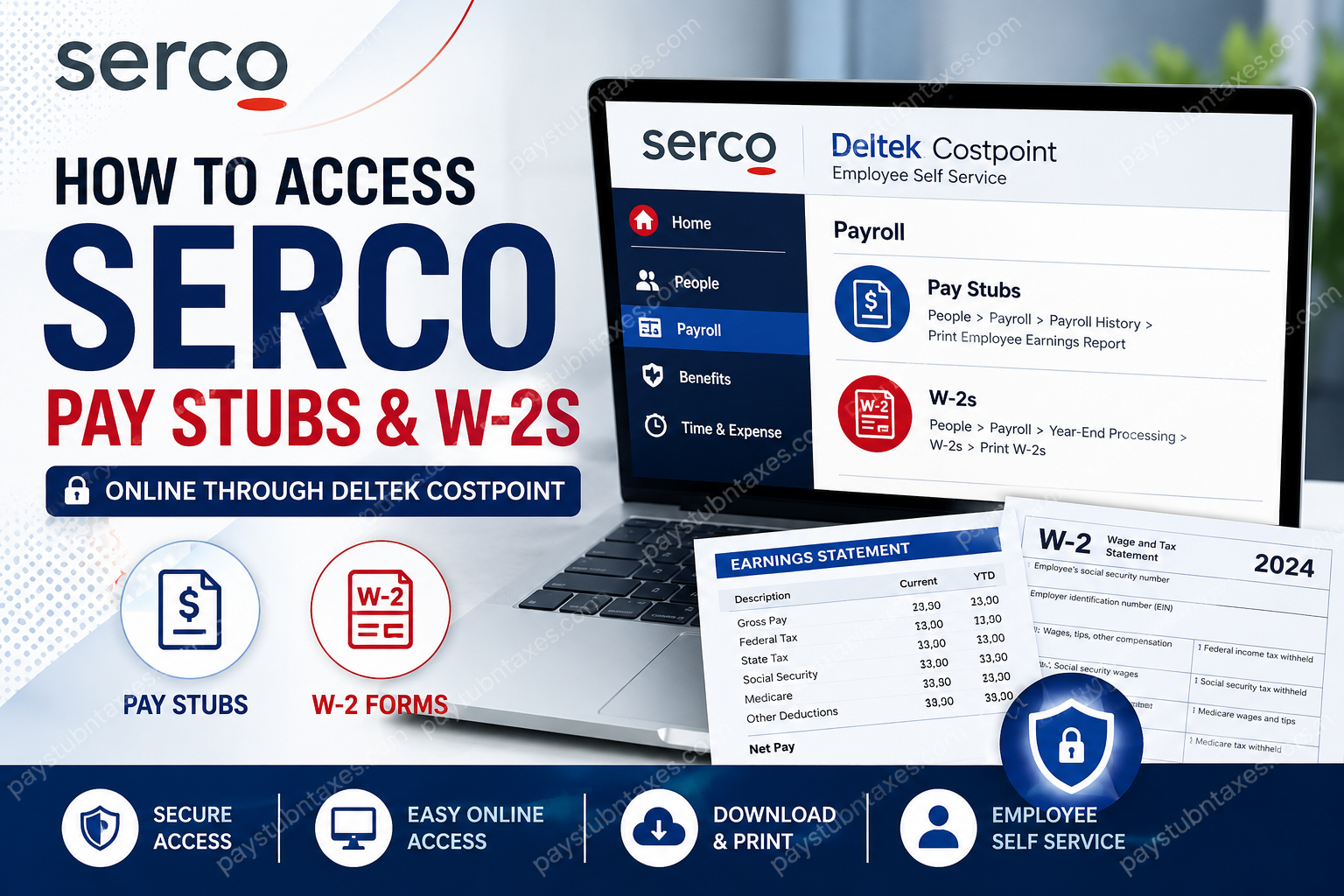
Employees working at Serco in the United States can conveniently access their payroll documents, including pay stubs and W-2 tax forms, through the Deltek Costpoint Employee Self Service portal. Whether you need to review your earnings history, verify tax withholdings, download a W-2 for tax filing, or update payroll information, the online platform provides secure and efficient access to essential employment records.
Serco is a global service company that delivers mission-critical solutions across defence, transportation, healthcare, justice, migration, customer service, and government operations. With thousands of employees supporting federal, state, and local agencies, Serco relies on modern workforce management systems that simplify HR and payroll administration while improving accessibility for employees.
What Is the Serco Employee Self-Service Portal?
Serco employees use the Deltek Costpoint Employee Self Service (ESS) system to manage a wide range of payroll and human resource functions. The portal enables employees to:
- Access pay stubs and payroll history
- Download and print W-2 forms
- Manage direct deposit information
- Update tax withholding details
- Review retirement benefit information
- Handle benefits enrollment and life events
- Maintain emergency contact information
The Employee Self Service environment is designed to streamline payroll management while allowing employees to securely access records anytime and from virtually anywhere.
Serco Pay Stub Portal Login
Official Serco Employee Portal
Employees may log in through the official Serco portal:
Serco Employee Self Service Portal
Use your Serco credentials to sign in. In most cases:
- Username: Your Serco email address
- Password: Your company password
After successfully signing in, select Deltek to open the Employee Self Service dashboard.
How to Access Serco Pay Stubs Online
Once you are logged into Deltek Costpoint, follow these instructions carefully to view or print your pay statements.
Step-by-Step Instructions
Step 1: Sign In to the Serco Portal
Visit the Serco ESS website and enter your employee credentials.
Step 2: Open Deltek Costpoint
After authentication, click the Deltek option available on the portal homepage.
Step 3: Navigate to Payroll History
From the main menu, follow this path:
People → Payroll → Payroll History → Print Employee Earnings Report
Step 4: Select the Desired Pay Period
Choose the paycheck or payroll cycle you want to review.
Step 5: Download or Print Your Pay Stub
You may:
- View the statement online
- Download a PDF copy
- Print the earnings report for personal or financial documentation
The earnings report typically includes:
- Gross earnings
- Net pay
- Federal and state tax deductions
- Benefit deductions
- Overtime or bonus payments
- Direct deposit details
- Year-to-date earnings
How to Access Serco W-2 Forms Online
Employees can also retrieve annual W-2 tax documents electronically through Deltek Costpoint.
Step-by-Step W-2 Access Guide
Step 1: Log Into the Employee Portal
Access the Serco ESS platform using your employee email and password.
Step 2: Open Deltek
Select the Deltek application from the employee dashboard.
Step 3: Navigate to W-2 Processing
Follow this menu path:
People → Payroll → Year-End Processing → W-2s → Print W-2s
Step 4: Select the Tax Year
Choose the appropriate filing year from the available options.
Step 5: Download or Print the W-2
Open the W-2 form and either:
- Save a digital copy for tax filing, or
- Print a physical copy for your records
Employees are strongly encouraged to download and store copies of their tax documents in a secure location for future reference.
Features Available in Deltek Costpoint Employee Self Service
The Deltek Costpoint platform offers significantly more than payroll access. Employees may also manage various HR and benefits functions through the same system.
Key ESS Capabilities
- Payroll management
- Direct deposit maintenance
- W-2 and tax document retrieval
- Benefits enrollment
- Retirement contribution management
- Emergency contact updates
- Life event reporting
- Time and attendance management
Serco employees also use Deltek for daily time tracking and attendance reporting.
Mobile Access Through Deltek Costpoint
Employees who prefer mobile access may use Deltek Costpoint Mobile Time and Expense applications for additional workforce functions, including time reporting and expense management. The platform supports secure login methods, biometric authentication, and multi-factor authentication capabilities.
This functionality is particularly useful for remote employees, field personnel, and government support staff who require flexible access while working outside traditional office environments.
Troubleshooting Serco Payroll Login Problems
Although the system is generally reliable, employees occasionally encounter login or access issues. Common problems include:
- Forgotten passwords
- Expired credentials
- Browser compatibility issues
- Multi-factor authentication failures
- Locked accounts
- Network restrictions
Recommended Solutions
- Verify that you are using your full Serco email address
- Reset your password if necessary
- Clear browser cache and cookies
- Try another supported browser
- Disable outdated autofill credentials
- Confirm VPN or network connectivity if working remotely
If problems persist, contact the payroll or HR support team for assistance.
Serco Payroll Support Contacts
Employees experiencing issues with payroll access, W-2 retrieval, or Deltek navigation may contact the following representatives:
Todd Robinson
- Phone: 937-369-4066
- Email: todd.robinson@serco-na.com
Colton Haller
- Phone: 937-681-1246
- Email: colton.haller@serco-na.com
When contacting support, be prepared to verify your employee identity for security purposes.
About Serco
Serco delivers essential public services that support governments and communities across North America and internationally. The company operates across numerous sectors, including defence, transportation, healthcare, engineering, migration, and citizen services. With more than 9,000 employees and over 100 operational sites throughout the United States and Canada, Serco continues to expand its mission-focused workforce and technology capabilities.
The organization also emphasizes employee well-being, career development, and professional growth through structured support programs and learning initiatives.
Final Thoughts
The Serco Deltek Costpoint Employee Self Service portal provides employees with a secure and efficient method for accessing payroll information, reviewing earnings history, downloading W-2 tax documents, and managing HR-related data. By centralizing payroll and workforce services within a single digital platform, Serco enables employees to manage important financial and employment records with greater convenience and accuracy. Whether you need a recent pay stub for income verification or a prior year’s W-2 for tax preparation, the Employee Self Service portal offers fast and reliable access whenever you need it.
Frequently Asked Questions
1. How do I access my Serco pay stubs online?
You can access your Serco pay stubs by logging into the Employee Self Service portal at https://smt.serco-na.us/, opening Deltek Costpoint, and navigating to Payroll History under the People menu.
2. What is the Serco Employee Self-Service portal?
The Serco Employee Self Service portal is an online platform powered by Deltek Costpoint that allows employees to manage payroll, tax forms, benefits, direct deposit information, and HR-related records.
3. Where can I download my Serco W-2 form?
After logging into Deltek Costpoint, go to:
People → Payroll → Year-End Processing → W-2s → Print W-2s
You can then select the appropriate tax year and download or print your W-2.
4. What username should I use for the Serco payroll portal?
Most employees use their Serco email address as their username when logging into the portal.
5. What should I do if I forget my Serco portal password?
If you forget your password, use the password reset option on the login page or contact your payroll or HR support representative for assistance.
6. Can former Serco employees access W-2 forms online?
Former employees may still have temporary access to payroll records depending on company policy. If access has expired, contact payroll support for assistance obtaining tax documents.
7. How often are Serco employees paid?
Serco employees are generally paid on a bi-weekly schedule, with paydays occurring every other Friday.
8. Can I print my Serco pay stubs?
Yes. Deltek Costpoint allows employees to download PDF copies of pay statements and print them for financial or employment verification purposes.
9. Is the Serco payroll portal secure?
Yes. The Employee Self Service portal uses secure authentication methods to protect employee payroll and tax information.
10. What information appears on a Serco pay stub?
A Serco pay stub typically includes:
- Gross pay
- Net pay
- Taxes withheld
- Benefits deductions
- Overtime earnings
- Direct deposit details
- Year-to-date totals
11. Can I access Serco payroll records on my phone?
Yes. Employees may access payroll-related functions through mobile-compatible Deltek Costpoint applications and web browsers.
12. How do I update my direct deposit information at Serco?
Employees can update direct deposit information through the Employee Self Service portal within the payroll settings section.
13. Who do I contact for Serco payroll assistance?
Employees may contact:
Todd Robinson
Phone: 937-369-4066
Email: todd.robinson@serco-na.com
Or
Colton Haller
Phone: 937-681-1246
Email: colton.haller@serco-na.com
14. Why can’t I log into the Serco Deltek portal?
Login issues may occur because of:
- Incorrect credentials
- Expired passwords
- Browser cache problems
- MFA verification issues
- Network restrictions
Clearing your browser cache or resetting your password often resolves the issue.
15. What other features are available in Deltek Costpoint?
In addition to payroll access, employees may:
- Manage benefits enrollment
- Update emergency contacts
- Review retirement information
- Handle life event changes
- Track time and attendance
- Access HR documentation
