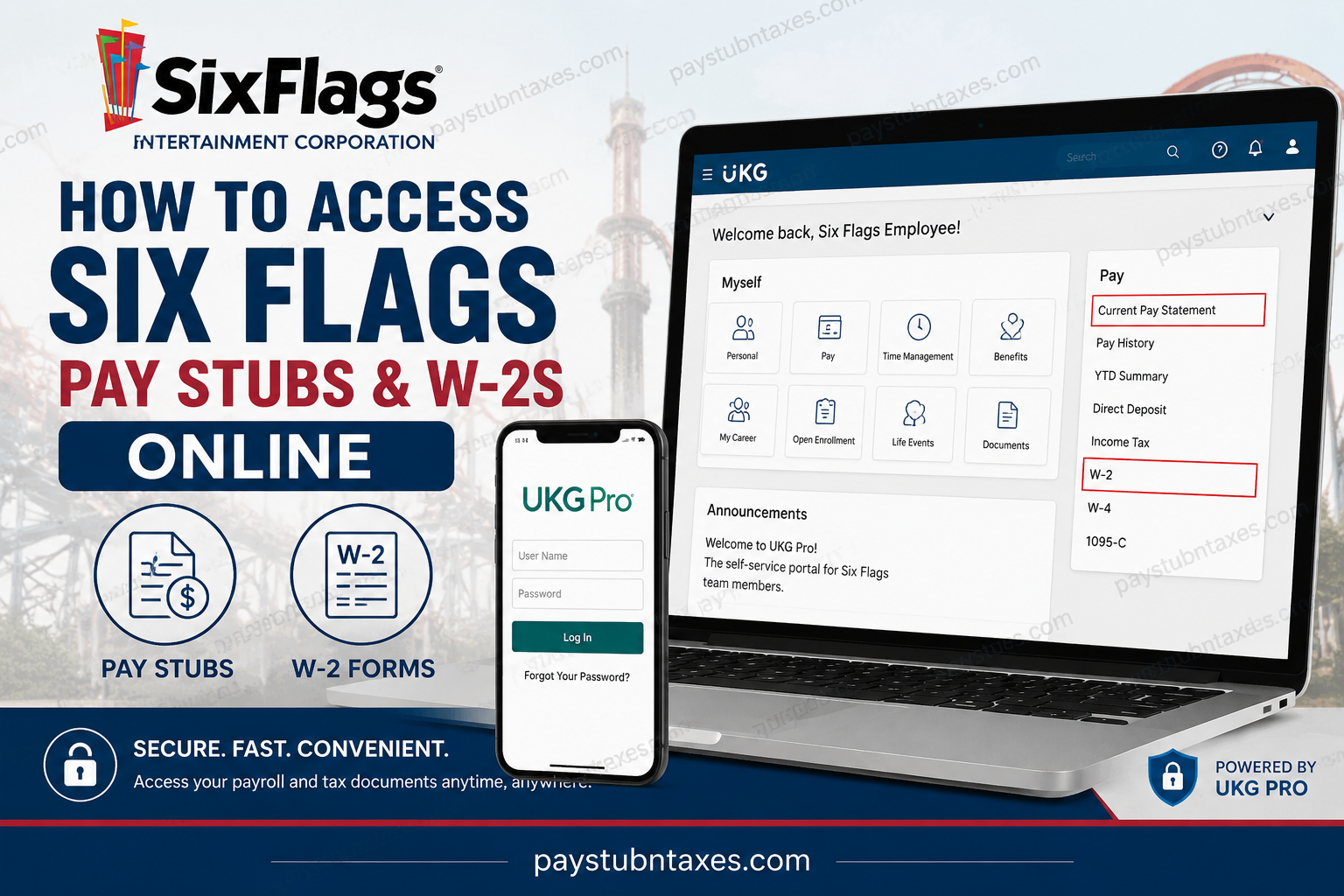
For thousands of seasonal and full-time employees across North America, accessing payroll records quickly and securely is essential. Fortunately, Six Flags Entertainment Corporation employees can conveniently retrieve pay stubs, tax forms, direct deposit information, and personal employment details through the UKG Pro (formerly UltiPro) self-service portal. Whether you are an active employee or a former team member, the online payroll system allows you to manage your financial records without needing to contact Human Resources directly. Employees may view current and previous pay statements, update withholding information, access W-2 forms electronically, and maintain personal account details from virtually anywhere. According to company information, Six Flags operates 34 properties throughout North America and serves millions of guests annually, making it one of the largest regional amusement park operators in the world.
What Is the Six Flags Employee Payroll Portal?
Six Flags employees use the UKG Pro (UltiPro) self-service platform to access payroll and tax documents online. The portal provides a secure environment where employees can:
- View and print pay stubs
- Access W-2 tax forms
- Update direct deposit details
- Change tax withholding preferences
- Update contact information
- Manage password and security settings
- Use mobile access through the UKG Pro app
Both active and separated employees generally retain access to the system for payroll and tax purposes.
Six Flags UKG Pro Login Information
Employees can access the payroll portal using the following credentials:
Employee Login Website
Username Format
Your username is: SIX + Employee ID (EID)
Example: SIX123456
Default Password
For first-time login access, the default password is usually: MMDDYYYY format of your birthdate.
Example: 07151995
The login structure and employee ID format are outlined in the employee access instructions.
How to Log In to Six Flags UKG Pro
Follow these steps carefully to access your account:
- Visit the Six Flags UKG Pro login page.
- Enter your User ID in the format:
SIX + EID - Type your password.
- Click Log In.
- During your first login, the system may require you to:
- Change your password
- Create challenge/security questions
- Enable two-factor authentication (2FA)
The payroll platform also requires employees to create strong passwords containing uppercase letters, lowercase letters, numbers, and special characters. Similar password setup requirements are illustrated in the UltiPro login instructions.
How to Access Six Flags Pay Stubs Online
Once logged into UKG Pro, employees can easily retrieve their payroll records.
Steps to View Pay Statements
- Log into the UKG Pro portal.
- Navigate to:
Myself > Pay > Current Pay Statement - Select the desired pay date.
- View, download, or print your pay stub.
Employees can typically see:
- Gross earnings
- Net pay
- Taxes withheld
- Deductions
- Direct deposit details
- Year-to-date totals
The payroll dashboard also allows employees to review historical pay records and payment summaries.
How to Access Your Six Flags W-2 Online
Employees who elected electronic tax delivery can retrieve their W-2 forms directly from the UKG Pro portal.
Steps to View Your W-2
- Sign into UKG Pro.
- Navigate to:
Myself > Pay > W-2 - Select the applicable tax year.
- Download or print your W-2 form.
Electronic W-2 access instructions within the payroll system confirm that employees can manage tax form preferences through the W-2 section.
How to Consent to Electronic W-2 Delivery
Receiving your W-2 electronically is faster, more secure, and environmentally friendly.
Steps to Enable Paperless W-2 Access
- Log into UKG Pro.
- Go to:
Myself > Pay > W-2 - Select:
Change W-2 Consent Form - Choose the electronic delivery option.
- Save your changes.
The consent procedure for electronic W-2 access is outlined in the payroll instructions.
How to Use the UKG Pro Mobile App
Employees who prefer mobile access can use the UKG Pro application on Android or iPhone devices.
Mobile Setup Instructions
- Download the UKG Pro Mobile App from:
- Apple App Store
- Google Play Store
- Open the app.
- Enter the company access code:
SixFlags
- Sign in using:
- User ID (
SIX + EID) - Password
- User ID (
Employees may also configure biometric login and authentication settings after initial setup.
Forgot Your UKG Password?
If you cannot access your account:
- Click Forgot Your Password?
- Answer your security questions.
- Follow the reset instructions.
- Create a new secure password.
Employees who experience account lockouts or authentication problems should contact their local HR office or payroll administrator for assistance.
Benefits of the Six Flags UKG Payroll System
The UKG Pro platform offers several advantages for employees, including:
- 24/7 online access
- Faster W-2 delivery
- Secure payroll management
- Mobile accessibility
- Reduced paperwork
- Easy pay history retrieval
- Secure direct deposit updates
Because the system centralizes payroll management, employees can efficiently manage financial records without relying on paper documents.
Common Login Problems and Solutions
| Problem | Solution |
| Incorrect username | Ensure you use SIX + EID |
| Password not working | Reset password using “Forgot Password” |
| Locked account | Wait or contact HR support |
| Missing W-2 | Confirm electronic consent settings |
| Mobile app issues | Verify company code is exactly SixFlags |
| Browser errors | Clear cache or use another browser |
Is UKG Pro Access Available for Former Employees?
Yes. Former or separated Six Flags employees generally continue to have access to UKG Pro for payroll and tax-related purposes, including retrieving W-2 forms and prior pay statements.
This continued access is particularly useful during tax season when former employees need employment records quickly.
Final Thoughts
The Six Flags UKG Pro payroll system simplifies employee self-service by providing secure online access to pay stubs, W-2 forms, tax settings, and personal payroll information. Whether you are a current employee preparing for payday or a former worker retrieving tax documents, the platform offers a streamlined and highly accessible experience. By using the UKG Pro website or mobile application, Six Flags employees can manage their payroll records efficiently while benefiting from enhanced security and faster electronic document delivery.
Frequently Asked Questions
1. How do I access my Six Flags pay stubs online?
Log into the UKG Pro portal and go to Myself > Pay > Current Pay Statement to view or print your pay stubs.
2. What website does Six Flags use for payroll access?
Six Flags employees use the UKG Pro (UltiPro) payroll portal: Six Flags UKG Portal
3. What is the Six Flags UKG Pro username format?
Your username is: SIX + Employee ID (EID)
Example: SIX123456
4. What is the default password for first-time login?
The default password is typically your birthdate in: MMDDYYYY format.
5. Can former Six Flags employees access W-2 forms online?
Yes. Former employees generally retain access to UKG Pro for payroll and tax document retrieval.
6. How do I download my Six Flags W-2 online?
After signing in, go to: Myself > Pay > W-2
Then select the tax year and download the form.
7. How do I reset my Six Flags UKG password?
Click Forgot Your Password? on the login page and follow the verification instructions.
8. What is the company access code for the UKG Pro mobile app?
The company access code is: SixFlags
Both the “S” and “F” must be capitalized.
9. Can I access my pay stubs from my phone?
Yes. Install the UKG Pro mobile app from the Apple App Store or Google Play Store.
10. Why is my Six Flags account locked?
Accounts may lock after multiple failed login attempts or incomplete 2-factor authentication verification.
11. How do I enable electronic W-2 delivery?
Go to: Myself > Pay > W-2 > Change W-2 Consent Form
Then select electronic delivery and save your preferences.
12. What information appears on a Six Flags pay stub?
A pay stub may include:
- Gross pay
- Net pay
- Taxes withheld
- Deductions
- Direct deposit details
- Year-to-date earnings
13. Does Six Flags use 2-factor authentication?
Yes. Employees are typically required to complete 2-factor authentication (2FA) for enhanced security.
14. Can employees update direct deposit information online?
Yes. Employees can update direct deposit details directly through the UKG Pro self-service portal.
15. Who should I contact if I cannot access my payroll account?
Employees should contact their local Human Resources or payroll office for login assistance and account recovery support.
