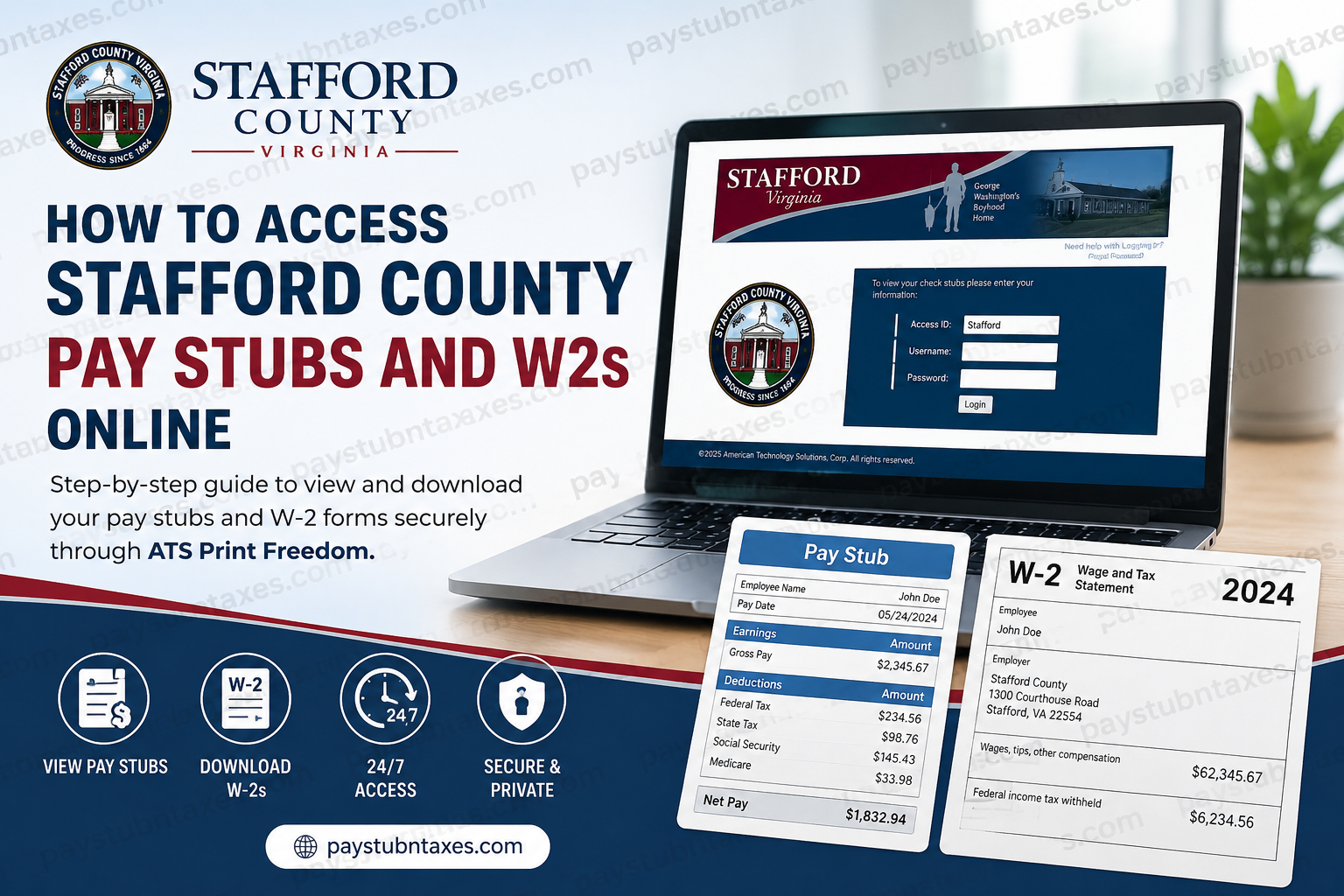
Stafford County, Virginia, is widely recognized for its rich historical heritage, strategic location, and rapidly growing economy. From its early colonial roots to its modern transformation into one of Virginia’s fastest-growing counties, Stafford has evolved into a thriving community that supports thousands of public employees across multiple departments and services. To improve convenience, efficiency, and document security, Stafford County provides employees with online access to electronic pay stubs, W-2 forms, and payroll-related services through the ATS Print Freedom employee portal. This secure online system allows employees to retrieve payroll records anytime and from virtually anywhere with internet access. Whether you need a copy of your latest paycheck, want to review historical earnings, or require your W-2 form for tax filing purposes, this comprehensive guide explains everything you need to know about accessing Stafford County pay stubs and W2s online.
Stafford County Employee Payroll Portal
Stafford County employees can securely access payroll documents through the ATS Print Freedom portal.
Official Employee Payroll Portal
ATS Print Freedom Employee Portal
The online employee portal provides secure access to:
- Electronic pay stubs
- W-2 tax forms
- Direct deposit records
- Payroll history
- Timesheets
- iStafford access
- Stafford County employee email
- Password reset tools
The portal is available 24 hours a day, 7 days a week.
Benefits of Accessing Pay Stubs Online
The ATS Print Freedom system offers substantial advantages over traditional paper statements.
Employees can:
- View pay information from home or any internet-connected device
- Download and print copies instantly
- Access historical pay records
- Retrieve documents for loan applications or tax preparation
- Enjoy enhanced privacy and data security
- Reduce reliance on paper documentation
The platform was designed specifically to improve confidentiality and convenience while minimizing the risks associated with misplaced or unattended paper pay statements.
How to Log In to the Stafford County Payroll Portal
Accessing your Stafford County pay stubs and W-2 forms is a straightforward process.
Step 1: Visit the ATS Print Freedom Website
Open your preferred browser and go to:
Stafford County ATS Login Page
Step 2: Enter Your Login Credentials
You will be asked to provide the following information:
Access ID
Stafford
Username Format
Your username is created using:
- First letter of your first name
- First three letters of your last name
- Your birth date in MMDDYYYY format
Example
If your name is John Smith and your birthday is October 18, 1976:
jsmi10181976
Step 3: Enter Your Temporary Password
For first-time users, the temporary password is:
Last 4 digits of your Social Security Number
After your first successful login, the system will require you to create a new password.
Stafford County Password Requirements
Your new password must meet the following requirements:
- Minimum of 7 characters
- At least one numeric digit
- Passwords are case-sensitive
The following characters are not accepted:
- =
- ‘
- <
It is strongly recommended that employees store their new password securely after updating it.
How to Access Your Stafford County Pay Stubs
Once logged in, retrieving your electronic pay stub is simple.
Step-by-Step Instructions
- Log in to the ATS Print Freedom portal
- Navigate to:
MyPayStub - Select the desired pay date
- Click the pay date link to open the PDF statement
Your pay stub PDF is password protected.
Pay Stub PDF Password
The password to open the pay stub is:
Last 4 digits of your Social Security Number
This PDF password remains the same permanently unless otherwise updated by the payroll system.
How to Access Stafford County W-2 Forms Online
Employees can also retrieve annual W-2 tax statements through the same portal.
Steps to Download Your W-2
- Log into the ATS Print Freedom portal
- Locate the W-2 section
- Select the appropriate tax year
- Download or print the W-2 form
W-2 PDF Password
Like pay stubs, W-2 documents are password protected.
The password is:
Last 4 digits of your Social Security Number
Forgot Your ATS Print Freedom Password?
If you forget your login password, the system provides a convenient password reset option.
Password Reset Instructions
- Visit the ATS Print Freedom login page
- Click:
Forgot Password - Follow the password recovery instructions
A new password will either:
- Be emailed to you, or
- Be reset by your system administrator
For easier password recovery, employees are encouraged to add a personal email address to their account profile.
Viewing Pay Stubs on Mobile or Home Computers
The Stafford County payroll portal can be accessed from:
- Personal laptops
- Desktop computers
- Home computers
- Office workstations
- Most modern browsers
The system supports both Windows and Mac operating systems.
Adobe Reader Requirement
Because pay stubs and W-2 forms are provided in PDF format, employees may need Adobe Acrobat Reader installed on their device.
Download Adobe Reader
Adobe Reader is available free of charge.
Important Security Tips
To protect confidential payroll information, employees should follow these security recommendations:
- Never share login credentials
- Use strong passwords
- Log out after each session
- Avoid accessing payroll information on public computers
- Close Adobe Reader after viewing documents
The ATS Print Freedom system uses industry-standard SSL encryption to safeguard payroll data transmissions.
Common ATS Print Freedom Login Issues
Invalid Login Information
If you receive an “Invalid login information” message:
- Verify your username format
- Ensure your password is entered correctly
- Check for capitalization errors
- Confirm your Access ID is correct
Unable to Open Pay Stub PDF
If the pay stub does not open:
- Ensure Adobe Reader is installed
- Use the last 4 digits of your SSN as the PDF password
- Try downloading the file again
Password Reset Email Not Received
If you do not receive your password reset email:
- Check your spam or junk folder
- Confirm your email address is registered correctly
- Contact Stafford County payroll support
Stafford County Payroll Contact Information
If you need assistance accessing your pay stubs or W-2 forms, contact the Stafford County payroll department.
Payroll Support
Phone Numbers
- (540) 658-8619
- (540) 658-5101
Email: employment@staffordcountyva.gov
Final Thoughts
The Stafford County ATS Print Freedom payroll portal offers employees a secure, convenient, and efficient way to manage payroll information online. From downloading electronic pay stubs to accessing annual W-2 forms for tax filing, the system simplifies payroll management while enhancing document security and accessibility. By following the login instructions and security recommendations outlined above, Stafford County employees can quickly retrieve their payroll records anytime they need them.
Frequently Asked Questions (FAQ)
1. How do I access Stafford County pay stubs online?
You can access your Stafford County pay stubs online by visiting the ATS Print Freedom portal at ATS Print Freedom Login and logging in with your employee credentials.
2. What is the Stafford County employee payroll portal?
The official payroll portal for Stafford County employees is ATS Print Freedom, which provides secure access to pay stubs, W-2s, direct deposit records, and timesheets.
3. What is the username format for ATS Print Freedom?
Your username is:
- First letter of your first name
- First three letters of your last name
- Your birthdate in MMDDYYYY format
Example:jsmi10181976
4. What is the temporary password for first-time users?
The temporary password is the last four digits of your Social Security Number.
5. How do I reset my ATS Print Freedom password?
Click the “Forgot Password” link on the login page and follow the instructions. A new password may be emailed to you or reset by your system administrator.
6. How do I view my Stafford County pay stub?
After logging in:
- Click “MyPayStub”
- Select the pay date
- Open the PDF pay statement
7. What password is required to open a pay stub PDF?
The password for opening pay stub PDFs is the last four digits of your Social Security Number.
8. How do I download my Stafford County W-2 form?
Log into the ATS Print Freedom portal, navigate to the W-2 section, choose the tax year, and download or print the form.
9. What is the W-2 PDF password?
The W-2 document password is the last four digits of your Social Security Number.
10. Can former Stafford County employees access W-2 forms online?
Former employees may still be able to access their W-2 forms through the ATS Print Freedom portal if their account remains active.
11. Is the ATS Print Freedom portal secure?
Yes. The portal uses SSL encryption and password protection to safeguard employee payroll and tax information.
12. Can I access my pay stubs from home?
Yes. Employees can access pay stubs and W-2 forms from any computer or device with internet access.
13. Do I need Adobe Reader to view my pay stubs?
Yes. Since pay stubs and W-2s are delivered as PDF documents, Adobe Acrobat Reader may be required.
14. How long are Stafford County pay stubs available online?
Employees can typically access up to 12 months of payroll history through the ATS Print Freedom system.
15. Who do I contact for Stafford County payroll support?
For payroll assistance, contact Stafford County Payroll:
- Phone: (540) 658-8619 or (540) 658-5101
- Email: employment@staffordcountyva.gov
