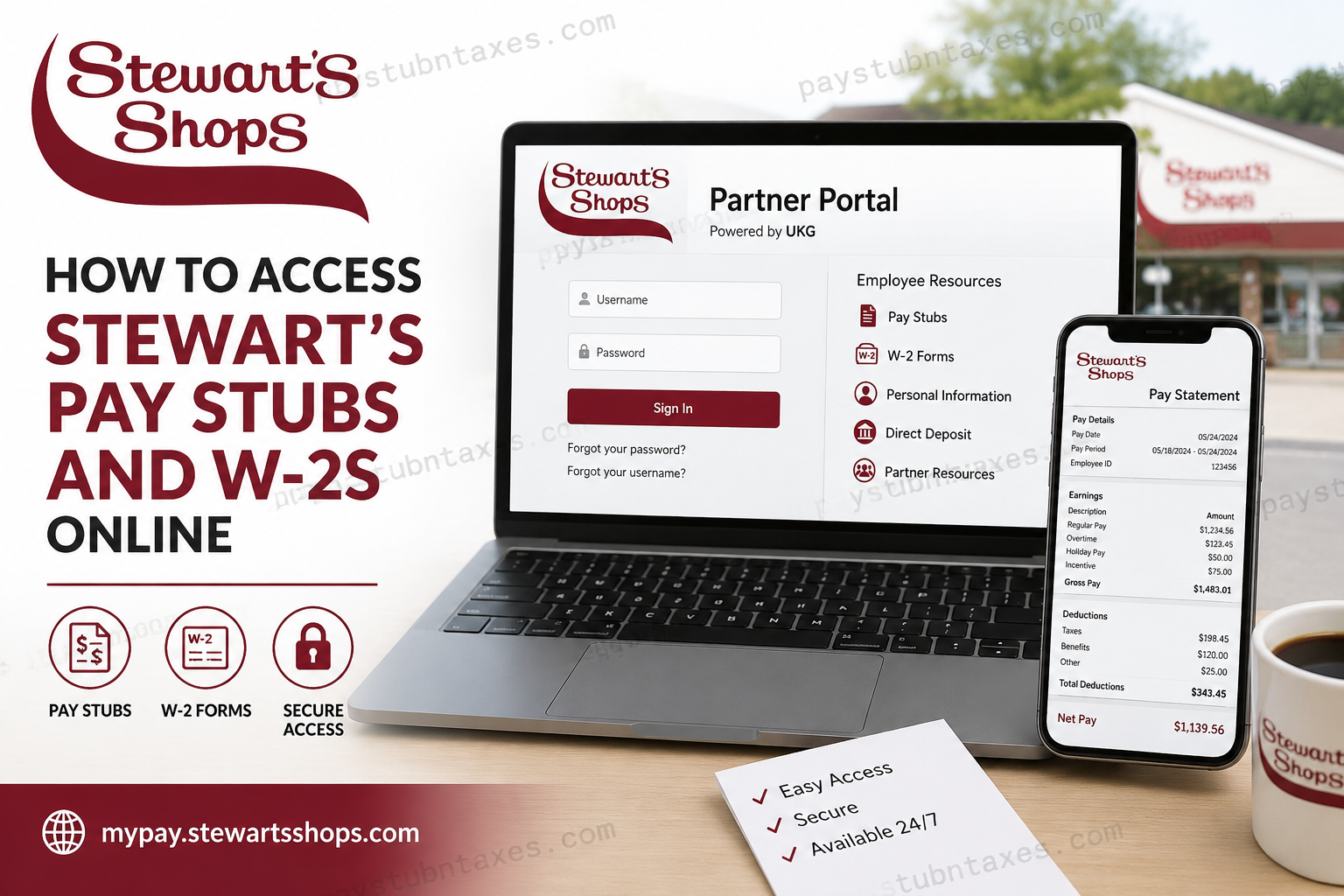
Stewart’s Shops, one of the most respected employee- and family-owned convenience store chains in the northeastern United States, operates more than 400 locations throughout Upstate New York, Vermont, and New Hampshire. In addition to its renowned convenience stores, the company maintains a dairy and ice cream plant, a distribution center, and corporate offices in Saratoga Springs, New York. Because Stewart’s employs thousands of partners across retail operations, manufacturing, transportation, and corporate departments, the company provides employees with secure digital payroll access through the Stewart’s Partner Portal and UKG payroll system. Through these platforms, both active and separated employees can conveniently view pay stubs, download W-2 forms, update direct deposit information, and manage personal payroll records online. This comprehensive guide explains exactly how to access Stewart’s pay stubs and W-2s online, troubleshoot login issues, and obtain additional payroll assistance whenever needed.
Stewart’s Pay Stub and W-2 Portal
Stewart’s employees can access payroll records through the Partner Portal and UKG payroll platform.
Official Payroll Portal
http://mypay.stewartsshops.com/
The employee resources section also provides payroll forms and partner resources.
How to Log In to the Stewart’s Payroll Portal
To access your payroll information online, follow these steps carefully:
- Open your web browser and visit the Stewart’s payroll portal.
- Enter your username or email address.
- Type your password.
- Complete multi-factor authentication (MFA), if prompted.
- Click Sign In to access your account dashboard.
The UKG sign-in page allows employees to recover forgotten usernames or passwords directly from the login screen.
How to View and Download Stewart’s Pay Stubs
Once logged into the UKG payroll system, employees can access both current and historical pay statements.
Steps to Access Pay Stubs
- Log in to UKG.
- Navigate to:
Myself > Pay > Current Pay Statement - Your most recent paycheck information will appear automatically.
- Select the download or print icon to save a copy of the statement.
The payroll system allows employees to review detailed earnings information, deductions, taxes, overtime compensation, and year-to-date totals.
How to View Pay History in UKG
Employees who need older pay stubs may access payroll history directly through the portal.
Steps to Access Historical Pay Statements
- Go to:
Myself > Pay > Pay History - Enter your preferred search criteria.
- Select the applicable pay date.
- Open, print, or download the selected pay statement.
The UKG system also permits employees to view multiple historical statements for different pay periods.
Understanding Stewart’s Pay Schedule
Stewart’s follows a clearly structured payroll cycle.
- Pay Period: Monday through Sunday
- Overtime Pay: Employees receive 1.5 times their regular hourly rate for hours worked beyond 40 hours in a workweek.
- Incentive Pay: Weekly incentive earnings may be available for employees who exceed departmental performance standards. Employees must remain actively employed to receive incentive compensation.
How to Access Stewart’s W-2 Forms Online
Employees may also retrieve annual tax documents electronically through UKG.
Steps to Download Your W-2
- Log into UKG.
- Open:
My Info > My Pay > Forms > W-2 - Select the preview icon beside the applicable tax year.
- Click Download PDF to save the form.
The UKG payroll interface enables employees to securely access and store W-2 forms digitally.
How to Consent to Electronic W-2 Delivery
Employees who prefer electronic tax documents instead of mailed paper copies can enable electronic consent.
Steps to Enable Electronic W-2 Delivery
- Navigate to:
My Info > My Pay > Forms > W-2 - Select Electronic Consent.
- Check the option:
Receive Form W-2 Electronically - Click Save.
- Enter your password to confirm the change.
Employees who do not suppress paper delivery will continue receiving mailed W-2 copies no later than January 31 each year.
Stewart’s Employee Benefits and Workplace Culture
Stewart’s Shops has built a strong reputation for maintaining a positive workplace culture rooted in employee ownership and long-term career growth. The company employs more than 5,000 partners across its operations and emphasizes collaboration, accountability, and professional development.
Eligible employees may receive benefits such as:
- Employee Stock Ownership Plan (ESOP)
- Health insurance benefits
- Vision and dental coverage
- Paid vacation
- Paid maternity leave
- YMCA discounts
- Scholarship opportunities
- Stewart’s Credit Union access
The company also offers career opportunities in retail operations, transportation, warehouse services, manufacturing, and corporate administration.
What Information Appears on Stewart’s Pay Stubs?
Your online pay statement may include:
- Gross earnings
- Net pay
- Regular hours worked
- Overtime earnings
- Incentive pay
- Holiday pay
- Tax withholdings
- Direct deposit distributions
- Paid time off balances
- Year-to-date earnings and deductions
The UKG payroll system organizes this information into clearly defined payroll sections for easier review and recordkeeping.
Forgot Your Stewart’s Payroll Login Information?
If you forget your username or password:
- Use the “Forgot your password?” option on the UKG login page.
- Use the “Forgot your username?” feature if necessary.
- Contact Stewart’s Personnel Department for account assistance.
The UKG sign-in page includes dedicated recovery options to help employees regain account access securely.
Stewart’s Payroll Contact Information
Employees requiring payroll assistance, login credentials, or direct deposit support may contact Personnel directly.
Personnel Department
Phone: (518) 581-1201 ext. 3200
Employees may also call Personnel to receive Partner Portal login information and payroll support.
Final Thoughts
Stewart’s Shops continues to modernize the employee experience by offering secure digital payroll and tax document access through the Partner Portal and UKG system. Whether you need to retrieve your latest pay stub, review historical payroll records, download your W-2 form, or update payroll preferences, the online system provides a convenient and efficient solution available at any time. For employees seeking additional assistance, Stewart’s Personnel Department remains available to provide support regarding payroll access, login recovery, direct deposit management, and tax documentation.
Frequently Asked Questions
1. How do I access my Stewart’s pay stubs online?
Visit the Stewart’s payroll portal at http://mypay.stewartsshops.com/, sign in to your UKG account, and navigate to Myself > Pay > Current Pay Statement to view your latest paycheck.
2. Where can I download my Stewart’s W-2 form?
You can download your W-2 through UKG by going to:
My Info > My Pay > Forms > W-2
Then select the applicable tax year and click Download PDF.
3. What is the official Stewart’s payroll portal?
The official Stewart’s payroll portal is: http://mypay.stewartsshops.com/
4. Can former Stewart’s employees access W-2 forms online?
Yes. Separated employees may still access payroll records and W-2 forms through the Partner Portal and UKG system if their access remains active.
5. What should I do if I forget my Stewart’s payroll password?
Use the “Forgot your password?” option on the UKG login page or contact Stewart’s Personnel Department at (518) 581-1201 ext. 3200 for assistance.
6. How do I print my Stewart’s pay stub?
After opening your pay statement in UKG, click the Print icon to generate a printer-friendly version of the paycheck.
7. How can I view previous pay stubs from Stewart’s?
Go to:
Myself > Pay > Pay History
Then select the pay date you wish to review, print, or download.
8. When does Stewart’s issue W-2 forms?
Paper W-2 forms are generally mailed no later than January 31 each year unless you opted for electronic delivery.
9. Does Stewart’s offer electronic W-2 consent?
Yes. Employees can enable electronic W-2 delivery through:
My Info > My Pay > Forms > W-2 > Electronic Consent
10. How often are Stewart’s employees paid?
Stewart’s payroll periods run from Monday through Sunday.
11. Does Stewart’s pay overtime?
Yes. Stewart’s pays overtime at 1.5 times the regular hourly rate for hours worked over 40 in a workweek.
12. Can I update direct deposit information online?
Yes. Employees can manage direct deposit settings through the Stewart’s Partner Portal and UKG payroll system.
13. What information appears on a Stewart’s pay stub?
A Stewart’s pay statement may include:
- Gross pay
- Net pay
- Taxes withheld
- Overtime earnings
- Incentive pay
- Direct deposit details
- Paid time off balances
- Year-to-date totals
14. Who do I contact for Stewart’s payroll support?
For payroll help or login support, contact:
Stewart’s Personnel Department
Phone: (518) 581-1201 ext. 3200
15. Can Stewart’s employees access payroll information from mobile devices?
Yes. Employees can securely log into the UKG payroll portal using supported web browsers on smartphones, tablets, or computers.
