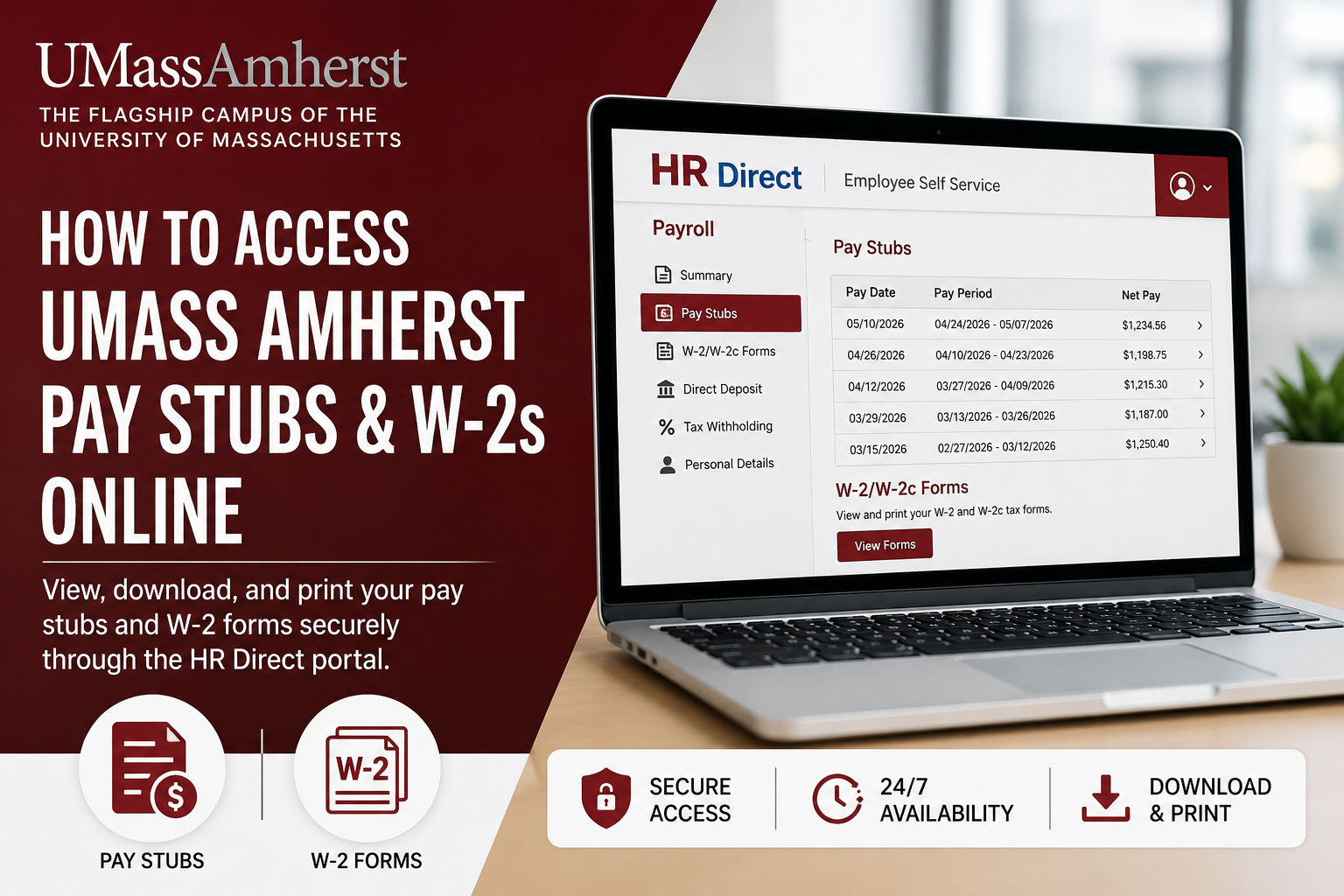
The University of Massachusetts Amherst is the flagship campus of the University of Massachusetts system and one of the nation’s leading public research universities, serving more than 28,000 students through world-class academic and research programs. As an employee of UMass Amherst, you can conveniently access your pay stubs, payroll records, tax documents, and W-2 statements online through the HR Direct Self Service Portal. The platform allows employees to securely review earnings, print pay statements, manage payroll information, and retrieve year-end tax forms anytime. This guide explains how to log in to HR Direct, view your paycheck online, and download your W-2 forms without contacting payroll support.
What Is the UMass Amherst HR Direct Portal?
HR Direct is the official employee self-service payroll and human resources platform for UMass Amherst employees. The system provides access to:
- Pay stubs and paycheck history
- W-2 and W-2c tax forms
- Direct deposit information
- Payroll details
- Employee self-service functions
- Employment and payroll records
The portal is protected with multi-factor authentication for enhanced security and privacy.
How to Access UMass Amherst Pay Stubs Online
Step 1: Open the HR Direct Portal
Go to the official HR Direct login page:
You may also access the system through the UMass HR website by selecting “HR Direct Login.”
Step 2: Sign In With UMass Amherst
Click the “Sign in with” option and choose Amherst from the available campuses
Step 3: Enter Your NetID and Password
Use your:
- UMass NetID
- University password
The system uses your University credentials for secure authentication.
Step 4: Complete Multi-Factor Authentication
UMass Amherst requires two-step authentication to access payroll systems. You will be prompted to verify your identity using the Microsoft Authenticator app.
Step 5: Access Employee Self-Service Payroll
After signing in successfully:
- Open the Employee Self Service homepage
- Select Payroll
- Choose the paycheck you want to view
Step 6: View or Download Your Pay Statement
A list of pay statements will appear on the screen. Click the arrow beside the desired paycheck to open the PDF statement.
You can:
- Download your pay stub
- Print payroll records
- Review gross earnings
- Check deductions and taxes
- View hourly pay rate information
- Review accrued time usage
How to Access UMass Amherst W-2 Forms Online
UMass Amherst employees can retrieve W-2 and W-2c forms electronically through HR Direct Self Service.
Steps to Download Your W-2
- Log in to HR Direct
- Open Employee Self Service
- Navigate to Payroll
- Select W-2/W-2c Forms
- Choose the tax year
- Download or print the PDF copy
The online system provides faster access to tax documents compared to waiting for paper mail delivery.
Requirements for HR Direct Access
Before accessing your pay statements or W-2 forms, ensure you have:
- A valid UMass NetID
- Your university password
- Multi-factor authentication enabled
- Pop-up blockers disabled for the HR Direct website
UMass Amherst specifically recommends disabling browser pop-up blockers because paycheck PDFs open in a new browser window.
Common Payroll Features Available in HR Direct
The UMass Amherst payroll system allows employees to:
- Access paycheck history
- Print payroll records
- View tax withholding information
- Download W-2 forms
- Manage direct deposit information
- Review leave balances
- Access payroll deductions
- Verify gross and net pay
The Payroll division manages time and labor, direct deposit, W-2 processing, and employment-related payroll services.
Troubleshooting HR Direct Login Problems
Forgot Your Password
Use the UMass password recovery tools or contact the university IT department for assistance.
Multi-Factor Authentication Issues
If your authenticator app is not working:
- Re-sync the Microsoft Authenticator app
- Verify your registered device
- Contact the UMass IT Help Desk
Pay Stub PDF Will Not Open
Disable your browser’s pop-up blocker and try again. Pay statements open in a separate PDF window.
UMass Amherst Payroll and HR Support
Human Resources
HR Direct Support
IT Help Desk
Phone: 413-545-9400
Benefits of Electronic Pay Statements and W-2 Access
Using the HR Direct portal offers several advantages:
- 24/7 payroll access
- Faster W-2 retrieval
- Secure document storage
- Easy printing and downloading
- Reduced paper clutter
- Convenient tax preparation
- Immediate paycheck availability
Employees can access historical payroll records anytime without waiting for mailed copies.
Final Thoughts
The UMass Amherst HR Direct Self Service Portal makes payroll management simple and secure for university employees. Whether you need to review your latest paycheck, download tax forms, or access payroll details for financial verification, the online system provides a fast and reliable solution. By using your UMass NetID and completing multi-factor authentication, you can securely access your pay stubs and W-2 forms from virtually anywhere.
Frequently Asked Questions (FAQ)
1. How do I access my UMass Amherst pay stubs online?
You can access your pay stubs by logging into the HR Direct Self Service Portal using your UMass NetID and password. After signing in, go to Employee Self Service and select Payroll to view paycheck records.
2. What is the HR Direct portal for UMass Amherst employees?
HR Direct is the official employee self-service system used by UMass Amherst for payroll, pay stubs, W-2 forms, direct deposit management, and employment-related services.
3. What login credentials are required for HR Direct?
You need your UMass NetID and university password to access the HR Direct payroll system.
4. Does UMass Amherst require multi-factor authentication?
Yes. UMass Amherst requires two-step multi-factor authentication to securely access HR Direct and payroll records.
5. Where can I download my UMass Amherst W-2 online?
You can download your W-2 form from the Payroll section inside HR Direct Self Service after logging into the employee portal.
6. Can former UMass Amherst employees access W-2 forms online?
Former employees may still access W-2 forms if their HR Direct credentials remain active. Otherwise, they may need to contact Human Resources or Payroll support.
7. Why is my paycheck PDF not opening?
Your browser’s pop-up blocker may be preventing the paycheck PDF from opening. Disable pop-up blockers for the HR Direct website and try again.
8. How do I reset my UMass Amherst password?
You can reset your university password through the UMass IT account management tools or contact the IT Help Desk for assistance.
9. What information appears on a UMass Amherst pay stub?
Your pay stub typically includes gross earnings, taxes withheld, deductions, net pay, pay rate, hours worked, and accrued leave balances.
10. Can I print my pay statements from HR Direct?
Yes. Employees can open pay statements as PDF files and print copies directly from the portal.
11. Is HR Direct available 24/7?
Yes. The HR Direct portal is generally accessible online 24 hours a day, except during scheduled maintenance periods.
12. How do I access payroll information on HR Direct?
After signing in, open Employee Self Service and select Payroll to access paycheck history, tax documents, and payroll details.
13. What should I do if multi-factor authentication is not working?
Verify your Microsoft Authenticator app setup and ensure your mobile device is connected to the internet. If problems continue, contact the UMass IT Help Desk.
14. Can I access old pay stubs through HR Direct?
Yes. HR Direct typically stores historical paycheck records that employees can review or print at any time.
15. Who do I contact for payroll support at UMass Amherst?
Employees can contact UMass Amherst Human Resources, Payroll Services, or the IT Help Desk for assistance with payroll access, login issues, or W-2 forms.
