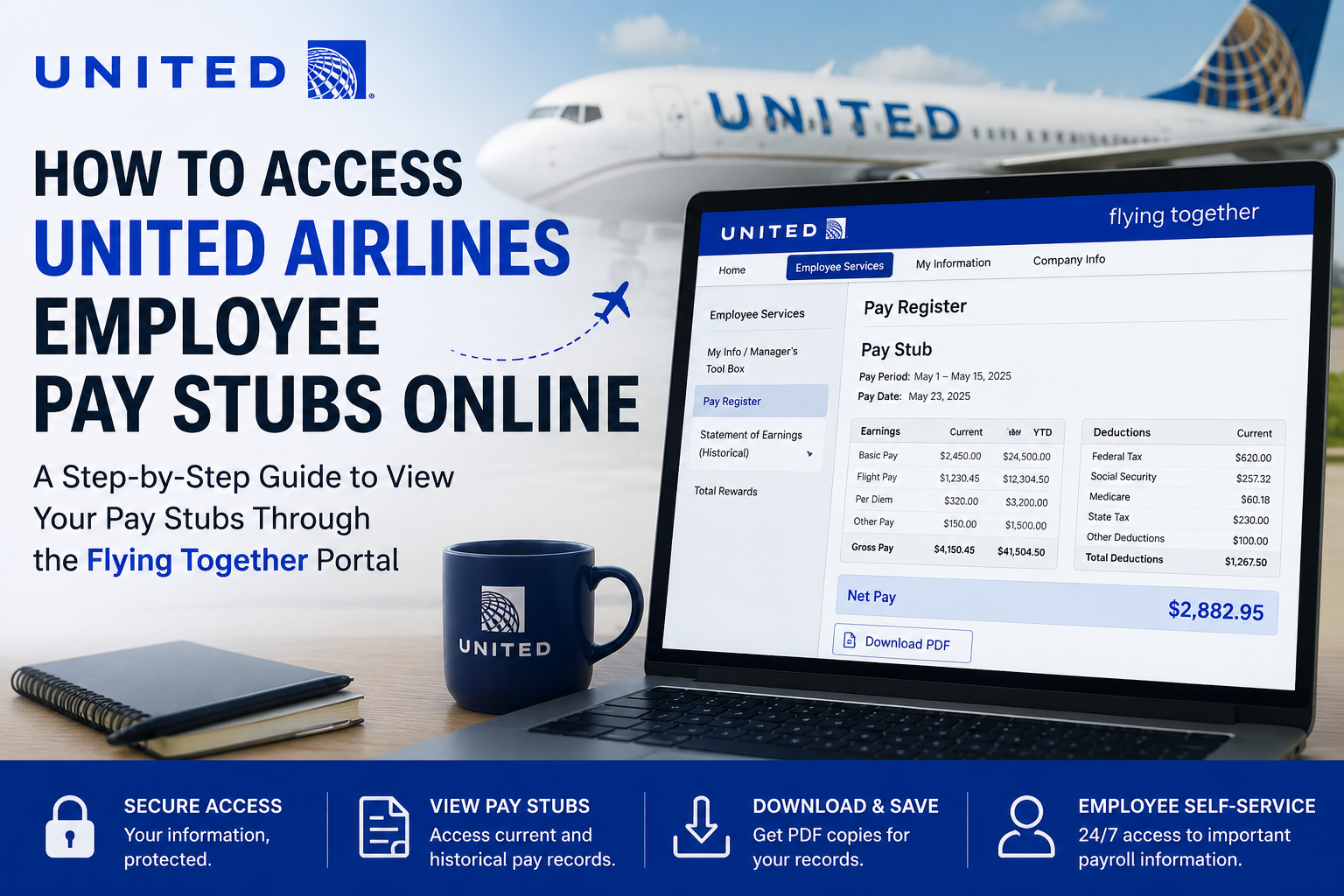
United Airlines is one of the largest and most influential carriers in the aviation industry, operating an expansive network of domestic and international flights across six continents. Headquartered in Chicago, Illinois, the airline serves millions of travelers annually through its mainline and United Express operations. As a founding member of the Star Alliance, United Airlines continues to connect employees and customers through a world-class aviation ecosystem. For employees of United Airlines, accessing payroll information online is simple and secure through the Flying Together employee portal. The platform allows staff members to review pay stubs, payroll deductions, tax withholdings, compensation records, and historical earnings statements from virtually anywhere.
What Is the United Airlines Flying Together Portal?
The Flying Together portal is United Airlines’ official employee self-service platform. It provides secure access to essential employment resources, including:
- Pay stubs and earnings statements
- Payroll tax details
- Historical pay records
- Employee benefits
- Work-related announcements
- Compensation and incentive information
- Retirement and total rewards information
Employees can log in using their United user ID and password through the official sign-on page.
How to Access United Airlines Pay Stubs Online
Follow these steps to retrieve your United Airlines pay stubs through the Flying Together portal.
Step 1: Visit the Flying Together Portal
Open your browser and navigate to:
https://flyingtogether.ual.com
You will arrive at the United employee login page.
Step 2: Enter Your Login Credentials
Input your:
- uID or username
- Password
Then click the Login button to access your employee dashboard.
Step 3: Navigate to Employee Services
After signing in:
- Select Employee Services
- Open My Info / Manager’s Tool Box
- Choose Pay Register or Statement of Earnings
This section contains your current and historical payroll records.
Step 4: View or Download Your Pay Stub
Once inside the payroll section:
- Select the desired pay period
- Open the PDF pay statement
- Review earnings, deductions, taxes, and net pay
- Download or print your pay stub for personal records
United Airlines provides PDF versions of finalized pay registers for employees to access conveniently online.
How to Access Historical Pay Statements
United Airlines employees can also retrieve prior-period earning statements through Flying Together.
Historical Pay Statement Access Path
Go to:
Flying Together → Employee Services → My Info / Manager’s Tool Box → Statement of Earnings (Historical)
Employees can access older Monthly Statements of Earnings (MSOE) and Monthly Flight Time Records (MFTR) directly from this section.
Understanding Your United Airlines Pay Stub
Your pay statement includes detailed payroll information such as:
- Gross earnings
- Net pay
- Taxes withheld
- Overtime pay
- Flight advances
- Holding pay
- Sick pay and accruals
- Imputed income
- Retirement contributions
United Airlines also provides internal payroll education resources through Flying Together to help employees understand each line item on their pay statements.
Profit Sharing and Compensation Information
Eligible employees may also access profit-sharing statements and compensation incentive details through the portal.
Profit Sharing Navigation Path
Flying Together → Employee Services → Total Rewards → Compensation & Incentives → Profit Sharing → Profit Sharing Statements
Employees can review payment summaries, contribution elections, and compensation-related documents online.
United Airlines Flying Together Login Help
If you experience login problems, password issues, or account lockouts, contact the United Airlines Digital Technology (DT) Service Desk.
United Airlines DT Service Desk
- Phone: 847-700-5800
- Toll-Free: 800-255-5801
Available for employees in:
- United States
- Canada
- Puerto Rico
- USVI
- Hong Kong
- Japan
- United Kingdom
International employees may use the AT&T Direct Access Number for their country and then dial: 877-363-5800
Employees should have a government-issued ID ready for identity verification.
Benefits of Accessing Pay Stubs Online
Using the Flying Together portal provides several advantages:
1. 24/7 Payroll Access
Employees can review pay information anytime from any device.
2. Faster Record Retrieval
Historical earning statements and PDF pay registers are accessible instantly.
3. Secure Payroll Management
United Airlines uses secure authentication systems to protect employee data.
4. Easy Tax Preparation
Pay stubs help employees verify income and deductions during tax season.
5. Paperless Convenience
Digital payroll records reduce paperwork and simplify financial organization.
Common Issues When Accessing Pay Stubs
Forgotten Password
Use the portal’s login assistance or contact the DT Service Desk.
Account Lockout
Too many failed login attempts may temporarily disable access.
Missing Pay Statements
Some payroll documents may appear after payroll processing is finalized.
Browser Compatibility Problems
Clear the browser cache or use an updated browser version.
Tips for Managing Your Payroll Information
- Download copies of monthly pay statements regularly
- Verify payroll deductions carefully
- Monitor tax withholdings and overtime entries
- Update direct deposit information promptly
- Store PDF earnings statements securely
Frequently Asked Questions (FAQs)
How do I access my United Airlines pay stubs online?
Employees can log in to the Flying Together portal at flyingtogether.ual.com using their employee credentials and navigate to Employee Services.
Can former employees access pay statements?
Depending on account status and company policy, some historical pay records may remain available through Flying Together.
Where can I find historical earnings statements?
Historical pay records are available under Statement of Earnings (Historical) within the My Info / Manager’s Tool Box section.
What information appears on a United Airlines pay stub?
Pay stubs include gross pay, deductions, taxes, overtime, accruals, retirement contributions, and net earnings.
What should I do if I cannot log in?
Contact the United Airlines DT Service Desk for password resets or account support.
Can I print my pay stubs?
Yes. Employees can download and print PDF versions of their pay statements.
Is the Flying Together portal secure?
Yes. The system uses secure employee authentication to protect payroll and personal information.
Can employees access payroll information from mobile devices?
Yes. Employees can access Flying Together through supported web browsers on mobile devices.
Are profit-sharing statements available online?
Yes. Eligible employees can access compensation and profit-sharing statements through the Total Rewards section.
When are finalized pay registers available?
Final PDF pay registers are typically available after payroll processing is completed for the applicable period.
