United Parcel Service, Inc. (UPS) is one of the world’s largest package delivery and supply chain management companies, serving millions of customers globally. Founded in 1907, UPS has grown into a Fortune 500 logistics giant known for its reliable ground and air shipping services. If you currently work at UPS, you can conveniently access your pay stubs, earnings statements, tax forms, and W-2 documents online through the UPSers employee portal and Dayforce HCM system. The process is straightforward and allows employees to manage payroll information securely from any device.
UPS Employee Payroll Portal
PS employees access payroll and tax information through the UPSers employee portal.
Official UPS Employee Portal: upsers.com
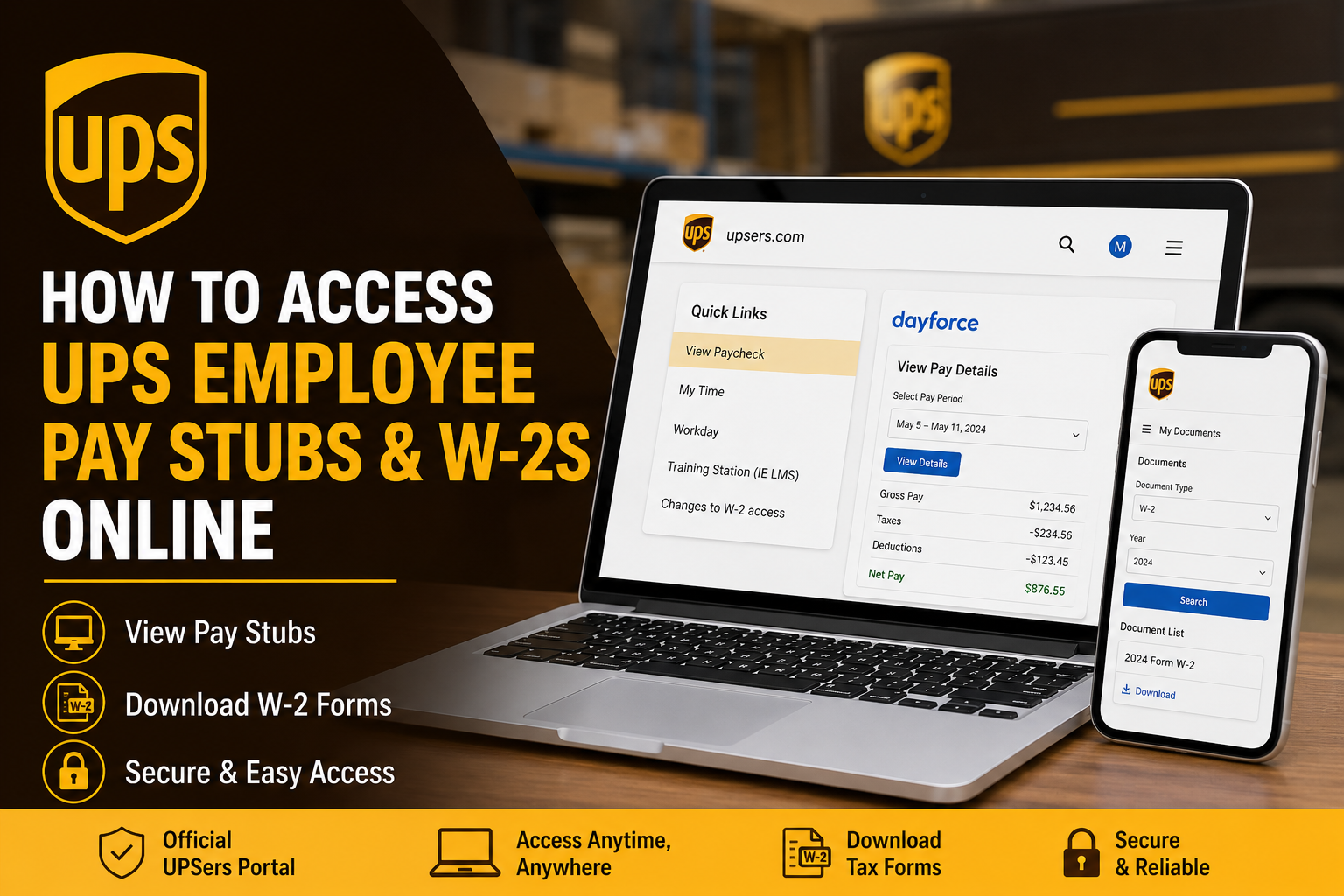
After signing in, employees can open the View Paycheck option under the Quick Links section, which redirects directly to the Dayforce HCM payroll system without requiring another login.
The Dayforce integration provides detailed payroll breakdowns, including:
- Gross pay
- Net pay
- Taxes withheld
- Deductions
- Overtime
- Vacation balances
- Direct deposit details
- W-2 tax forms
The system is mobile-friendly and works on desktops, tablets, and smartphones.
How to Access UPS Pay Stubs Online
Follow these steps to view your UPS paycheck information online:
Step 1: Visit the UPSers Portal
Go to: upsers.com
Step 2: Sign In to Your Employee Account
Enter your:
- UPS Employee ID @ups.com or username
- Password
If you are a newly hired employee, you may need to complete the employee registration process first.
Step 3: Open “View Paycheck”
After logging in:
- Navigate to the Quick Links section
- Click View Paycheck
- The system automatically redirects you to Dayforce HCM
UPS employees generally do not need an additional Dayforce login when accessing payroll through UPSers.
Step 4: View Pay Details
Inside Dayforce:
- Select View Pay Details
- Choose the desired pay period
- Open your earning statement
You can now review:
- Hours worked
- Pay rates
- Taxes
- Deductions
- Benefits contributions
- Direct deposit information
Many UPS employees prefer the Dayforce payroll interface because it provides a cleaner and more detailed earnings breakdown.
How to Download or Print UPS Pay Stubs
UPS employees can save pay statements as PDF files for:
- Apartment applications
- Mortgage verification
- Employment proof
- Tax preparation
- Loan applications
To download pay stubs:
- Open the paycheck statement
- Click the print icon or browser print option
- Select Save as PDF
- Save the file to your computer or mobile device
Community discussions from UPS employees also confirm that pay stubs can be printed or saved directly from the browser.
How to Access UPS W-2 Forms Online
UPS employees can access W-2 tax forms through Dayforce using the same payroll system.
Method 1: Access Through UPSers
- Sign in to UPSers
- Click View W2
- Open Dayforce
- Navigate to My Documents
- Select W-2
- Choose the tax year
- Download or print your W-2
Method 2: Access Directly Through Dayforce
UPS employees may also use:
According to employee instructions shared online, users can:
- Register a new Dayforce account
- Verify identity using the last four digits of their Social Security Number
- Access “My Documents”
- Select W-2 forms by year
How to Register for Dayforce W-2 Access
If you are using Dayforce for the first time:
- Visit the Dayforce portal
- Click Sign Up Now
- Enter your email address
- Verify your identity
- Create a password
- Set security questions
The Dayforce electronic W-2 system also allows employees to access tax forms from previous years.
How to Update Your Mailing Address for Paper W-2s
Employees who selected paper delivery for W-2 forms should verify their mailing address inside Workday.
To update your address:
- Log into UPSers
- Open Workday
- Navigate to Personal Information
- Update your mailing address
If you need help, contact UPS HR support.
UPS HR Support
📞 +1-800-877-6947
Updating your address early helps ensure your W-2 arrives on time.
Common UPS Payroll Login Problems
Forgot Your Password
Use the password recovery option on UPSers or Dayforce.
Incorrect Employee Access
Some new employees may accidentally log into the customer-facing UPS website instead of the employee portal. Ensure you are using:
and not the public UPS shipping website.
W-2 Not Showing
If your W-2 is unavailable:
- Verify the correct tax year is selected
- Wait until late January or early February
- Try logging in through Dayforce directly
Browser or PDF Download Issues
If statements do not download properly:
- Use Google Chrome or Microsoft Edge
- Disable popup blockers
- Use the browser’s “Print to PDF” feature
Benefits of Online Payroll Access at UPS
Using the UPS online payroll system offers several advantages:
- 24/7 secure access
- Faster W-2 delivery
- Mobile-friendly payroll access
- Easy PDF downloads
- Reduced paperwork
- Secure payroll management
- Quick access to tax history
Final Thoughts
UPS provides employees with a secure and efficient payroll management system through UPSers and Dayforce HCM. Whether you need weekly pay stubs, tax forms, direct deposit information, or payroll history, the online platform makes accessing employment records fast and convenient. By using the UPSers portal and Dayforce tools correctly, employees can easily manage payroll information, download W-2 forms, and maintain accurate personal records year-round.
Frequently Asked Questions (FAQ)
How do I access my UPS pay stub online?
Log into UPSers.com and click View Paycheck under Quick Links to open Dayforce payroll records.
Can UPS employees download pay stubs as PDFs?
Yes. Employees can print or save paycheck statements directly as PDF documents.
Where can I find my UPS W-2 online?
UPS W-2 forms are available through Dayforce inside the My Documents section.
Do I need a separate Dayforce password?
Usually no. Accessing Dayforce through UPSers automatically signs employees into the payroll system.
What if I forgot my UPSers password?
Use the password reset option on the UPSers login page.
Can former employees access UPS W-2s?
Yes. Former employees can often retrieve W-2s through the Dayforce portal.
When are UPS W-2 forms available?
UPS typically releases W-2 forms by the end of January each year.
How do I update my mailing address for paper W-2 delivery?
Update your address in Workday through UPSers.
Can I access UPS payroll from my phone?
Yes. UPSers and Dayforce are mobile-compatible.
Who do I contact for UPS payroll help?
You can contact UPS HR at +1-800-877-6947.
