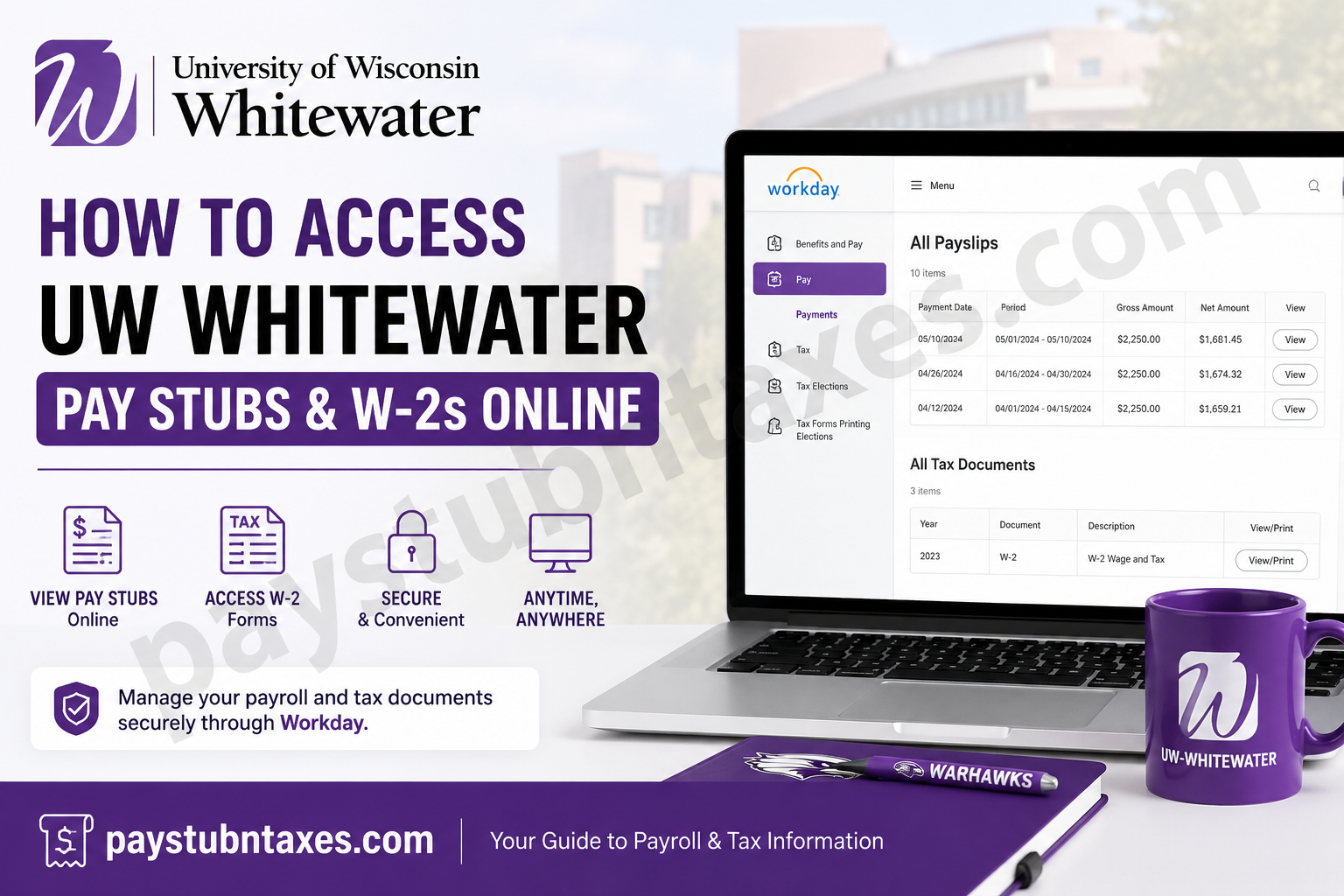
The University of Wisconsin-Whitewater has built a reputation for academic excellence, student success, and innovation since its founding in 1868. As one of Wisconsin’s leading public universities, UW-Whitewater supports thousands of employees, faculty members, and student workers through a streamlined digital payroll and tax management system. Current employees can conveniently access pay stubs, W-2 forms, tax elections, and payroll records online through the Workday self-service portal. If you are a UW-Whitewater employee looking to retrieve your payslips or W-2 tax documents, this guide explains the complete process step by step.
UW Whitewater Workday Login Portal
Employees can access payroll and tax documents through the official Workday portal:
Workday Portal:
UW Whitewater Workday Login
After opening the portal:
- Select UW–Whitewater as your organization
- Click Go
- You will be redirected to the University of Wisconsin-Whitewater Single Sign-On page.
- Sign in using your NetID and password.
Current employees and enrolled student employees can access Workday through MyUW using their university credentials.
How to Access UW-Whitewater Pay Stubs Online
Workday allows employees to view, download, and print current and historical payslips online.
Step-by-Step Guide to View Payslips
Step 1: Log into Workday
Visit the Workday portal and sign in with your UW-Whitewater NetID and password.
Step 2: Open the Menu
After logging in:
- Click the Menu icon in the upper-left corner
- Select Benefits and Pay
- Choose Pay
- Click Payments
Step 3: View Your Payslips
Scroll to the All Payslips section. You will see:
- Pay period dates
- Gross pay
- Net pay
- Payslip history
Click the View button to open detailed payroll information, including:
- Earnings
- Taxes withheld
- Deductions
- Employer contributions
You can also print the payslip directly from the portal.
Step 4: Print Multiple Payslips
If you need several payslips at once:
- Click View All Payslips
- Select Print Multiple Payslips
- Enter your desired date range
- Generate a PDF copy for download or printing
How to Access UW Whitewater W-2 Forms Online
Employees can retrieve annual W-2 tax forms electronically through Workday.
Steps to View Your W-2
Step 1: Sign into Workday
Log in using your NetID credentials.
Step 2: Navigate to Tax Documents
After signing in:
- Click Menu
- Select Benefits and Pay
- Choose Pay
- Click Tax
Step 3: Open Your W-2 Forms
In the All Tax Documents section:
- Locate the desired tax year
- Click View/Print
- Open or download your W-2 form instantly
You may also print the document directly from the PDF viewer.
How to Enroll in Electronic W-2 Delivery
Electronic delivery allows employees to receive W-2 forms earlier than mailed paper copies.
Enable Electronic Tax Documents
- Go to the Tax Forms Printing Elections section
- Click Edit
- Select:
- Receive electronic copy of my Year-End Tax Documents
- Click OK
- Click Done to save changes
This option helps employees access tax forms faster and reduces paper waste.
How to Update Tax Elections in Workday
Workday also allows employees to modify federal and state withholding information online.
To Update Tax Elections:
- Navigate to the Tax Elections section
- Click Update
- Modify:
- Federal withholding
- State withholding
- Additional deductions
- Save your changes
Troubleshooting UW Whitewater Workday Login Issues
If you cannot access your account:
Reset Your NetID Password
UW employees can use the NetID self-service tools to:
- Reset passwords
- Recover accounts
- Modify account settings
- Reactivate services
Contact UW IT Support
If password recovery does not work, contact the DoIT Help Desk for assistance.
Benefits of Using Workday for Payroll Access
UW Whitewater employees benefit from a secure and centralized payroll system that provides:
- 24/7 access to pay stubs
- Electronic W-2 delivery
- Secure tax document storage
- Easy payroll history tracking
- Printable PDF records
- Tax withholding management
The Workday platform helps employees manage payroll and tax information efficiently from any device.
Frequently Asked Questions (FAQs)
1. How do I access UW-Whitewater pay stubs online?
Log in to Workday through MyUW, navigate to Benefits and Pay > Pay > Payments, and open the All Payslips section.
2. Where can I find my W-2 form in Workday?
Go to Benefits and Pay > Pay > Tax and open the All Tax Documents section.
3. Can I print my UW-Whitewater payslips?
Yes. Workday allows employees to print individual or multiple payslips as PDF files.
4. Can student employees access Workday?
Yes. Current student employees who remain enrolled can access Workday using their NetID credentials.
5. How do I switch to electronic W-2 delivery?
Open the Tax Forms Printing Elections section in Workday and choose electronic delivery.
6. What should I do if I forget my NetID password?
Use the UW NetID self-service recovery tools or contact the DoIT Help Desk.
7. Can I update my tax withholding online?
Yes. Workday allows employees to update federal and state tax elections electronically.
8. Is Workday available outside campus?
Yes. Employees can securely access Workday remotely through the online portal.
9. Can I download old payslips?
Yes. Workday stores historical payroll records that can be viewed and downloaded anytime.
10. Does Workday support mobile access?
Yes. Employees can access Workday from desktops, tablets, and smartphones.
11. Are W-2 forms available before paper copies arrive?
Yes. Employees enrolled in electronic delivery often receive access earlier.
12. What information appears on a payslip?
Payslips include gross earnings, deductions, taxes, and net pay details.
13. Can I print multiple pay stubs at once?
Yes. The Print Multiple Payslips feature allows bulk PDF generation.
14. Is the UW-Whitewater payroll portal secure?
Yes. The university uses secure single sign-on authentication for Workday access.
15. Who should I contact for payroll issues?
Employees may contact UW Shared Services or campus payroll support for payroll-related concerns.
