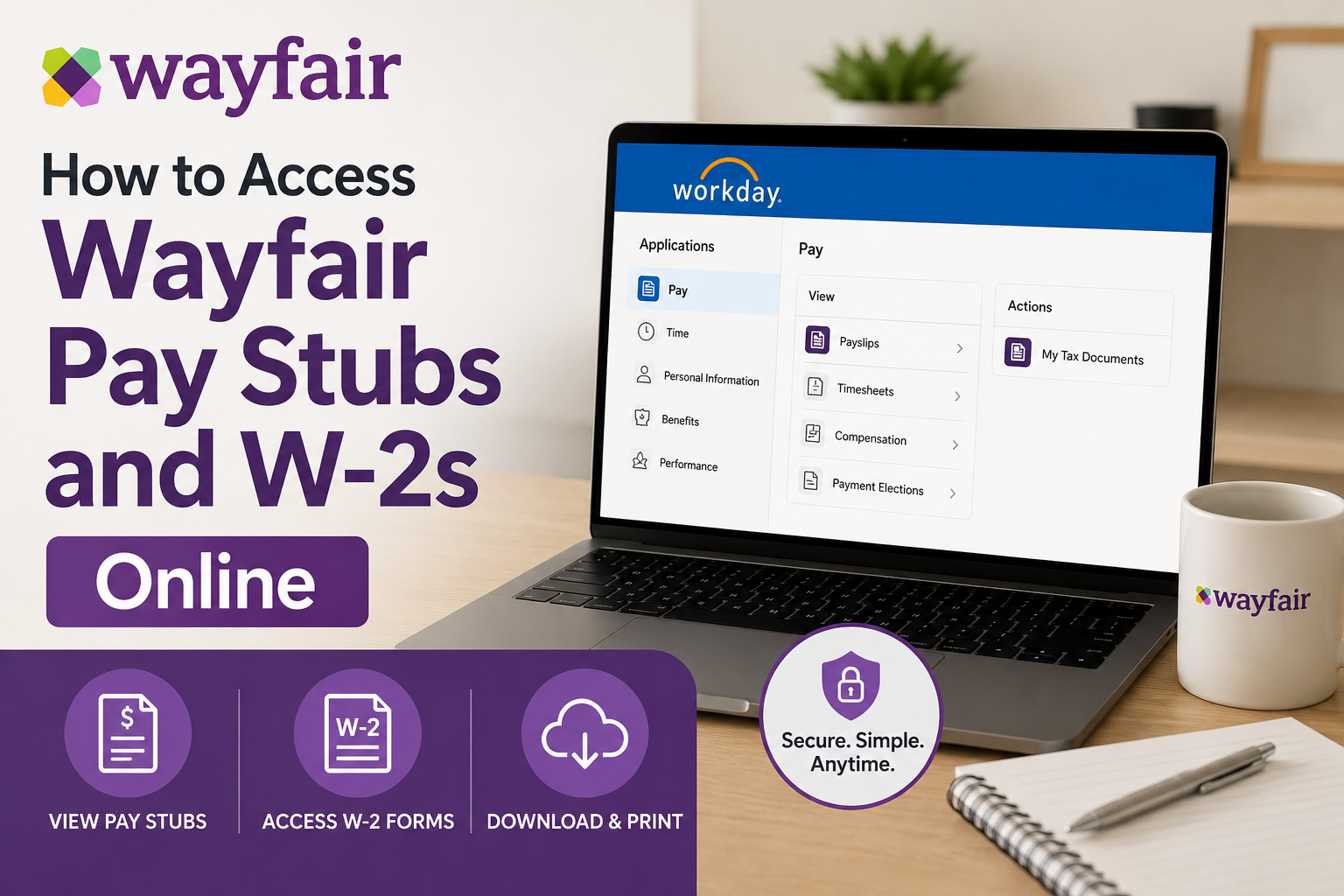
Wayfair is one of the world’s leading online destinations for home furniture, décor, and lifestyle essentials, serving millions of customers across North America and Europe. Founded in 2002, the company operates multiple retail brands and employs thousands of professionals globally. As a Wayfair employee, you can conveniently access your pay stubs, payroll records, tax forms, and W-2 statements online through the Workday self-service portal. Active employees typically log in using Okta authentication or Okta FastPass for enhanced security. Whether you need a recent paycheck, historical payroll data, or your annual W-2 form for tax filing, this guide explains everything you need to know.
What You Need Before Logging Into Wayfair Workday
Before accessing your payroll information, make sure you have:
- Your Wayfair employee login credentials
- Access to your registered email or mobile device
- Okta Verify or Okta FastPass configured if required
- A stable internet connection
- Your employee ID if prompted
Returning employees can sign in quickly using Okta FastPass authentication.
Wayfair Workday Login Portal
Employees can access payroll services through the official Workday portal:
Official Login Link
The login page also supports secure authentication through Okta and FastPass verification.
How to Access Wayfair Pay Stubs Online
Follow these steps to view or download your payslips:
Step 1: Visit the Workday Portal
Open the official Wayfair Workday login page in your browser.
Step 2: Sign In Securely
Enter your username and password. Active employees may use:
- Okta authentication
- Okta FastPass
- Multi-factor authentication (MFA)
Step 3: Open the Pay Section
After signing in:
- Navigate to your employee profile
- Select Pay
- Click Payslips
Step 4: Select the Desired Pay Period
A list of payroll periods will appear.
Choose the pay date you want to review.
Step 5: Download or Print Your Pay Stub
Click the PDF link beside the pay period to:
- Download your pay stub
- Print a copy
- Save payroll records for future reference
How to Access Wayfair W-2 Forms Online
Wayfair employees can also retrieve annual tax forms directly through Workday.
Step 1: Log Into Workday
Use your Wayfair credentials and Okta authentication if prompted.
Step 2: Open the Pay Application
From the Workday dashboard:
- Open the Menu
- Select Pay
Step 3: Open “My Tax Documents”
Inside the Pay section, click:
My Tax Documents
This area stores your W-2 tax forms electronically.
Step 4: Choose Your Tax Year
Locate the required W-2 year and select the form.
Step 5: View, Download, or Print Your W-2
You may receive a temporary “Notify Me Later” processing message before the document becomes available.
Once processing finishes:
- Open the PDF version
- Download your W-2
- Print a copy for tax filing
How Okta FastPass Helps Wayfair Employees
Wayfair uses Okta authentication to strengthen account security and simplify employee access.
Benefits include:
- Faster sign-in experience
- Secure multi-factor authentication
- Reduced password issues
- Safer access from personal devices
Employees may receive push notifications through Okta Verify during login authentication.
Troubleshooting Wayfair Workday Login Issues
If you cannot access your account, try the following solutions:
Forgot Password
Use the password recovery option on the login page or contact Wayfair HR support.
Okta Verification Problems
- Ensure Okta Verify is installed
- Approve the push notification
- Confirm your mobile device has internet access
Locked Account
The login page includes an “Unlock account?” option for recovery assistance.
Browser Compatibility
Try:
- Clearing browser cache
- Using Chrome or Edge
- Disabling browser extensions temporarily
Benefits of Using Wayfair Workday
The Workday portal allows employees to:
- Access pay stubs anytime
- Retrieve W-2 tax forms online
- Update payroll information
- Review compensation history
- Access tax documents securely
- Reduce paperwork and mailing delays
Can Former Employees Access Wayfair W-2s?
Former employees may still have limited Workday access depending on their separation status and company policies.
If login access no longer works:
- Contact Wayfair HR or payroll support
- Request electronic or mailed copies
- Verify your mailing address for tax delivery
Final Thoughts
Wayfair employees can easily manage payroll and tax records online through the secure Workday self-service platform. With Okta authentication and Workday tools, accessing pay stubs and W-2 forms becomes fast, secure, and highly convenient. Whether you need your latest paycheck, historical payroll records, or tax documents for filing season, the Wayfair Workday portal provides centralized and reliable access from virtually anywhere.
Frequently Asked Questions (FAQ)
1. How do I access my Wayfair pay stubs online?
You can access your Wayfair pay stubs by logging into the Workday self-service portal and navigating to the Pay section, then selecting Payslips.
2. What is the official Wayfair Workday login link?
The official Wayfair Workday portal is: https://www.myworkday.com/wayfair/d/home.htmld
3. Can I download my Wayfair pay stubs as PDF files?
Yes. Workday allows employees to download, print, and save pay stubs in PDF format.
4. How do I get my Wayfair W-2 online?
Log into Workday, open the Pay application, and select My Tax Documents to access your W-2 forms.
5. Does Wayfair use Okta FastPass for employee login?
Yes. Active employees can sign in securely using Okta or Okta FastPass authentication.
6. What should I do if I forgot my Wayfair Workday password?
Use the password recovery option on the login page or contact Wayfair HR or IT support for assistance.
7. Can former Wayfair employees access W-2 forms online?
In many cases, former employees may still access Workday temporarily. If access is unavailable, contact HR or payroll support.
8. When are Wayfair W-2 forms available each year?
W-2 forms are generally available by the end of January for the previous tax year.
9. Can I print my Wayfair W-2 directly from Workday?
Yes. Workday allows employees to view, download, and print W-2 tax documents.
10. Why is Okta verification required during login?
Okta provides multi-factor authentication to protect employee payroll and tax information from unauthorized access.
11. Can I access Wayfair Workday from my mobile phone?
Yes. Employees can use a mobile browser or the Workday mobile app for convenient access.
12. What information appears on a Wayfair pay stub?
Your pay stub typically includes:
- Gross pay
- Net pay
- Taxes withheld
- Hours worked
- Deductions
- Direct deposit details
13. What should I do if my W-2 is missing?
If your W-2 does not appear in Workday, contact Wayfair payroll or HR support for assistance.
14. Is the Wayfair Workday portal secure?
Yes. Workday and Okta use advanced security protocols and authentication measures to protect employee data.
15. Can I access historical payroll records in Workday?
Yes. Employees can usually access previous pay stubs and payroll history directly through the Workday portal.
