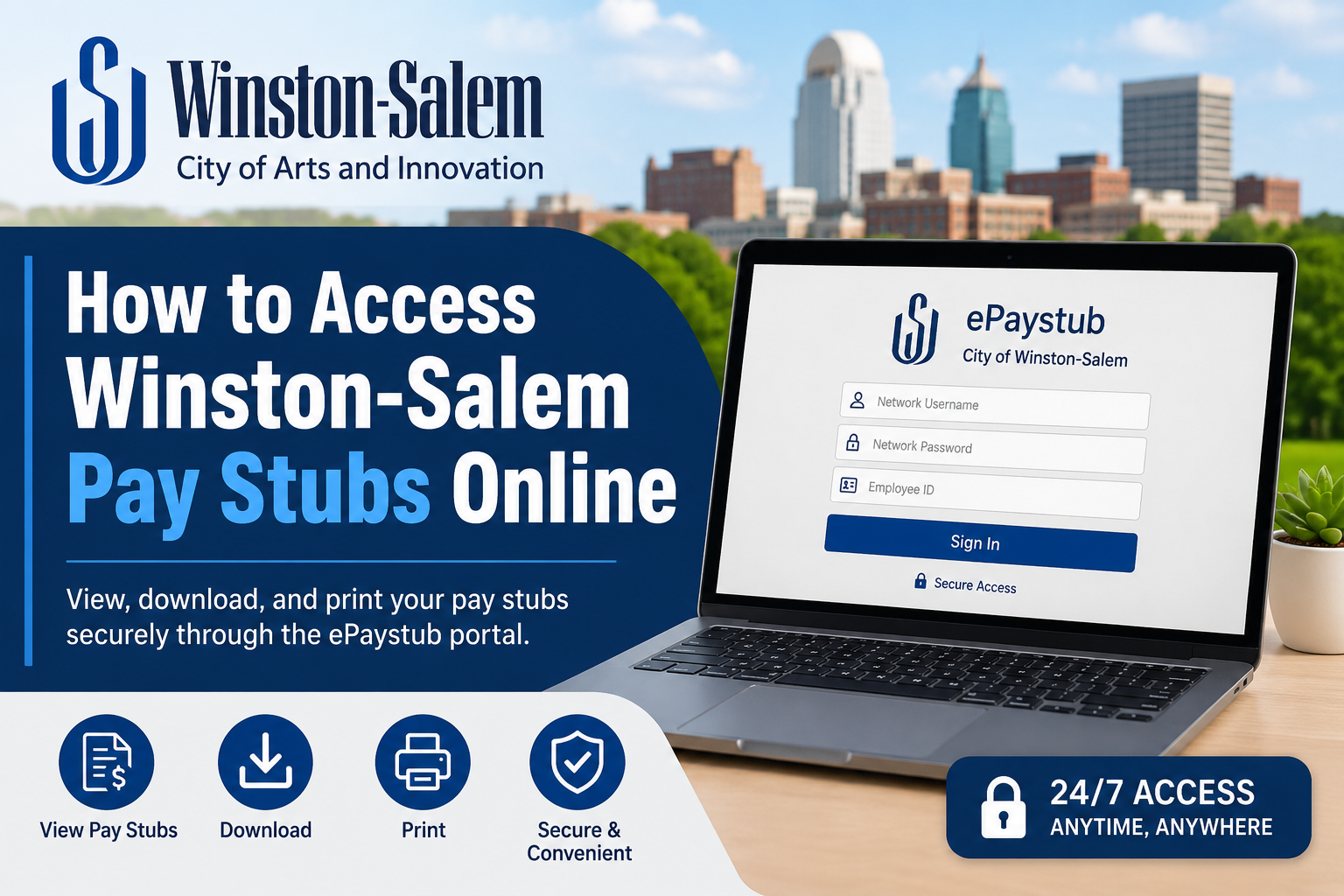
The City of Winston-Salem, North Carolina, proudly known as the “City of Arts and Innovation,” has been serving residents since 1913 through reliable municipal services and a dedicated workforce. Employees of the City of Winston-Salem can conveniently access their pay stubs online through the secure ePaystub self-service portal. The online system allows employees to review earnings statements, payroll information, and electronic deposit advice anytime from any computer with internet access. The portal is designed to provide a fast, secure, and paperless payroll experience for city employees.
Winston-Salem ePaystub Portal Login
Employees can access the official Winston-Salem ePaystub portal here:
The portal is protected through a secure login system powered by Laserfiche authentication services.
How to Access Winston-Salem Pay Stubs Online
Follow these simple steps to view your payroll statements online:
Step 1: Visit the Official ePaystub Portal
Open your web browser and go to the official City of Winston-Salem payroll portal.
Step 2: Enter Your Network Username and Password
Employees must sign in using their assigned network username and password credentials.
Step 3: Enter Your Employee ID Number
After successfully signing in, the system will prompt you to enter your employee ID number to verify your identity.
Step 4: Access Your Pay Stub
Once authenticated, you can:
- View current pay stubs
- Download payroll statements
- Print earnings records
- Access direct deposit information
- Review payroll deductions and earnings history
Benefits of the Winston-Salem ePaystub System
The City of Winston-Salem introduced electronic pay statements to provide employees with secure and convenient payroll access.
Key benefits include:
- 24/7 online access from any device
- Secure payroll document management
- Reduced paper usage
- Faster access to earnings statements
- Convenient download and printing options
- Improved payroll record organization
According to the city’s ePaystub information page, electronic access is available to active employees and eligible retirees with secure online deposit advice access.
Winston-Salem Employee Payroll Features
The self-service payroll environment allows employees to manage several important payroll functions, including:
- Viewing pay stubs
- Reviewing direct deposit information
- Accessing tax forms
- Monitoring payroll deductions
- Managing employee payroll records
The employee self-service system also supports payroll-related administrative functions and secure account management.
Troubleshooting Winston-Salem Pay Stub Login Issues
If you experience difficulty logging into the ePaystub portal, try the following solutions:
Verify Login Credentials
Ensure your network username, password, and employee ID are entered correctly.
Reset Forgotten Password
If you forgot your network password, contact your department IT administrator or Human Resources office.
Clear Browser Cache
Sometimes, outdated browser cache files may interfere with portal access.
Use a Supported Browser
Access the portal using updated browsers such as:
- Google Chrome
- Microsoft Edge
- Mozilla Firefox
- Safari
Contact Human Resources
If login problems persist, contact the City of Winston-Salem Human Resources Department for assistance.
Winston-Salem Human Resources Contact Information
Employees may contact the Human Resources Department for payroll or account-related support.
Human Resources Department
City of Winston-Salem
100 E First Street, Suite 131
Bryce A. Stuart Municipal Building
Winston-Salem, NC 27101
Main Office: 336-747-6800
CityLink: 311 or (336) 727-8000
Text: (855) 481-LINK (5465)
Email: citylink@cityofws.org
Security Tips for Employees
To keep your payroll information secure:
- Never share your password
- Always log out after accessing payroll records
- Avoid using public Wi-Fi for payroll access
- Update your password regularly
- Use strong password combinations
Final Thoughts
The Winston-Salem ePaystub portal provides city employees with a secure, efficient, and user-friendly way to access payroll information online. Whether you need to review your latest earnings statement, print a pay stub, or manage payroll records, the online self-service system makes the process quick and convenient. By using the official City of Winston-Salem payroll portal, employees can securely access important payroll information anytime and from virtually anywhere.
Frequently Asked Questions (FAQ)
1. How do I access Winston-Salem pay stubs online?
Visit the official Winston-Salem ePaystub portal, sign in with your network username and password, then enter your employee ID number to access your pay stubs.
2. What is the official Winston-Salem ePaystub portal link?
The official payroll portal is:
https://lffportal.cityofws.org/ereports/welcome.aspx?cr=1
3. Can Winston-Salem employees download pay stubs?
Yes. Employees can download and print electronic pay stubs directly from the ePaystub portal.
4. Is the Winston-Salem payroll portal secure?
Yes. The portal uses secure login authentication to protect employee payroll and earnings information.
5. What login credentials are required for the ePaystub portal?
Employees need:
- Network username
- Network password
- Employee ID number
6. Can I access Winston-Salem pay stubs from home?
Yes. The portal is accessible online from any computer or mobile device with internet access.
7. What should I do if I forgot my Winston-Salem payroll password?
Contact your department IT support team or the Human Resources Department for password reset assistance.
8. Does Winston-Salem provide paper pay stubs?
The city primarily provides electronic pay stubs through the online ePaystub system.
9. Can retirees access the Winston-Salem ePaystub system?
Yes. Eligible Winston-Salem Police Officer retirees and beneficiaries may access electronic deposit advice online.
10. What information is available on Winston-Salem pay stubs?
Pay stubs may include:
- Gross pay
- Net pay
- Tax withholdings
- Direct deposit details
- Payroll deductions
- Earnings history
11. Which browsers work best with the ePaystub portal?
Supported browsers include:
- Google Chrome
- Microsoft Edge
- Mozilla Firefox
- Safari
12. Can employees print payroll records online?
Yes. Employees can print current and previous payroll statements directly from the portal.
13. Who should I contact for payroll support in Winston-Salem?
Employees can contact the City of Winston-Salem Human Resources Department or CityLink support services for assistance.
14. Is the Winston-Salem payroll portal available 24/7?
Yes. Employees can generally access payroll records online anytime through the self-service portal.
15. Why can’t I log into the Winston-Salem ePaystub portal?
Login issues may occur :
- Incorrect username or password
- Wrong employee ID
- Browser cache problems
- Expired credentials
- Network access restrictions
Clearing your browser cache or contacting HR support usually resolves the issue.
