Woodland Constructors Ltd. is a trusted supplier of skilled labour for industrial construction, maintenance, and turnaround projects across Western Canada. The company is recognized for its commitment to safety, workforce development, and providing highly trained professionals for multi-disciplined industrial projects. To support employees with convenient payroll management, Woodland Constructors provides online access to pay statements, payroll records, and T4 tax forms through its employee self-service portal powered by SAP SuccessFactors and the Evolve employee portal.
Woodland Constructors Employee Portal Login
Employees can access payroll information online through the official portal:
Employee Login Portal:
https://ayhy4rimm.accounts.ondemand.com/saml2/idp/sso?sp=https://www.successfactors.com/S001958294P&idp=ayhy4rimm.accounts.ondemand.com
The Woodland Constructors employee page also provides access to the Evolve employee portal for pay statements and employee information. Employees receive an authentication code via email each time they log in for additional security.
What You Can Access Online
Using the Woodland Constructors payroll portal, employees can:
- View current and previous pay stubs
- Download payroll statements
- Print pay statements securely
- Access T4 tax slips
- Review payroll deductions and earnings
- Access employee information and payroll history
- Download tax-related documents
According to the SuccessFactors payroll guide, employees can access payroll information under the “Payroll Information” section after logging into their account.
Step-by-Step Guide to Access Woodland Constructors Pay Stubs
Step 1: Open the Employee Login Portal
Visit the official Woodland Constructors employee portal:
https://ayhy4rimm.accounts.ondemand.com/saml2/idp/sso?sp=https://www.successfactors.com/S001958294P&idp=ayhy4rimm.accounts.ondemand.com
Alternatively, employees may access the Evolve employee portal through the Woodland Constructors Employees page.
Step 2: Sign In to Your Account
Enter your:
- Username or Employee ID
- Password
For enhanced security, Woodland Constructors may send a login authentication code to your registered email address during sign-in.
If you forgot your password, click the “Forgot Password” option on the login page.
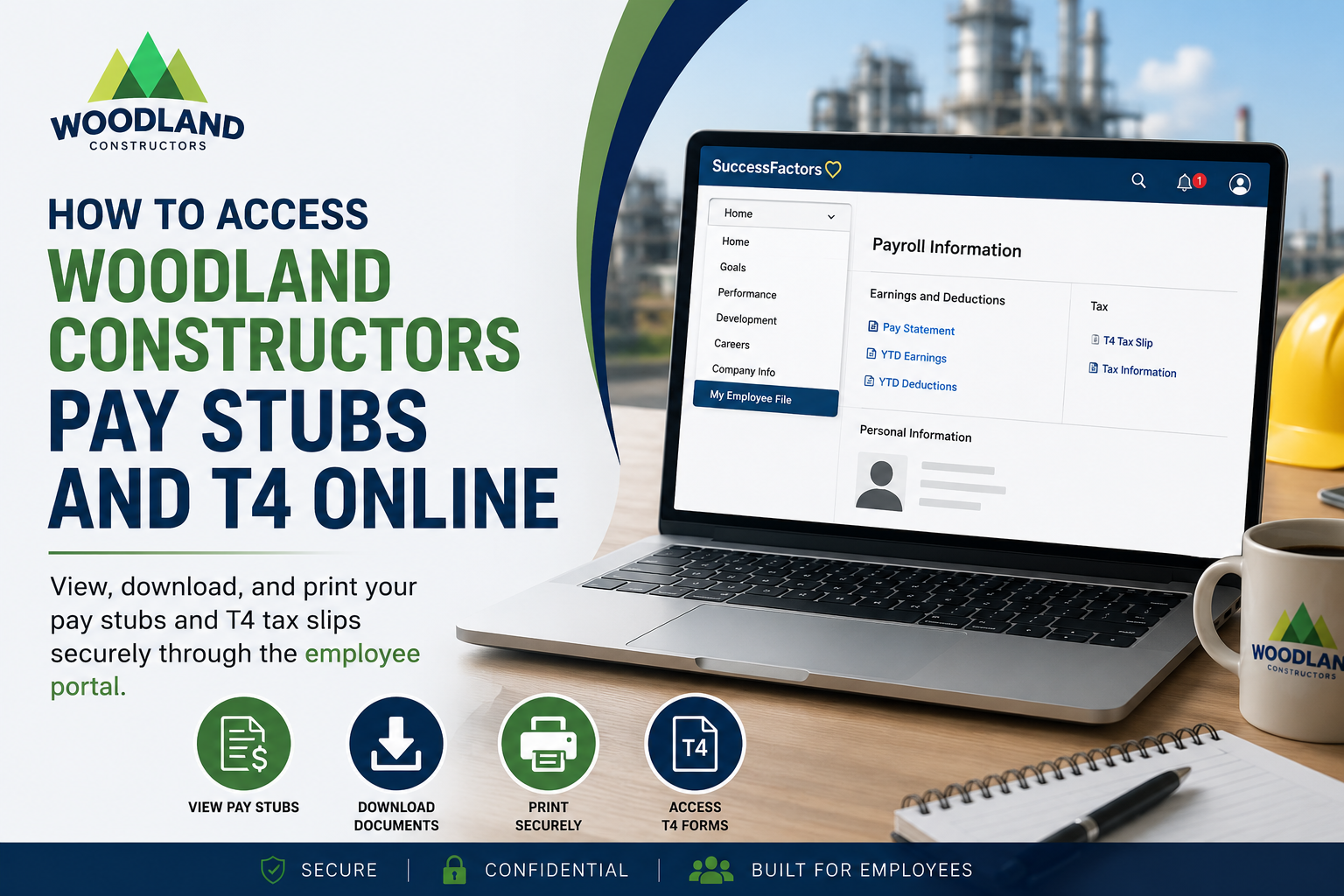
Step 3: Open “My Employee File”
Once logged into SAP SuccessFactors:
- Select the drop-down menu from the homepage
- Click “My Employee File”
- Navigate to the right-side panel
- Select “Payroll Information”
Step 4: View Your Pay Statement
Inside the Payroll Information section:
- Locate “Earnings and Deductions”
- Click “Pay Statement”
- Your latest pay stub will appear on-screen for review
Your pay statement typically includes:
- Gross earnings
- Hours worked
- Taxes deducted
- Benefits and deductions
- Net pay
- Year-to-date totals
Step 5: Download or Print Pay Stubs
Employees can print or download their payroll statements directly from the portal.
Users can hover over the top menu bar to activate the print and download functions.
Important Security Tips
- Use a private computer whenever possible
- Save files to a secure location
- Avoid printing sensitive payroll information on public printers
- Log out after accessing payroll records
How to Access Woodland Constructors T4 Online
Canadian employees can retrieve T4 tax slips electronically through the same payroll system.
Steps to Access T4 Forms
- Log into the employee portal
- Open Payroll Information
- Select the Tax or T4 section
- View, download, or print your T4 form
The payroll guide confirms that employees can access and print W2 and tax information directly through SuccessFactors payroll tools.
For Canadian employees, the equivalent year-end tax document is the T4 slip.
Troubleshooting Woodland Constructors Payroll Login Issues
If you cannot access your account:
Reset Your Password
Use the “Forgot Password” link on the login screen.
Check Your Authentication Email
Make sure you can receive the login verification code sent to your email.
Verify Your Internet Connection
A stable internet connection is recommended for accessing payroll documents securely.
Contact Payroll or HR Support
Reach out to Woodland Constructors HR or payroll support if your account remains inaccessible.
Benefits of Online Pay Stub Access
Using the Woodland Constructors online payroll system allows employees to:
- Access payroll records anytime
- Reduce paperwork
- Download tax documents quickly
- Store payroll files digitally
- Access secure payroll information remotely
- Review earnings and deductions instantly
Final Thoughts
Woodland Constructors provides employees with a secure and efficient online payroll system through SAP SuccessFactors and the Evolve employee portal. Employees can conveniently access pay stubs, payroll information, and T4 tax slips online from any secure device. By following the simple login and payroll navigation process, employees can quickly download or print payroll records whenever needed while maintaining privacy and security.
Frequently Asked Questions (FAQs)
1. How do I access Woodland Constructors pay stubs online?
Visit the official employee portal, log in with your credentials, open “My Employee File,” and select “Payroll Information” to access your pay statements.
2. What portal does Woodland Constructors use for payroll access?
Woodland Constructors employees use the SAP SuccessFactors and Evolve employee portals for payroll and employee information access.
3. Can I download my Woodland Constructors pay stubs?
Yes. Employees can download PDF copies of pay statements directly from the payroll portal.
4. How do I print my Woodland Constructors pay stub?
After opening your pay statement, use the print icon or browser print option to print your payroll document securely.
5. Where can I find my T4 form online?
Your T4 tax slip is available under the Payroll Information or Tax section inside the employee portal.
6. What information appears on a Woodland Constructors pay stub?
A pay stub usually includes:
- Gross earnings
- Hours worked
- Payroll deductions
- Taxes withheld
- Benefits information
- Net pay
- Year-to-date totals
7. What should I do if I forgot my employee portal password?
Click the “Forgot Password” option on the login page and follow the instructions to reset your account credentials.
8. Why am I receiving an authentication code during login?
Woodland Constructors uses email authentication codes as an additional security layer to protect employee payroll information.
9. Can former employees access Woodland Constructors payroll records online?
Access policies for former employees may vary. Contact HR or payroll support if you no longer have portal access.
10. Is the Woodland Constructors payroll portal secure?
Yes. The portal uses secure authentication and encrypted login systems to protect employee payroll and tax information.
11. Can I access my pay stubs on a mobile device?
Yes. Employees can typically access the payroll portal using smartphones, tablets, or computers with internet access.
12. How often are Woodland Constructors pay stubs updated?
Pay statements are generally updated each payroll cycle after payroll processing is completed.
13. What should I do if my pay stub information is incorrect?
Contact Woodland Constructors payroll or HR immediately if you notice errors related to hours, deductions, or wages.
14. Can I save my T4 form electronically?
Yes. Employees can download and securely save electronic copies of T4 tax slips for tax filing purposes.
15. Why should I use a private computer to access payroll records?
Payroll documents contain sensitive financial information. Using a private device helps protect your personal and payroll data from unauthorized access.
