Zumiez Inc. is a globally recognized specialty retailer of apparel, footwear, accessories, and hardgoods designed for young individuals who embrace creativity and self-expression. Founded in 1978 and headquartered in Lynnwood, Washington, Zumiez operates hundreds of stores worldwide, focusing on action sports culture such as skateboarding, snowboarding, and BMX.
Overview: Zumiez Payroll System
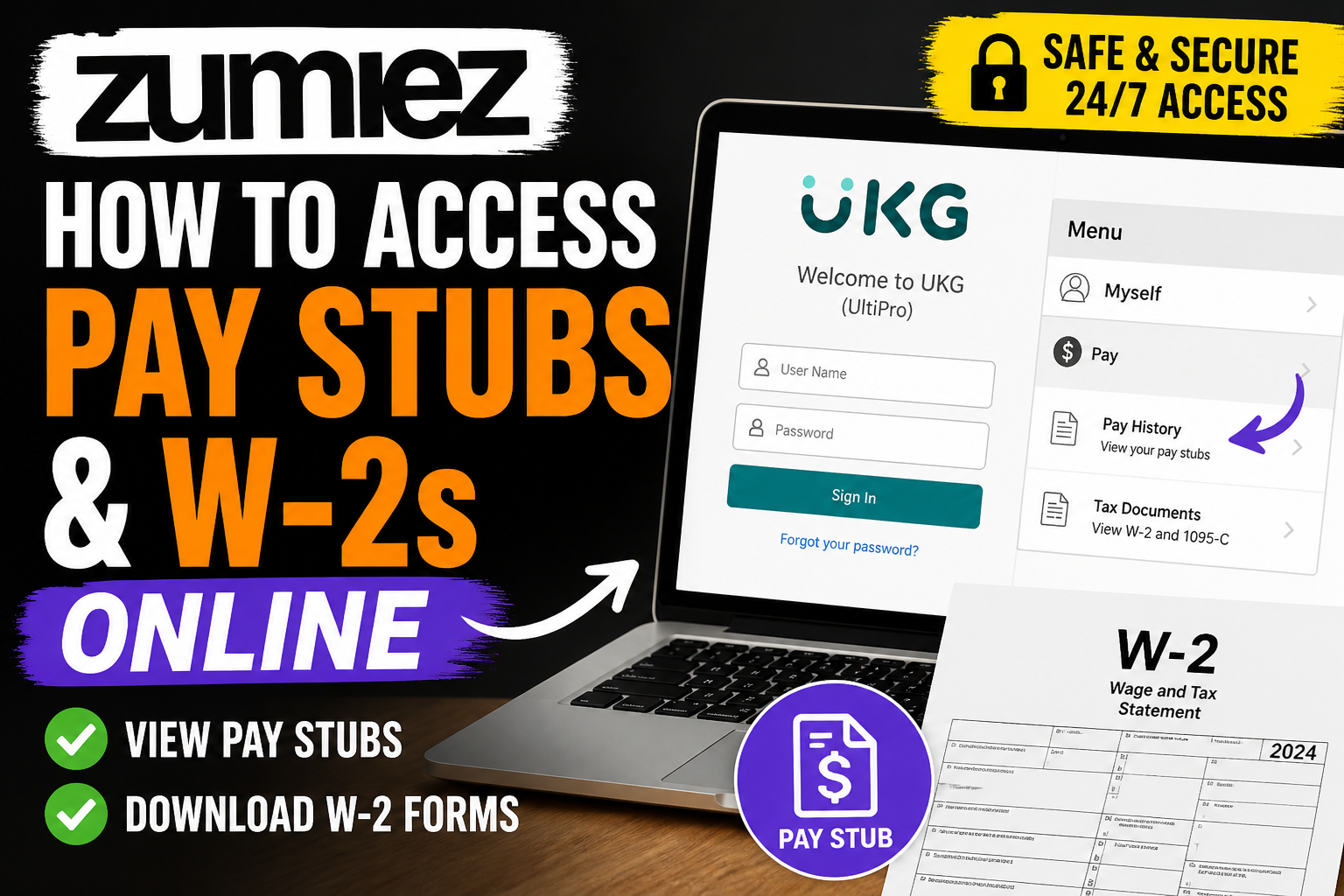
Zumiez employees access their payroll information—including pay stubs and W-2 forms—through the UKG (formerly UltiPro) Employee Self-Service Portal.
👉 Official Login Portal:
http://zhire.zumiez.com/
This secure platform allows employees to:
- View and download pay stubs
- Access payroll history
- Retrieve W-2 tax forms
- Manage personal and tax information
According to the UltiPro reference guide, employees can access payroll data anytime via computer or mobile, ensuring full transparency and convenience.
How to Access Zumiez Pay Stubs Online
Follow these step-by-step instructions to retrieve your pay statements:
Step 1: Visit the UKG Portal
Go to 👉 http://zhire.zumiez.com/
Step 2: Enter Your Login Credentials
- Username: Provided during onboarding
- Default Password:
- Your 4-digit birth year + last 4 digits of your Social Security Number
Step 3: Change Your Password
For security purposes, you will be prompted to update your password upon first login. The system requires a strong password with specific criteria.
Step 4: Navigate to Pay Section
Once logged in:
- Go to Menu > Myself > Pay > Pay History
Step 5: View or Download Pay Stubs
- Select a pay date
- Click View or Print to download your payslip
The UltiPro system allows you to access both current and historical pay statements instantly.
How to Access Zumiez W-2 Forms
Step-by-Step Process:
- Log in to the UKG portal
- Navigate to:
Menu > Myself > Pay > Tax Documents / W-2 - Select the relevant tax year
- Click Download or Print
The platform provides digital W-2 forms, eliminating the need for paper copies and ensuring faster tax filing.
Access for Former Zumiez Employees
If you are no longer employed at Zumiez:
- Your UKG account may remain active for tax document access
- Use your previous login credentials to sign in
- If access fails, contact Zumiez HR or UKG support
Community insights confirm that former employees can often still retrieve W-2s via the same portal used during employment.
Key Features of the UKG (UltiPro) System
The UltiPro Employee Self-Service platform provides comprehensive HR and payroll access:
- View payroll history and earnings
- Print W-2 tax forms
- Update personal information
- Manage direct deposit
- Track taxes and deductions
The system also enables employees to review detailed earnings statements, including taxes, deductions, and net pay summaries.
Understanding Your Zumiez Pay Stub
Your pay stub contains several critical components:
- Earnings: Current and year-to-date wages
- Deductions: Benefits, insurance, and other withholdings
- Taxes: Federal, state, and local tax breakdown
- Net Pay: Final amount deposited
- YTD Summary: Annual earnings overview
The UltiPro guide emphasizes that reviewing these sections helps ensure accuracy in payroll and tax reporting.
Troubleshooting Login Issues
If you cannot access your account:
- Use the “Forgot Password” option
- Verify your username
- Reset your password via security questions
- Contact HR if your account is locked
Best Practices for Employees
- Download pay stubs regularly for recordkeeping
- Verify personal details to ensure correct tax reporting
- Save your W-2 before leaving the company
- Avoid sharing login credentials for security reasons
Conclusion
Accessing your Zumiez pay stubs and W-2 forms online is straightforward through the UKG (UltiPro) portal. Whether you are a current or former employee, the system offers a secure, efficient, and paperless way to manage your payroll information. By following the steps outlined above, you can quickly retrieve your financial documents and stay compliant with tax requirements.
Frequently Asked Questions (FAQs)
1. What portal does Zumiez use for pay stubs?
Zumiez uses the UKG (UltiPro) Employee Self-Service portal for accessing pay stubs, payroll history, and W-2 forms.
2. How do I log in to the Zumiez employee portal?
Visit zhire.zumiez.com, enter your username, and use your password (default is typically your birth year + last 4 digits of SSN).
3. Where can I find my Zumiez pay stubs?
After logging in, go to:
Menu > Myself > Pay > Pay History, then select a pay date to view or download your payslip.
4. How do I download my Zumiez W-2 form?
Navigate to:
Menu > Myself > Pay > Tax Documents, select the year, and download your W-2.
5. Can former Zumiez employees access W-2 forms?
Yes, former employees can often still log in to the UKG portal to retrieve W-2 forms and payroll records.
6. What if I forgot my Zumiez login password?
Click “Forgot Password” on the login page and follow the instructions to reset your credentials using security questions.
7. What is the default password for Zumiez UKG login?
The default password is usually your 4-digit birth year and last 4 digits of your Social Security Number.
8. Can I access Zumiez pay stubs on mobile?
Yes, you can access your payroll information through the UKG mobile app after setting up your account on a computer.
9. Why can’t I log into the Zumiez portal?
Common reasons include incorrect credentials, locked accounts, or expired passwords. Try resetting your password or contacting HR.
10. How often are pay stubs updated?
Pay stubs are typically available each pay cycle and remain accessible in your payroll history.
11. Are Zumiez pay stubs available after termination?
Yes, in many cases your UKG account remains active for accessing past pay stubs and W-2 forms.
12. What information is included in a Zumiez pay stub?
Your pay stub includes:
- Gross earnings
- Deductions
- Taxes
- Net pay
- Year-to-date totals
13. Can I print my Zumiez pay stubs?
Yes, you can download and print pay stubs directly from the UKG portal.
14. Is the Zumiez payroll system secure?
Yes, UKG uses secure login protocols and requires password updates and security verification.
15. Who should I contact if I can’t access my W-2?
If you cannot log in, contact Zumiez HR or payroll support for assistance in retrieving your tax documents.
