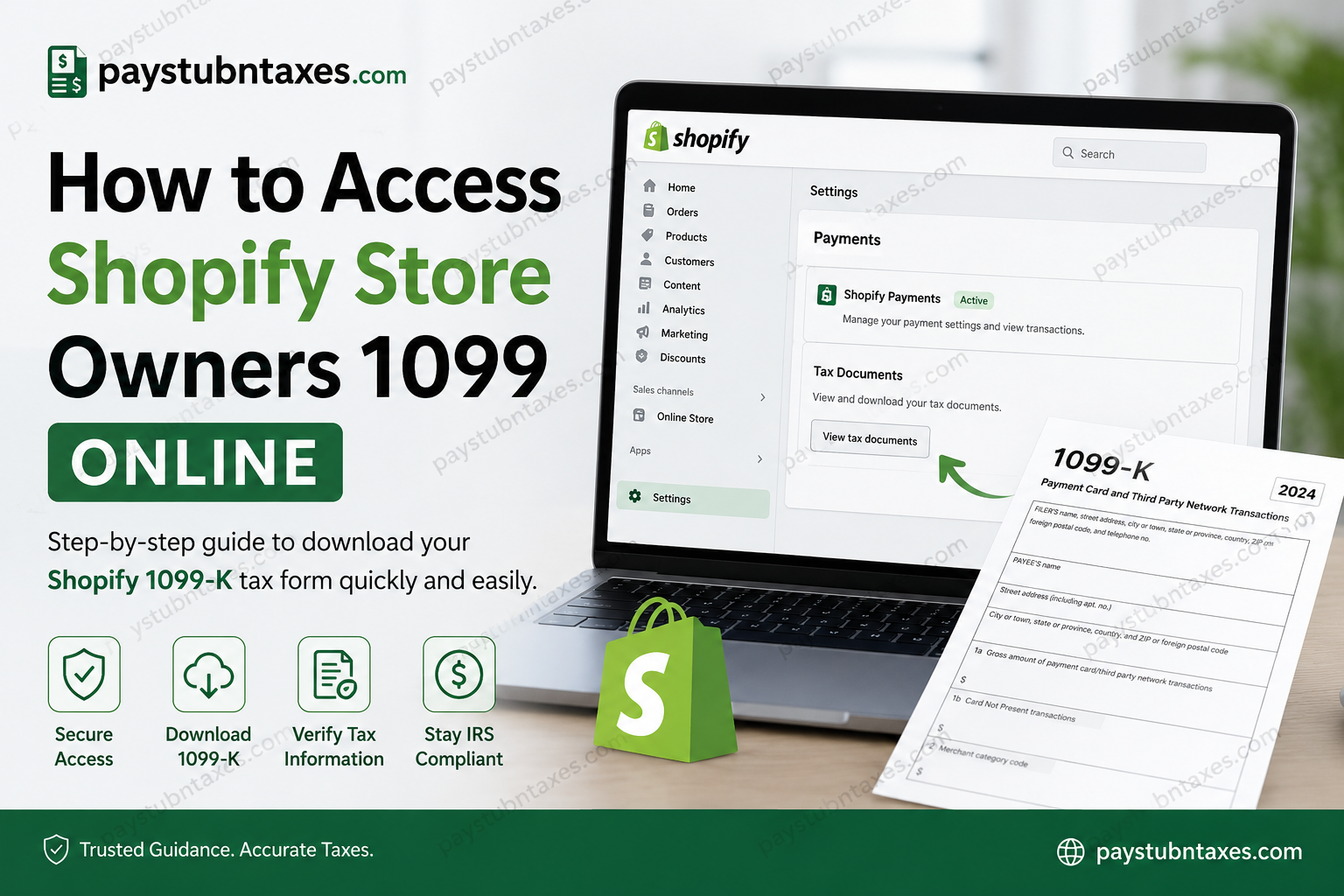
Running a successful Shopify store involves more than managing products, processing orders, and scaling sales. As a Shopify merchant, you are also responsible for maintaining accurate financial records and reporting taxable income to the IRS. One of the most important tax documents for U.S.-based Shopify store owners is Form 1099-K. If you use Shopify Payments to process customer transactions, Shopify may issue you a Form 1099-K once your account meets the required reporting thresholds. Fortunately, Shopify makes it simple to access and download your tax documents directly from your admin dashboard. This guide explains everything you need to know about accessing your Shopify 1099 online, understanding eligibility requirements, and resolving common issues quickly and professionally.
What Is a Shopify 1099-K?
A Form 1099-K is an informational tax document issued to merchants who process payments through Shopify Payments and meet IRS or state reporting thresholds. The form summarizes the gross amount of payment transactions processed during the tax year.
Unlike a W-2 form, which is issued to employees, Form 1099-K is designed for independent business owners, e-commerce sellers, freelancers, and merchants who accept electronic payments.
Shopify submits this information to the Internal Revenue Service (IRS), and you must use it when preparing your business tax return.
Do Shopify Store Owners Receive W-2 Forms?
In most cases, no.
If you own and operate a Shopify store independently, you are not considered a Shopify employee. Therefore, Shopify does not issue you a W-2 form.
Instead:
- Shopify merchants typically receive Form 1099-K
- Employees hired by your business may receive W-2 forms through your payroll provider
- Shopify itself only issues W-2s to its direct corporate employees
This distinction is essential for understanding your tax obligations correctly.
Who Qualifies for a Shopify 1099-K?
Shopify Payments issues Form 1099-K to merchants who meet applicable federal or state reporting thresholds.
Federal Threshold Examples
For recent tax years, the IRS thresholds included:
- Tax Year 2025:
- More than $20,000 USD in gross payments
- More than 200 transactions
- Tax Year 2024:
- More than $5,000 USD in processed payments
Some U.S. states have significantly lower thresholds, meaning you may still receive a 1099-K even if you do not meet federal limits.
How to Access Shopify Store Owners’ 1099 Online
Follow these steps carefully to download your Shopify 1099-K from the Shopify Admin Dashboard.
Step 1: Log in to Shopify Admin
Visit the Shopify Admin login portal:
Enter your:
- Email address
- Password or passkey
- Two-factor authentication code if enabled
You can also log in using Google, Apple, or Facebook authentication if previously connected.
Step 2: Open Settings
After logging in:
- Navigate to the bottom-left corner
- Click Settings
This section contains all business configuration and financial tools for your Shopify store.
Step 3: Select Payments
Inside Settings:
- Click Payments
- Locate your active Shopify Payments account
Your tax reporting information is stored under this payment profile.
Step 4: Open Tax Documents
Under Shopify Payments:
- Find the Tax Documents section
- Click View Documents or Download 1099-K
Store owners and staff with permission to view tax documents can access these files.
Step 5: Download Your 1099-K
Choose the appropriate tax year and download the PDF copy of your Form 1099-K.
You should:
- Save a digital backup
- Print a physical copy for your accountant
- Compare the totals with your bookkeeping records
What Information Appears on Form 1099-K?
Your Shopify 1099-K typically includes:
- Legal business name
- Taxpayer Identification Number (TIN)
- Gross transaction volume
- Monthly payment summaries
- Total processed payments
- Merchant account details
The form reports gross sales before deductions such as:
- Refunds
- Chargebacks
- Shopify fees
- Advertising costs
Because of this, your accounting records may not exactly match the total shown on the form.
Why Your 1099-K Amount May Look Higher Than Expected
Many Shopify merchants become concerned when the reported total exceeds their actual bank deposits.
This occurs because Form 1099-K reflects gross payment volume rather than net profit.
The form may include:
- Refunded transactions
- Sales tax collected
- Shipping charges
- Processing fees
For accurate tax filing, always reconcile your Shopify reports with your bookkeeping software and bank statements.
What to Do If Your 1099-K Is Missing
If you cannot locate your form, consider the following possibilities:
You Did Not Meet Reporting Thresholds
Your account may not have qualified for 1099-K issuance during that tax year.
Incorrect Tax Information
Verify your:
- EIN or SSN
- Business name
- Address
- Tax classification
Incorrect information can delay tax form generation.
Permissions Issue
Only the account owner or authorized staff with tax document permissions can access the form.
Processing Delay
Tax documents are generally issued by late January, though availability may vary slightly depending on IRS processing schedules.
How to Update Your Shopify Tax Information
To update your tax details:
- Go to Settings
- Select Payments
- Open Shopify Payments
- Click Manage
- Update:
- Legal business name
- Taxpayer ID
- Address
- Business structure
Always ensure your information matches IRS records exactly.
Best Accounting Practices for Shopify Store Owners
Managing e-commerce taxes efficiently requires organized bookkeeping throughout the year.
Recommended practices include:
- Download monthly sales reports
- Track refunds separately
- Reconcile Shopify Payments regularly
- Store copies of tax documents securely
- Use professional accounting software
- Consult a qualified tax advisor
Many merchants also use automation platforms to simplify reconciliation and financial reporting.
Common Shopify 1099-K Questions
Does Shopify send 1099-K forms by mail?
In many cases, Shopify provides electronic access through the admin dashboard. Some merchants may also receive mailed copies depending on account settings and legal requirements.
Can I access previous years’ 1099-K forms?
Yes. Previous tax documents are usually available inside the Tax Documents section of Shopify Payments.
Is Shopify 1099-K the same as income?
Not exactly. The form reports gross payment volume, not taxable profit.
What if my EIN or SSN is incorrect?
Update your tax details immediately through Shopify Payments settings to avoid IRS mismatches.
Can accountants access my Shopify tax documents?
Yes, if you grant staff permissions for viewing tax information.
Final Thoughts
Shopify has become one of the world’s leading e-commerce platforms, powering millions of businesses globally and processing hundreds of billions of dollars in transactions annually. For U.S.-based merchants using Shopify Payments, understanding how to access and manage Form 1099-K is an essential part of responsible business ownership. Fortunately, Shopify provides a streamlined dashboard that allows merchants to retrieve tax documents quickly, securely, and efficiently. By maintaining organized financial records and monitoring your payment activity year-round, you can simplify tax season, reduce reporting errors, and keep your business fully compliant with IRS requirements.
Frequently Asked Questions (FAQ)
1. What is a Shopify 1099-K form?
A Shopify 1099-K is a tax document issued to merchants who process payments through Shopify Payments and meet IRS or state reporting thresholds. It reports gross payment transactions processed during the tax year.
2. Does Shopify issue W-2 forms to store owners?
No. Shopify store owners are independent business operators, not Shopify employees. Store owners generally receive Form 1099-K instead of a W-2.
3. How do I access my Shopify 1099 online?
Log into your Shopify Admin dashboard, navigate to Settings > Payments > Tax Documents, and download your available Form 1099-K.
4. Where can I log into Shopify Admin?
You can access the Shopify Admin portal here: https://admin.shopify.com/finance.
5. When does Shopify make 1099-K forms available?
Shopify typically makes 1099-K forms available by late January for the previous tax year.
6. Who qualifies for a Shopify 1099-K?
Merchants using Shopify Payments who meet federal or state income and transaction thresholds may receive a Form 1099-K.
7. What information appears on Form 1099-K?
The form includes:
- Gross payment volume
- Merchant details
- Taxpayer Identification Number (TIN)
- Monthly transaction summaries
- Payment settlement totals
8. Why is my Shopify 1099-K amount higher than my bank deposits?
The form reports gross transaction totals before deductions such as refunds, chargebacks, shipping costs, taxes, and Shopify fees.
9. Can I download previous years’ Shopify 1099 forms?
Yes. Shopify usually stores prior-year tax documents within the Tax Documents section of your Shopify Payments account.
10. What if my Shopify 1099-K is missing?
Possible reasons include:
- You did not meet reporting thresholds
- Incorrect tax information
- Limited account permissions
- Delayed processing
11. Can staff members access Shopify tax documents?
Yes, but only staff with the appropriate tax document permissions can view or download Form 1099-K information.
12. How do I update my tax information in Shopify?
Go to:
Settings > Payments > Manage Shopify Payments
Then update your EIN, SSN, legal business name, or address.
13. Is Form 1099-K taxable income?
Form 1099-K reports gross payment activity. Your actual taxable income may differ after deducting business expenses and refunds.
14. Does Shopify report my sales to the IRS?
Yes. Shopify Payments reports qualifying merchant payment activity to the IRS and, when required, to state tax authorities.
15. Should I consult a tax professional for Shopify taxes?
Yes. A qualified tax professional can help ensure accurate reporting, deductions, and compliance with IRS regulations.
