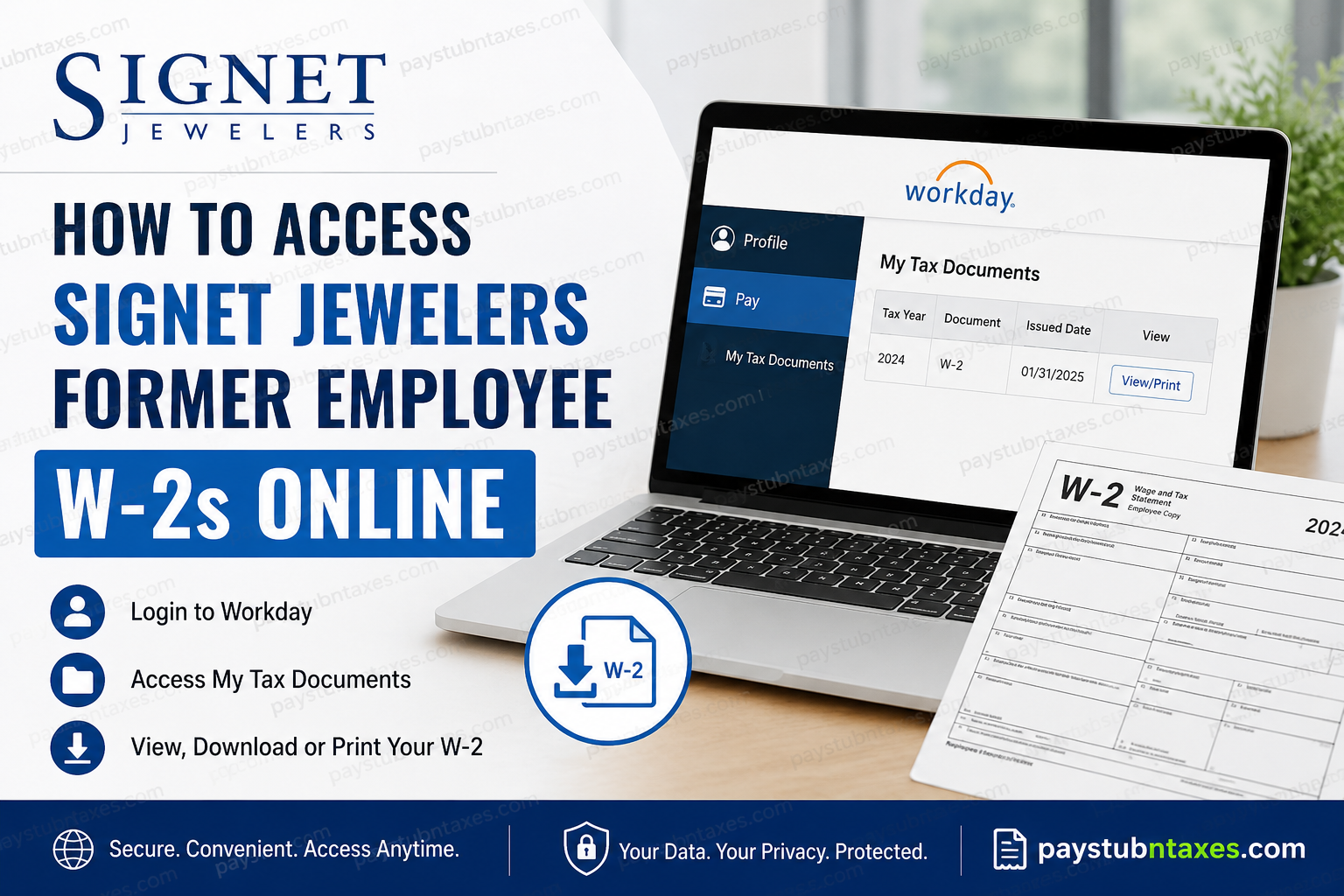
Former employees of Signet Jewelers can conveniently access their W-2 tax forms online through the company’s Workday self-service portal, provided they previously consented to electronic tax document delivery. Whether you worked for Kay Jewelers, Zales, Jared, Banter by Piercing Pagoda, Blue Nile, Diamonds Direct, Peoples Jewellers, H.Samuel, Ernest Jones, or any other Signet-operated brand, the Workday platform remains the primary destination for retrieving payroll and tax information after separation from employment. As one of the world’s largest specialty jewelry retailers, Signet Jewelers operates thousands of stores across North America and the United Kingdom while continuing to invest heavily in digital workforce management solutions and employee self-service technologies.
Can Former Signet Employees Access W-2 Forms Online?
Yes. Separated employees typically retain temporary access to Signet’s Workday portal following the completion of the offboarding process. During separation, former associates generally receive two separate Workday emails:
- One email containing the Workday username
- Another email containing a temporary password
After signing in for the first time, users are prompted to create a new secure password before accessing payroll and tax records.
Signet Jewelers Workday Login Portal
Former employees can access the official Workday login page here:
Workday Password Requirements
When updating your temporary password, Workday requires the following:
- Minimum of 8 characters
- At least one uppercase letter
- At least one lowercase letter
- At least one number
- At least one special character such as @, !, or #
These security standards are designed to protect sensitive payroll and tax information.
How to View and Download Your Signet Jewelers W-2 Online
Once logged into Workday, follow these steps to access your W-2 tax statement:
- Sign in to your Workday account
- Open your employee Profile
- Select Pay
- Click My Tax Documents
- Locate the applicable tax year
- Select View/Print
- Download or print the W-2 form as needed
Workday stores tax documents under the “My Tax Documents” section, where employees may also print or save PDF copies for future use.
How to Print or Download Your W-2 Form
After selecting the View/Print option, Workday allows users to:
- Navigate through multiple pages of the tax form
- Print the document directly
- Download a digital PDF copy
- Access an accessible version of the form if required
The print and download icons are typically located in the upper-right corner of the document viewer.
What If You Did Not Consent to Electronic W-2 Delivery?
Employees who did not enroll in electronic W-2 delivery will generally receive a paper copy by mail no later than January 31 of the following tax year. To avoid delays or delivery issues, former employees should ensure their mailing address remains accurate within Workday before separation or during the post-employment access period.
Forgot Your Workday Password?
If you are unable to log in, use the “Forgot Your Password?” option available on the Workday login page. In many cases, password reset assistance is also available through Signet HR support resources.
Signet Jewelers Payroll Contact Information
For payroll-related questions, W-2 assistance, or account access problems, former employees may contact the payroll department directly:
- Email: pay@signetjewelers.com
- Phone: 1-800-877-8821
Additional HR and Workday-related assistance resources are also available through Signet support channels.
Why Former Employees Should Download W-2 Forms Early
Because Workday access for separated employees may only remain active for a limited period after termination, former associates are strongly encouraged to download and securely store all available payroll and tax records as soon as possible. Retaining personal copies can help simplify future tax filing, mortgage applications, employment verification, and financial recordkeeping.
Final Thoughts
Signet Jewelers has streamlined the former employee payroll experience by enabling online W-2 access through Workday. As long as electronic consent was previously provided and login credentials remain active, separated employees can retrieve, print, and download their tax documents without needing to wait for physical mail delivery. Maintaining updated contact information and securing copies of tax records promptly can help prevent unnecessary delays during tax season.
Frequently Asked Questions
1. How can former employees access Signet Jewelers’ W-2 forms online?
Former employees can log into the Workday portal using the credentials provided during offboarding and navigate to Profile > Pay > My Tax Documents.
2. What is the official Signet Jewelers Workday login link?
The official Workday portal is:
https://wd1-identity.myworkday.com/wday/authgwy/signetjewelers/upc/login?redirect=n
3. Can terminated Signet employees still access Workday?
Yes. Former employees generally retain temporary access to Workday for payroll and tax-related purposes after separation.
4. Where are W-2 forms located in Workday?
W-2 forms are stored under the My Tax Documents section within the Pay dashboard.
5. What should I do if I forgot my Workday password?
Use the “Forgot Your Password?” option on the Workday login page or contact HR support for assistance.
6. When are Signet Jewelers W-2 forms available online?
Electronic W-2 forms are usually available as soon as payroll processing for the tax year is completed.
7. Will Signet mail paper W-2 forms?
Yes. Employees who did not consent to electronic W-2 delivery will receive paper copies by mail no later than January 31.
8. How do I update my mailing address for W-2 delivery?
You should update your address through Workday to ensure tax documents are mailed correctly.
9. What brands are owned by Signet Jewelers?
Signet operates brands including Kay Jewelers, Zales, Jared, Blue Nile, Banter by Piercing Pagoda, Peoples Jewellers, H.Samuel, and Ernest Jones.
10. Can I download and print my W-2 from Workday?
Yes. Workday allows employees to view, print, and download PDF copies of W-2 forms.
11. What are the Workday password requirements?
Passwords must contain at least 8 characters, including uppercase letters, lowercase letters, numbers, and special characters.
12. Who do I contact for payroll or W-2 assistance?
You can contact Signet Payroll Support at:
- Email: pay@signetjewelers.com
- Phone: 1-800-877-8821
13. Why can’t I see my W-2 in Workday?
Possible reasons include inactive access, payroll processing delays, or lack of electronic consent for online delivery.
14. Is Workday secure for accessing tax documents?
Yes. Workday uses enterprise-grade security protocols to protect employee payroll and tax information.
15. How long should former employees keep W-2 records?
It is generally recommended to keep W-2 records for at least three to seven years for tax and financial purposes.
