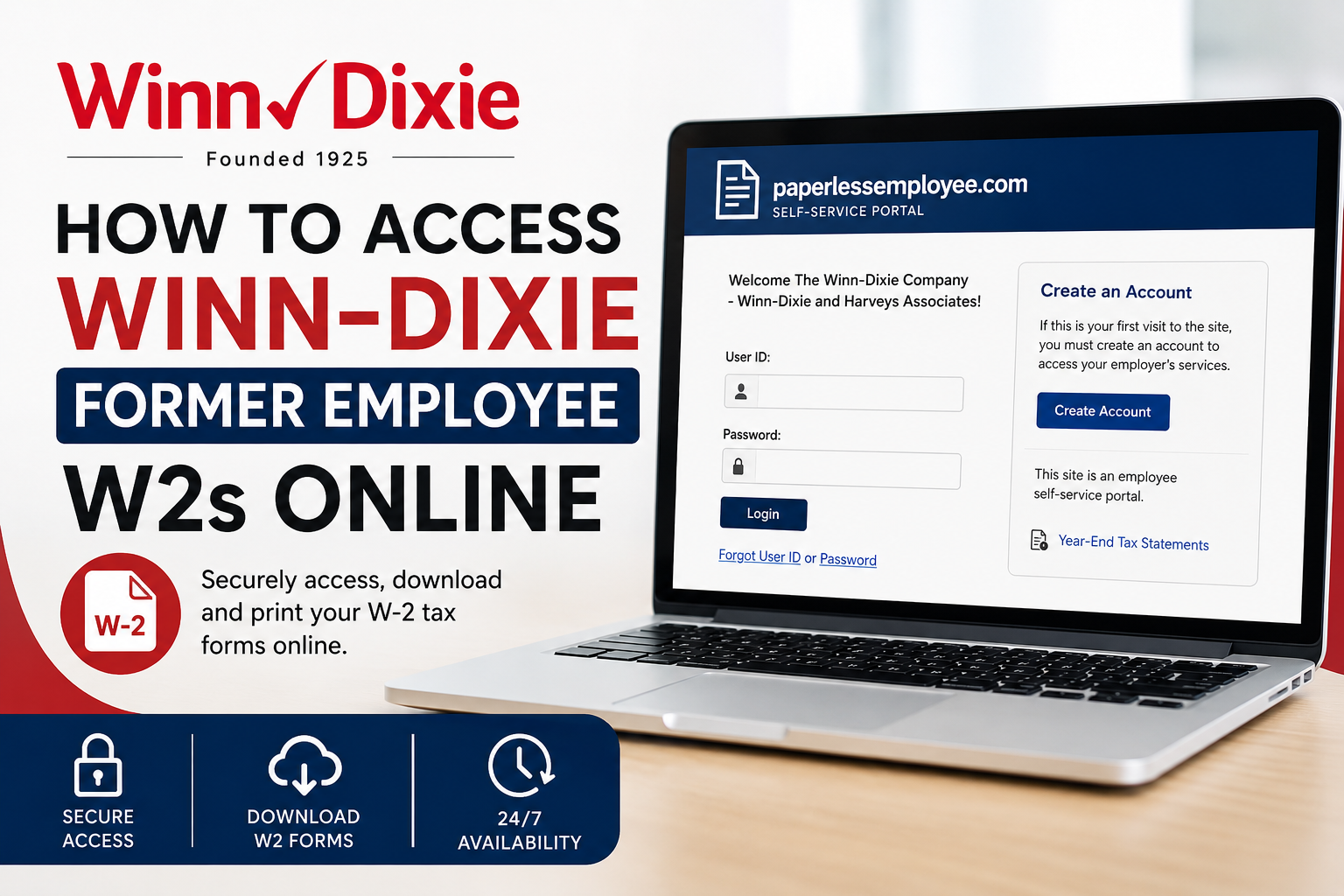
Former employees of Winn-Dixie can conveniently access and download their W-2 tax forms online through the Paperless Employee self-service portal. Whether you recently left the company or need a prior-year W-2 for tax filing, the online system allows secure access to your year-end tax statements anytime and from anywhere. Founded in 1925, Winn-Dixie has long been recognized as one of the Southeast’s most trusted grocery chains, serving communities across Alabama, Florida, Georgia, Louisiana, and Mississippi. Today, The Winn-Dixie Company continues to modernize its employee services through digital payroll and tax document access solutions. This guide explains everything former Winn-Dixie employees need to know about retrieving W-2 forms online, creating a Paperless Employee account, resetting login credentials, and requesting reissued tax statements.
Winn-Dixie Former Employee W2 Portal
Former Winn-Dixie associates can access W-2 tax forms through the official Paperless Employee portal:
Portal Link:
https://www.paperlessemployee.com/seg
The Paperless Employee platform is an employee self-service website that provides secure online access to year-end tax documents.
How to Access Winn-Dixie W2 Forms Online
Step 1: Visit the Paperless Employee Website
Open the official Winn-Dixie Paperless Employee login page:
https://www.paperlessemployee.com/seg
The login page allows former employees to:
- Sign in to existing accounts
- Create a new account
- Recover forgotten User IDs or passwords
- Access year-end tax statements
Step 2: Create an Account (First-Time Users)
If this is your first time using the portal, you must register before accessing your W-2 forms.
Registration Process
Click “Create Account” on the login page.
You will need to provide:
- Social Security Number
- Date of Birth
- Verification information
After authentication, create:
- Your User ID
- A secure password
- Security questions
- Contact verification preferences
The portal may send a one-time verification code through:
- Text message
- Automated phone call
Setting Up Electronic W2 Delivery
During account setup, the system allows employees to choose electronic delivery preferences.
Former employees can:
- Opt into electronic W-2 delivery
- Receive email or text notifications when forms become available
- Enable account lockout alerts for security purposes
To receive tax statements electronically, employees typically need to consent before December 31 of the applicable tax year.
How to Download Your Winn-Dixie W2
Once logged into the Paperless Employee portal:
- Select “Year-End Tax Statements”
- Choose the applicable W-2 tax year
- Click “Download PDF”
- Save or print your W-2 form
The system opens the W-2 document as a PDF in a new browser tab.
Employees may download forms multiple times while they remain available online.
Availability of W2 Forms
W-2 tax statements generally remain available online until October 15 of the current tax year.
After that date, former employees may need to request a reissued copy through the portal.
How to Request a Reissued W2
If your original W-2 is no longer available or you need an older tax form, the Paperless Employee system allows reissue requests.
Steps to Request a Reissued W2
- Log into the Paperless Employee portal
- Open Year-End Tax Statements
- Select the W-2 form you need
- Choose a delivery method:
- Download PDF
- Mail delivery
- Submit the request
Electronic reissues are generally available immediately, while mailed copies may take up to 10 business days to arrive.
Forgot Your User ID or Password?
The Winn-Dixie Paperless Employee portal includes built-in recovery options.
Recover Forgotten User ID
To retrieve your User ID:
- Click “Forgot User ID”
- Enter your Social Security Number and Date of Birth
- Authenticate your identity
- Retrieve your login information
Reset Forgotten Password
To reset your password:
- Click “Forgot Password”
- Enter your User ID
- Verify your identity
- Answer security questions or receive a verification code
- Create a new password
Common Winn-Dixie W2 Access Problems
Unable to Verify Identity
If the system cannot verify your information during registration:
- Contact Winn-Dixie HR or payroll support
- Confirm your:
- Social Security Number
- Date of Birth
- Email address
- Phone number
After updates are made, registration may require 2–3 business days before retrying.
Benefits of Online W2 Access
Using the Paperless Employee portal provides several advantages:
- 24/7 online access
- Faster W-2 retrieval
- Secure electronic storage
- Instant PDF downloads
- Reduced risk of lost mailed forms
- Access to prior-year tax documents
Former employees can retrieve forms from virtually any device with internet access.
Tips for Former Winn-Dixie Employees
To ensure uninterrupted W-2 access:
- Keep your email and phone number updated
- Save your User ID securely
- Enable electronic notifications
- Download copies before October 15
- Store backup PDF copies on a secure device
Final Thoughts
The Winn-Dixie Paperless Employee portal makes accessing former employee W-2 forms simple, secure, and efficient. Whether you need your current tax statement, a prior-year W-2, or a reissued copy, the self-service system provides an easy way to retrieve your documents online without waiting for paper mail. By creating an account and enabling electronic delivery, former Winn-Dixie employees can manage tax documents quickly and securely throughout the year.
Frequently Asked Questions (FAQ)
1. How do former Winn-Dixie employees get W2 forms online?
Former employees can access W-2 forms through the Paperless Employee portal by logging into their account and selecting “Year-End Tax Statements.”
2. What is the Winn-Dixie former employee W2 portal link?
The official portal is:
https://www.paperlessemployee.com/seg
3. Do former Winn-Dixie employees need to create an account?
Yes. First-time users must register by clicking “Create Account” and verifying their identity using their Social Security Number and Date of Birth.
4. Can I download my Winn-Dixie W2 as a PDF?
Yes. The Paperless Employee portal allows users to download and print W-2 forms in PDF format.
5. What information is required to register?
You generally need:
- Social Security Number
- Date of Birth
- Email address
- Phone number for verification
6. What should I do if I forgot my User ID?
Click “Forgot User ID” on the login page and complete the identity verification process to retrieve your username.
7. How can I reset my Winn-Dixie Paperless Employee password?
Select “Forgot Password,” enter your User ID, verify your identity, and follow the instructions to create a new password.
8. Are prior-year W2 forms available online?
Yes. The portal allows eligible users to access prior-year tax statements and request reissued copies if necessary.
9. How long are W2 forms available online?
W-2 forms are generally available online until October 15 of the current tax year.
10. Can I request a mailed copy of my W2?
Yes. The portal may offer mail delivery for reissued W-2 forms depending on employer settings.
11. How long does mailed W2 delivery take?
Mailed reissued W-2 statements can take up to 10 business days for delivery.
12. Why can’t the system verify my identity?
Identity verification may fail if your Social Security Number, Date of Birth, email address, or phone number does not match employer records.
13. Can I access my W2 on a mobile phone?
Yes. The Paperless Employee portal works on most smartphones, tablets, and desktop browsers.
14. Is electronic W2 delivery secure?
Yes. The Paperless Employee system uses secure login and identity verification methods to protect employee tax information.
15. What should I do if my W2 is unavailable online?
If your W-2 is unavailable, you should request a reissued copy through the portal or contact Winn-Dixie HR or payroll support for assistance.
