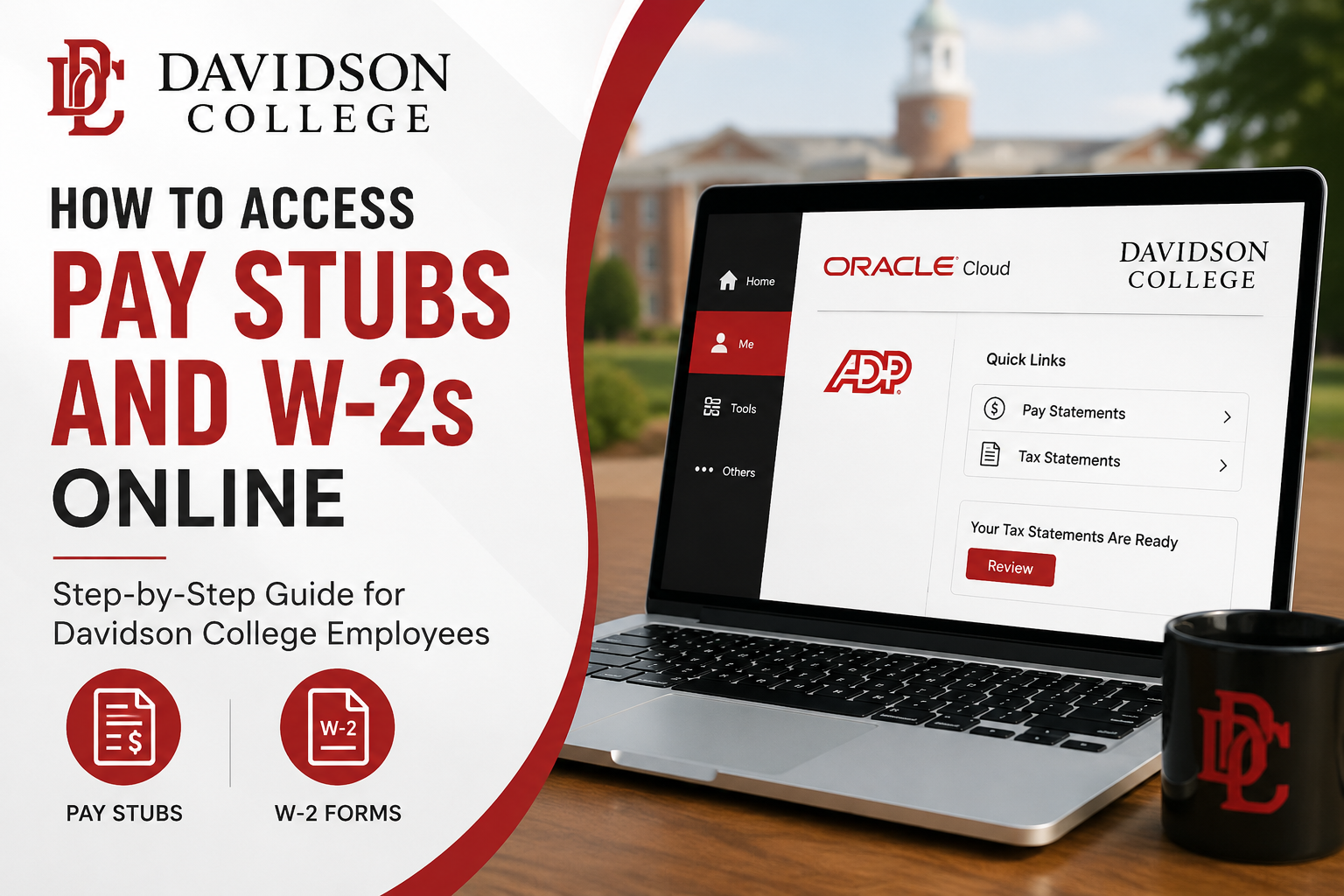
Davidson College is nationally recognized for its rigorous liberal arts education, close faculty mentorship, global learning opportunities, and commitment to leadership and service. With a strong academic tradition and a student-centered environment, Davidson empowers students to develop intellectual curiosity, creativity, resilience, and ethical leadership. For Davidson College employees, payroll and tax documents are conveniently accessible online through the secure Oracle self-service platform integrated with ADP. Employees can quickly view payslips, tax statements, direct deposit information, and other payroll-related records from anywhere with internet access. This guide explains how current Davidson College employees can access pay stubs and W-2 forms online securely and efficiently.
Davidson College Payroll Portal
Current employees can access payroll records through the Oracle self-service portal.
Oracle Employee Portal
Through the portal, employees can:
- View and download pay stubs
- Access electronic W-2 statements
- Update direct deposit information
- Manage payroll preferences
- Review tax withholding details
- Access payroll history securely
How to Access Davidson College Pay Stubs Online
Follow these steps to retrieve your paycheck statements online:
Step 1: Log Into Oracle
Visit the Davidson Oracle portal and sign in using your employee credentials.
Step 2: Navigate to the “Me” Tab
After logging in, select the “Me” tab from the Oracle dashboard.
Step 3: Open the ADP Integration
Click on the “ADP” icon. You may be prompted to complete Duo multi-factor authentication for security verification.
Step 4: Access Pay Statements
Under Quick Links, select “Pay Statements.”
Step 5: View or Download Payslips
Choose the desired pay period to:
- View earnings and deductions
- Download PDF pay stubs
- Print paycheck statements
- Review taxes and benefits deductions
How to Access Davidson College W-2 Forms Online
Davidson College employees can receive electronic W-2 forms through Oracle and ADP.
Steps to Access Electronic W-2 Forms
Step 1: Sign Into Oracle
Go to the Davidson Oracle portal and log in securely.
Step 2: Select the “Me” Tab
Navigate to the employee self-service section.
Step 3: Click the ADP Icon
Complete Duo authentication if prompted.
Step 4: Open Tax Statements
Next to “Your Tax Statements Are Ready,” click “Review.”
Step 5: View W-2 Statement
Under “Tax Statements,” select “View Statement.”
You can now:
- Download your W-2
- Print tax statements
- Save copies for tax filing purposes
Benefits of Electronic W-2 Delivery
Davidson College encourages employees to use electronic W-2 access because it offers several advantages:
- Earlier access to tax forms
- Reduced risk of lost or delayed mail
- Secure online availability
- Easy access while traveling or working remotely
- Faster tax preparation
How to Consent to Electronic W-2 Delivery
Employees who want paperless W-2 delivery can enable electronic consent inside the self-service system.
Steps to Enable Electronic W-2 Access
- Log into Oracle or Banner Self-Service
- Open Employee Services
- Select Tax Forms
- Click Consent for Electronic W-2
- Review the disclosure agreement
- Submit your consent
Once enrolled, future W-2 statements will be delivered electronically.
Payroll Schedule at Davidson College
Davidson College employees are paid on a bi-weekly basis.
According to the payroll FAQ documentation:
- Employees are paid every two weeks on Friday
- Pay periods end on the previous Saturday
- Time sheets are generally due Monday morning following the pay period end
Updating Direct Deposit Information
Employees can update direct deposit accounts directly within Oracle.
You may:
- Add multiple bank accounts
- Split deposits between checking and savings
- Modify existing banking information securely
Troubleshooting Login Problems
If you experience issues accessing Oracle or ADP:
Verify Duo Authentication
Ensure your Duo multi-factor authentication device is active.
Reset Password
Use the Oracle password recovery tools if credentials are forgotten.
Clear Browser Cache
Old browser data can sometimes interfere with secure login sessions.
Use Supported Browsers
Updated versions of Chrome, Edge, Firefox, or Safari are recommended.
Contact Davidson College Payroll Support
If you need assistance accessing your pay stubs or W-2 forms, contact Davidson College Payroll or Business Services.
Payroll Office Contact
Davidson College Controller’s Office – Payroll
209 Ridge Rd, Box 5000
Davidson, NC 28035
Additional payroll contact details are referenced in Davidson’s payroll and W-2 documentation.
Frequently Asked Questions (FAQ)
How do I access Davidson College pay stubs online?
Log into the Oracle portal, open the “Me” tab, click the ADP icon, and select “Pay Statements.”
Where can I find my Davidson College W-2 form?
Your W-2 is available through Oracle and ADP under the “Tax Statements” section.
Does Davidson College use ADP?
Yes. Payroll statements and tax forms are accessed through Oracle’s ADP integration.
Is Duo authentication required?
Yes. Employees may be prompted to complete Duo multi-factor authentication when accessing payroll services.
Can I download my pay stub as a PDF?
Yes. Pay statements can be viewed, downloaded, and printed.
When are W-2 forms available?
Federal law requires W-2 forms to be issued by January 31 each year.
Can former employees access payroll records?
Yes. Former employees may still obtain paycheck stubs and W-2 forms through Oracle.
Can I receive my W-2 electronically?
Yes. Employees can consent to electronic W-2 delivery through self-service payroll settings.
What should I do if I forgot my Oracle password?
Use the password recovery tools or contact Davidson College IT support.
Can I update direct deposit online?
Yes. Direct deposit details can be updated within Oracle self-service.
Are pay stubs available on mobile devices?
Yes. Oracle and ADP services can typically be accessed from mobile browsers.
How secure is the payroll portal?
The system uses secure authentication methods, including Duo multi-factor authentication.
Can I print multiple years of W-2 forms?
Yes, if historical records remain available in the system.
What browser works best with Oracle?
Current versions of Chrome, Firefox, Edge, and Safari are recommended.
Who do I contact for payroll assistance?
Contact the Davidson College Controller’s Office or Payroll Office for support.
