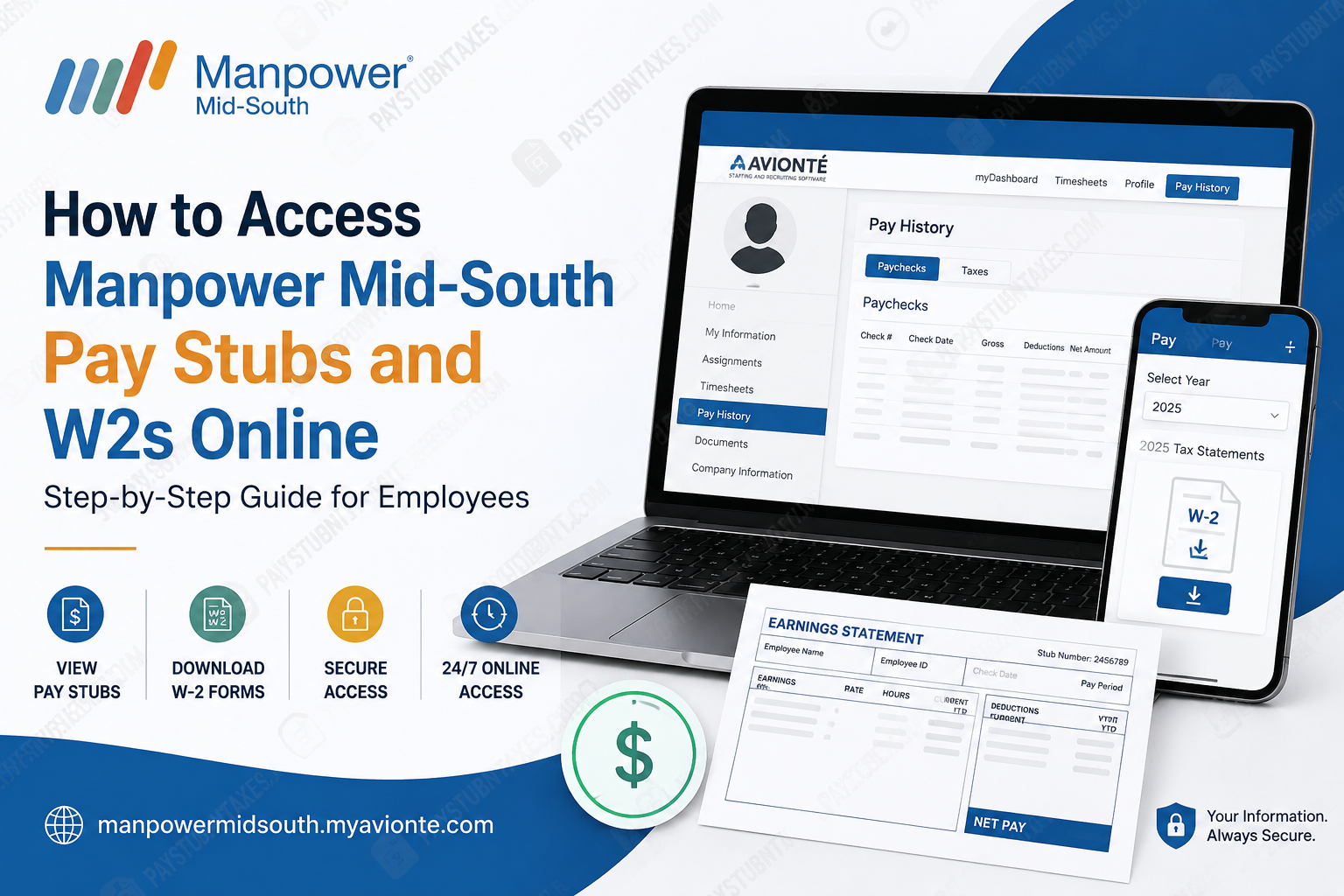
Managing payroll documents efficiently is an essential part of every employee’s financial recordkeeping. Whether you need your latest pay stub to verify income, download a previous paycheck, or retrieve your annual W-2 for tax filing, Manpower Mid-South provides secure online access through its Satellite employee portal and the Manpower Go mobile application. As one of the Mid-South’s most established staffing agencies, Manpower Mid-South has streamlined payroll administration, allowing associates to access their employment records anytime, anywhere, without waiting for paper documents. Employees who choose electronic tax document delivery can typically retrieve their W-2 shortly after the beginning of the new tax year, making tax preparation faster and considerably more convenient. This comprehensive guide explains everything you need to know about accessing your Manpower Mid-South pay stubs and W-2 forms online.
About Manpower Mid-South
Founded in 1978, Manpower Mid-South has spent more than four decades connecting employers with qualified talent throughout Tennessee, Kentucky, and neighboring Mid-South communities. Beginning with a single office in Jackson, Tennessee, the company has grown into a regional staffing organization operating multiple branch offices across three states.
As part of the global Manpower network, the organization delivers a comprehensive range of workforce solutions, including:
- Temporary staffing
- Temp-to-hire placements
- Direct hire recruiting
- Professional staffing
- Workforce management solutions
- Talent development and skills assessment
By combining local expertise with the resources of one of the world’s leading staffing organizations, Manpower Mid-South helps businesses remain agile while creating rewarding employment opportunities for thousands of associates.
How Manpower Mid-South Employees Access Payroll Information
Manpower Mid-South utilizes the Satellite Employee Portal (powered through Avionté) as its primary employee self-service platform.
Through this secure online portal, employees can:
- View current and previous pay stubs
- Download payroll history
- Access annual W-2 tax forms
- Review tax documents
- Update certain employee information
- Monitor payroll records
Employees who prefer mobile access can also retrieve tax statements using the Manpower Go App, making payroll information available directly from their smartphones.
Satellite Employee Portal Login
Satellite Portal
https://manpowermidsouth.myavionte.com/satellite/login?buildId=Q3QE8CAlrGE&appId=BOLD
You will need your:
- Satellite ID or registered login credentials
- Password
- Internet connection
- Supported web browser
If you do not know your Satellite ID, contact the Manpower Mid-South branch where you originally registered.
How to View Pay Stubs Through the Satellite Portal
Once logged into your employee account:
Step 1: Visit the Satellite employee login page.
Step 2: Enter your username and password.
Step 3: Open your employee dashboard.
Step 4: Select Pay History.
Step 5: Choose Paychecks.
Step 6: View, download, or print your current and previous pay stubs whenever needed.
How to Access Your W-2 Online
Manpower Mid-South has transitioned to electronic W-2 delivery, allowing eligible employees to access tax documents online shortly after they become available at the beginning of the year.
Employees who elected electronic delivery no longer need to wait for a paper copy to arrive by mail.
There are two convenient ways to retrieve your W-2.
Option 1: Using the Manpower Go App
Follow these simple steps:
- Open the Manpower Go App.
- Tap Pay.
- Use the year selector at the top of the page.
- Choose 2026.
- Scroll to the bottom.
- Select 2026 Tax Statements.
- Download your W-2.
Option 2: Through the Manpower Mid-South Website
You may also retrieve your W-2 through your online employee account.
Step 1: Visit the Manpower Mid-South website.
Step 2: Open the Associate Account.
Step 3: Log in using your employee credentials.
Step 4: Select Pay History.
Step 5: Click Taxes.
Step 6: Download your current W-2 tax statement.
Forgot Your Login Information?
If you cannot sign in:
- Use the Forgot Password feature if available.
- Reset your password using your registered email address.
- Contact the branch where you completed your employment registration if you do not know your Satellite ID.
- Request assistance from your local Manpower Mid-South office if you continue experiencing login issues.
When Will My W-2 Become Available?
Employees enrolled in electronic delivery generally receive online access shortly after the beginning of the new calendar year, eliminating the delay associated with traditional mail delivery.
How to Request Form 1095-C
If you require your Affordable Care Act Form 1095-C, it is available upon request rather than being automatically mailed to every employee.
You may request it by:
- Emailing insurance@manpowermidsouth.com
- Calling 888-280-2006
Once requested, the form is generally provided within 30 days. Employees who previously consented to electronic delivery may receive it electronically; otherwise, it will be mailed to the address on file.
Benefits of Electronic Payroll Documents
Using the online payroll portal offers numerous advantages:
- Immediate access to payroll information
- Faster W-2 availability
- Secure document storage
- Easy downloading and printing
- Reduced paper usage
- Convenient mobile access
- 24/7 availability
- Simplified tax preparation
Troubleshooting Login Issues
If you encounter difficulties accessing your account:
Verify Your Credentials
Ensure you are entering the correct username and password.
Reset Your Password
Use the password recovery feature if you cannot remember your login credentials.
Confirm Your Registration
Employees must have completed their WebCenter or Satellite registration during onboarding before accessing payroll records.
Contact Your Local Branch
If your Satellite ID is unavailable or your account cannot be accessed, your local Manpower Mid-South office can assist.
Final Thoughts
Manpower Mid-South has made payroll management significantly more efficient by offering secure digital access to pay stubs, payroll history, and annual W-2 tax forms through its Satellite employee portal and the Manpower Go mobile application. Whether you need documentation for tax filing, loan verification, or personal financial records, these self-service tools enable you to retrieve essential payroll documents quickly and securely. If you experience any login difficulties or require assistance with your tax documents, your local Manpower Mid-South branch and dedicated support team are available to help ensure uninterrupted access to your employment records.
Frequently Asked Questions
1. How do I access my Manpower Mid-South pay stubs online?
Log into the Satellite Employee Portal using your employee credentials, select Pay History, then click Paychecks to view and download your pay stubs.
2. Where can I find my Manpower Mid-South W-2?
Your W-2 is available through the Satellite Employee Portal under Pay History > Taxes or through the Manpower Go App under Tax Statements.
3. What is the Manpower Mid-South Satellite portal?
The Satellite portal is the company’s secure employee self-service platform that allows associates to access payroll records, pay stubs, tax documents, and other employment information online.
4. Can I access my pay stubs on my phone?
Yes. Employees can use the Manpower Go App to access payroll information and annual tax statements from their mobile devices.
5. When will my W-2 be available?
Employees enrolled in electronic delivery can usually access their W-2 shortly after the beginning of the new calendar year once it has been processed.
6. Do I still receive a paper W-2?
Only if you elected paper delivery. Employees who consented to electronic delivery can download their W-2 online.
7. What login information do I need?
You’ll need your registered employee credentials or Satellite ID along with your password.
8. I forgot my Satellite ID. What should I do?
Contact the Manpower Mid-South branch where you originally registered for employment to retrieve your Satellite ID.
9. Can former employees access their W-2 online?
Former employees with active portal access may still retrieve their tax forms online. If access is unavailable, they should contact their former branch for assistance.
10. How do I reset my password?
Use the Forgot Password option on the login page or contact your local Manpower Mid-South office for help resetting your credentials.
11. Can I print my pay stubs and W-2?
Yes. Both pay stubs and W-2 forms can be downloaded as PDF documents and printed for your personal records.
12. Is the Satellite Employee Portal secure?
Yes. The portal uses secure authentication to protect employees’ confidential payroll and tax information.
13. What should I do if my W-2 is incorrect?
Contact Manpower Mid-South’s payroll support or your local branch immediately so the issue can be reviewed and corrected if necessary.
14. Who do I contact for W-2 or payroll assistance?
For questions regarding your W-2 or Form 1095-C, contact the support hotline at 888-280-2006.
15. Can I request my Form 1095-C online?
Yes. You may request your Form 1095-C by contacting Manpower Mid-South via the designated support email or by calling the support hotline.
