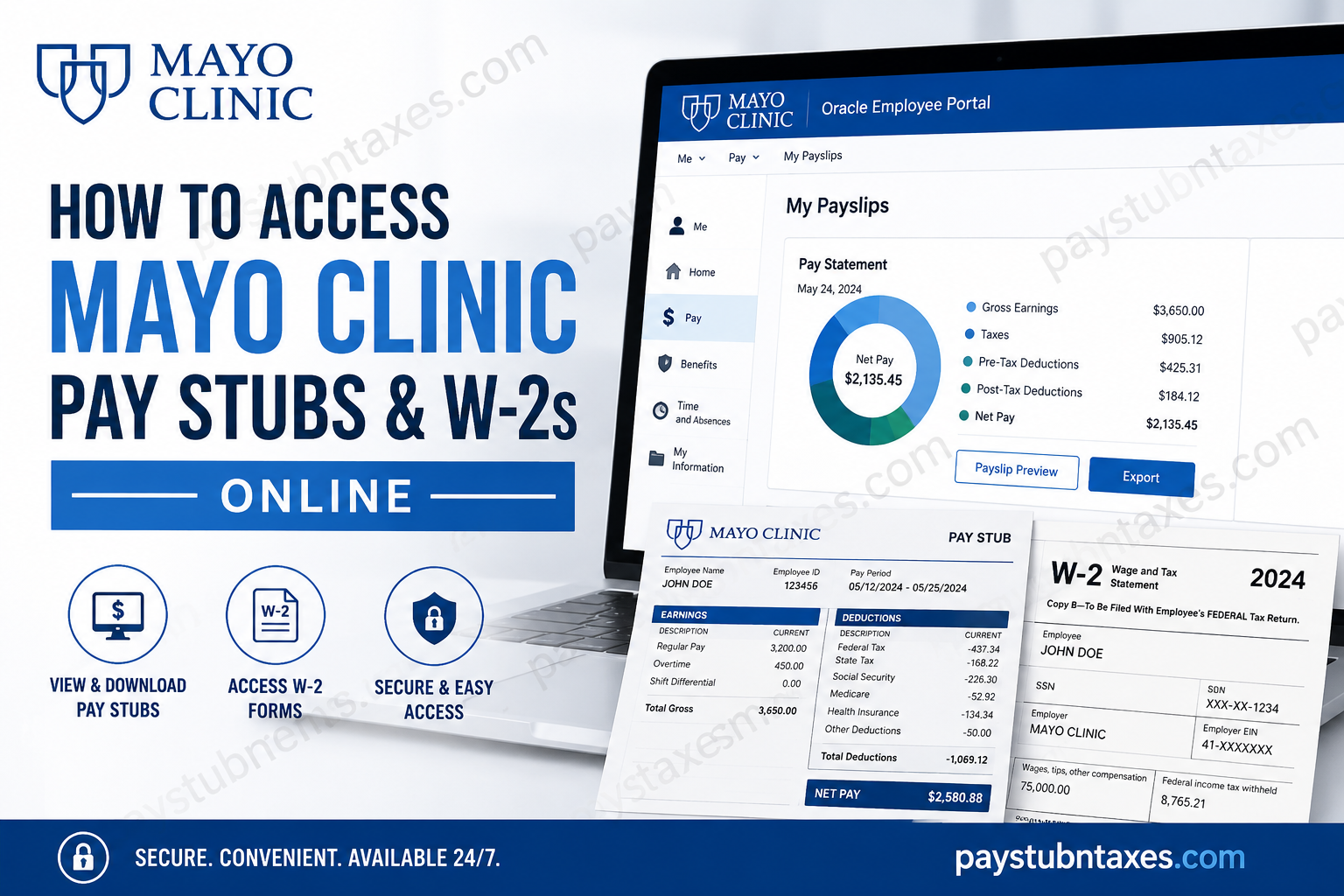
Mayo Clinic has long been recognized as one of the world’s premier healthcare organizations, built upon a simple yet enduring principle: “The needs of the patient come first.” Founded in Rochester, Minnesota, by Dr. William James Mayo and Dr. Charles Horace Mayo, the institution has grown into the world’s largest integrated, not-for-profit medical group practice, renowned for excellence in patient care, education, and medical research. To support its thousands of employees, Mayo Clinic provides secure digital access to payroll, tax documents, benefits, and employment information through its Oracle Human Capital Management (HCM) platform. Whether you need to download your latest pay stub, review your earnings history, or retrieve your annual Form W-2, the process is straightforward once you know where to look. This comprehensive guide explains exactly how current and former Mayo Clinic employees can securely access their pay stubs and W-2 forms online.
Overview
Payroll System: Oracle Human Capital Management (Oracle HCM)
Current Employee Portal:
https://myhr-prod-webapp.mayo.edu/Home/CurrentEmployee
Authentication:
Microsoft Single Sign-On (SSO)
Electronic W-2 Portal:
https://www.mytaxform.com
Employer Code:
51482
HR Connect
- 507-266-0440
- 1-888-266-0440
How Current Employees Access Mayo Clinic Pay Stubs
Current employees can view payroll information through the Mayo Clinic Oracle Employee Portal.
Step 1: Open the Employee Portal
Visit the Mayo Clinic Employee Access page and select Current Employee.
You will then be redirected to the Oracle employee portal.
Step 2: Sign In
Log in using your Mayo Clinic Microsoft credentials through Single Sign-On (SSO). Employees authenticate using their organizational Microsoft account before being redirected to Oracle.
Step 3: Navigate to Payslips
After signing in: Me → Pay → My Payslips
This section contains your complete payroll history.
Step 4: View Your Payslip
Select the payroll period you want to review.
Oracle displays:
- Gross earnings
- Taxes withheld
- Pre-tax deductions
- Benefit deductions
- Employer contributions
- Net pay
- Direct deposit distribution
The system also provides graphical summaries of earnings and deductions for easy comparison across recent pay periods.
Step 5: Download or Print
Open the Payslip Preview tab to generate the printable PDF.
Use the Export button to download a copy for your records.
Features Available in Oracle Payroll
Oracle HCM allows employees to:
- View current pay statements
- Access historical pay stubs
- Review earnings and deductions
- Monitor tax withholdings
- Check direct deposit allocations
- Compare recent payroll periods
- Download PDF copies
- Access benefits information
- Review leave balances
- Manage employment information
How to Access Mayo Clinic W-2 Forms Online
Employees who have enrolled in electronic tax delivery can obtain their W-2 through the Tax Form Management portal.
Step 1: Visit Tax Form Management
Go to: https://www.mytaxform.com
Enter Employer Code: 51482
Step 2: Sign In
Returning users can sign in with their registered User ID and password.
If this is your first visit:
- Select Register Now
- Complete the identity verification process
- Create your account
- Set a secure password
The Tax Form Management portal supports both first-time registration and returning-user login.
Step 3: Retrieve Your W-2
After logging in:
- Select W-2
- Choose the desired tax year
- Download the PDF
- Print or save a copy
Electronic vs Paper W-2 Delivery
Mayo Clinic offers two delivery options.
Electronic Delivery
Employees who consent to paperless delivery can access their W-2 online as soon as it becomes available.
Paper Delivery
Employees who do not opt into electronic delivery will automatically receive a printed W-2 mailed to the home address currently on file in Oracle.
First-Time Registration for Tax Form Management
New users should:
- Visit mytaxform.com
- Enter Employer Code 51482
- Click Register Now
- Verify personal identity
- Create a username
- Create a secure password
- Verify email and phone
- Select W-2 delivery preferences
- Accept electronic consent if choosing online delivery
Once registration is complete, future logins require only your username and password.
What Information Appears on Your Mayo Clinic Pay Stub?
Your Oracle payslip typically includes:
- Employee information
- Pay period
- Gross earnings
- Base salary
- Overtime
- Shift differentials
- Bonuses
- Paid time off
- Federal tax withholding
- State tax withholding
- Social Security
- Medicare
- Benefit deductions
- Retirement contributions
- Net pay
- Direct deposit allocation
How Former Employees Can Access W-2 Forms
Former Mayo Clinic employees who previously enrolled in electronic tax delivery may continue to retrieve available W-2 forms through the Tax Form Management website.
If electronic delivery was not selected, the W-2 will generally be mailed to the last mailing address maintained in Oracle.
If you cannot access your account or have moved since leaving Mayo Clinic, contact HR Connect for assistance.
Troubleshooting Login Problems
Unable to Access Oracle
- Confirm your Microsoft credentials are correct.
- Complete multi-factor authentication if prompted.
- Reset your Microsoft password if necessary.
Cannot Find Your Payslip
- Verify the payroll has been processed.
- Select the correct pay period.
- Refresh your browser or try another supported browser.
Forgot Tax Form Password
Use the Forgot Password option on the Tax Form Management login page to reset your credentials after identity verification.
Wrong Mailing Address
Update your address in Oracle before tax season to ensure paper tax forms are delivered correctly.
Security Tips
Payroll records contain sensitive financial information. To help protect your account:
- Never share your Microsoft login credentials.
- Enable multi-factor authentication where available.
- Sign out after using shared or public computers.
- Download payroll records only to trusted devices.
- Regularly review your direct deposit and tax withholding information.
- Keep your contact details up to date.
Conclusion
Mayo Clinic has streamlined employee payroll and tax document management through Oracle Human Capital Management and the Tax Form Management portal, enabling secure, convenient access to essential employment records. Current employees can review and download pay statements, monitor earnings and deductions, manage benefits, and access leave information through Oracle, while those enrolled in electronic tax delivery can retrieve W-2 forms online using the Tax Form Management website. For employees who prefer paper copies—or who have not opted into electronic delivery—Mayo Clinic continues to mail W-2 forms to the address on file, ensuring that every member of its workforce has reliable access to important payroll and tax information throughout the year.
Frequently Asked Questions
1. How do I access my Mayo Clinic pay stubs?
Log in to the Mayo Clinic Oracle Employee Portal using your Microsoft SSO credentials, then navigate to Me → Pay → My Payslips to view and download your pay statements.
2. What payroll system does Mayo Clinic use?
Mayo Clinic uses Oracle Human Capital Management (Oracle HCM) to manage payroll, employee records, benefits, leave, and compensation.
3. Where can I download my Mayo Clinic W-2 online?
Employees who elected electronic tax document delivery can access their W-2 through the Tax Form Management website at mytaxform.com.
4. What is the employer code for Mayo Clinic Tax Form Management?
The employer code is 51482.
5. Do I need Microsoft Single Sign-On to access my pay stubs?
Yes. Current employees must sign in using their Mayo Clinic Microsoft account through Single Sign-On (SSO).
6. How do I download my payslip from Oracle?
Open My Payslips, select the desired pay period, preview the payslip, and click the Export or Download button to save a PDF copy.
7. Can I view previous pay stubs?
Yes. Oracle HCM stores current and historical payslips, allowing employees to review and download earlier payroll records.
8. What information appears on a Mayo Clinic pay stub?
A payslip typically includes gross earnings, taxes withheld, benefit deductions, retirement contributions, direct deposit details, and net pay.
9. Will Mayo Clinic mail my W-2?
Yes. Employees who have not enrolled in electronic delivery will receive a paper W-2 mailed to their address on file.
10. Can former Mayo Clinic employees access their W-2 online?
Former employees who previously registered for electronic tax delivery may still access eligible W-2 forms through the Tax Form Management portal.
11. What should I do if I forgot my Tax Form Management password?
Use the Forgot Password option on the Tax Form Management login page to verify your identity and reset your password.
12. Why can’t I find my latest payslip?
Your latest payslip may not yet be available if payroll processing is still underway. Verify the pay date and refresh the portal after processing is complete.
13. Can I print my Mayo Clinic pay stubs and W-2s?
Yes. Both Oracle HCM and the Tax Form Management portal allow you to download PDF copies that can be printed for your personal records.
14. How do I update my mailing address for tax documents?
Current employees can update their address through the Oracle Employee Self-Service portal. Former employees should contact HR Connect for assistance.
15. Who should I contact if I have payroll or W-2 questions?
For payroll, tax forms, or employee portal assistance, contact HR Connect at 507-266-0440 or 1-888-266-0440.
