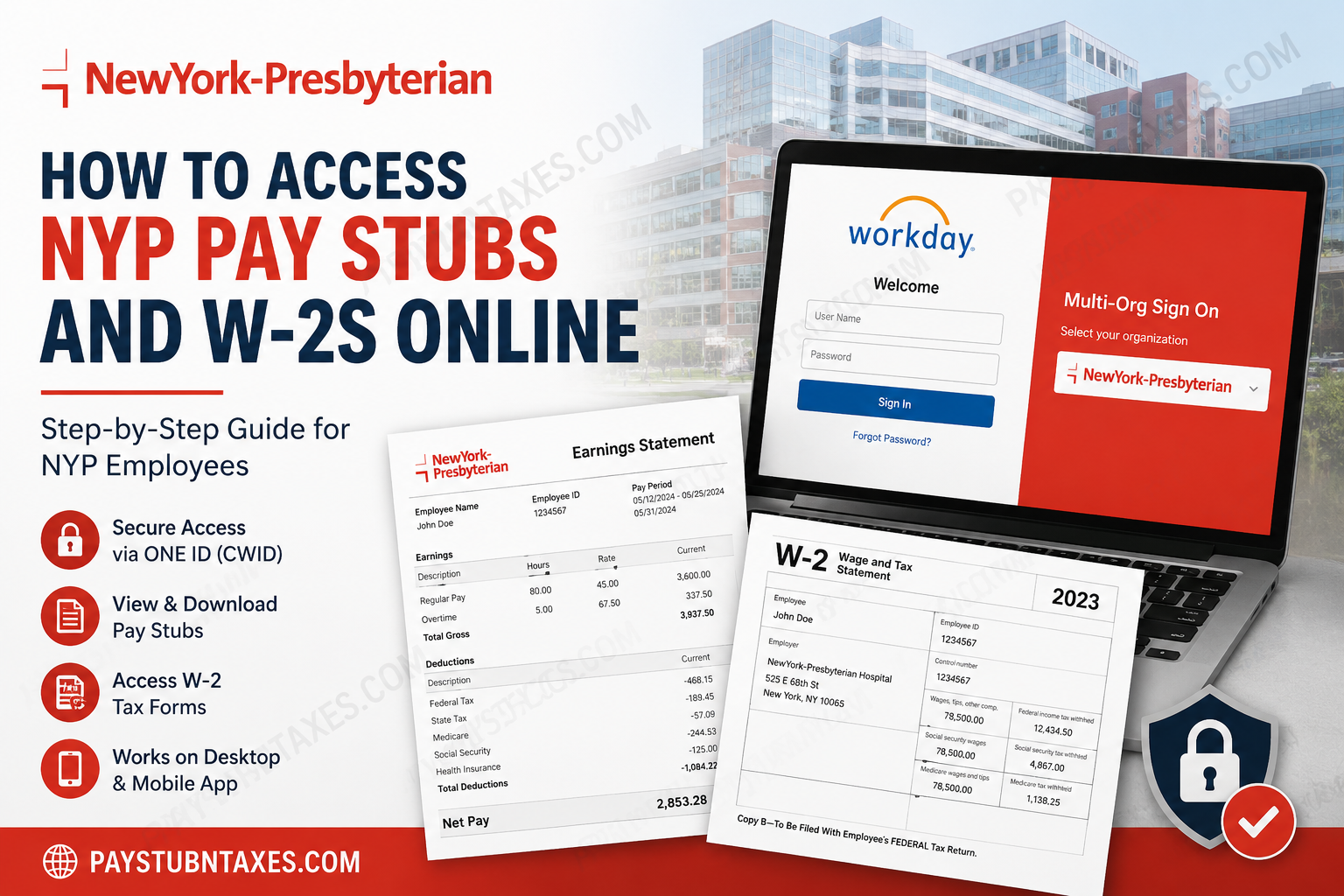
NewYork-Presbyterian Hospital (NYP) is one of the United States’ premier academic healthcare systems, serving millions of patients through its renowned partnership with Weill Cornell Medicine and Columbia University Vagelos College of Physicians and Surgeons. With thousands of physicians, numerous specialty hospitals, and a workforce of tens of thousands of employees, NYP relies on modern digital technology to streamline payroll and human resources operations. If you are a current NewYork-Presbyterian employee, you can conveniently access your pay stubs, payroll information, tax documents, and electronic W-2 forms through the Workday Self-Service Portal. Whether you need to verify your earnings, download a recent payslip, or retrieve your annual W-2 for tax filing, Workday makes these tasks secure and straightforward. This guide explains everything you need to know about accessing your NYP pay stubs and W-2s online.
About NewYork-Presbyterian Hospital
NewYork-Presbyterian Hospital (NYP) is a nonprofit academic medical center headquartered in New York City. As the primary teaching hospital for Weill Cornell Medicine and Columbia University Vagelos College of Physicians and Surgeons, NYP has earned a reputation for clinical excellence, innovative research, and exceptional patient care.
The healthcare system operates multiple campuses throughout the New York metropolitan area, including its flagship facilities at Columbia University Irving Medical Center and Weill Cornell Medical Center. With thousands of physicians, more than 4,000 hospital beds, and one of the nation’s largest healthcare workforces, NYP remains a leader in medical innovation, education, and community health.
To support such a large employee population, NYP utilizes Workday Human Capital Management (HCM) for payroll, benefits administration, tax reporting, and employee self-service.
NYP Workday Login Information
Current employees can access payroll information through the NewYork-Presbyterian Workday system.
Workday Portal
https://wd1.myworkday.com/nyp/login.htmld
Workday Mobile App Organization Code: nyp
After opening the portal, employees should:
- Select NewYork-Presbyterian from the Multi-Organization Sign-On page.
- Sign in using their ONE ID (CWID) and password.
- Complete any required multi-factor authentication.
- Access the Workday homepage.
How to Access NYP Pay Stubs Online
Viewing your payslips in Workday only takes a few minutes.
Step 1: Sign in to Workday
Visit the NYP Workday login page.
Choose NewYork-Presbyterian from the Multi-Org Single Sign-On screen.
Log in using:
- CWID (Columbia Workday ID)
- ONE ID password
Step 2: Open the Pay Application
After logging in, navigate to: Menu → Pay
The Pay application contains your payroll records and tax information.
Step 3: Select Payslips
Inside the Pay application, choose: Pay → Payslips
A complete list of available payroll statements will appear.
Step 4: Choose Your Pay Period
Locate the paycheck you wish to review.
Select the appropriate pay period.
Step 5: View or Download Your Pay Stub
You can:
- View your earnings
- Download the PDF
- Print a paper copy
- Save it for future reference
Each payslip typically includes:
- Gross earnings
- Net pay
- Taxes withheld
- Benefit deductions
- Retirement contributions
- Paid leave balances (when applicable)
- Direct deposit information
How to Access NYP W-2 Forms Online
Employees who have elected electronic W-2 delivery can retrieve their tax forms directly from Workday.
Step 1: Log into Workday.
Step 2: Open the Pay application.
Step 3: Select: My Tax Documents
Step 4: Choose the desired tax year.
Step 5: Open your W-2 form.
You may:
- View it online
- Download a PDF copy
- Print it for tax filing
Employees who selected paper delivery will receive their W-2 through the mailing method established with NYP.
Using the Workday Mobile App
NYP employees can also manage payroll information from anywhere using the Workday mobile application.
Setup Instructions
- Download the Workday app from the Apple App Store or Google Play.
- Enter the organization code: nyp
- Select NewYork-Presbyterian.
- Sign in using your ONE ID credentials.
- Complete authentication.
From the mobile app you can:
- View pay statements
- Access tax documents
- Update direct deposit
- Review personal information
- Manage benefits
- View time-off balances
NYP ONE ID Single Sign-On
NewYork-Presbyterian secures employee applications through ONE ID Single Sign-On (SSO).
Employees must:
- Select NewYork-Presbyterian on the Multi-Organization Login screen.
- Enter their CWID.
- Enter their password.
- Complete any required verification.
Once authenticated, Workday and other authorized employee resources become accessible from a single login session.
HR Connects: Your Payroll Support Resource
If you experience payroll issues or have questions regarding your paycheck, tax documents, benefits, or employment records, NYP’s HR Connects team is available to assist.
HR Connects provides employees with self-service resources, online articles, live chat, phone support, email assistance, and appointments for selected HR services. It also supports payroll questions, benefit updates, Workday troubleshooting, leave requests, onboarding assistance, and employment-related inquiries.
HR Connects Helpline
888-308-4435
HR Connects can assist with:
- Payroll questions
- Missing paychecks
- Tax forms
- Benefit changes
- Workday login issues
- Direct deposit assistance
- Timekeeping corrections
- Employment verification guidance
Employee Resources
Current NYP employees also have access to the Employee Infonet, which provides important announcements, directories, and links to HR resources. Employees sign in using their CWID and password, while HR Connects can be accessed through the Infonet or its online portal.
Common Workday Login Problems
Forgotten Password
Select Change Password on the NYP ONE ID login page or contact HR Connects if additional assistance is required.
Incorrect CWID
Verify that you are entering your official employee CWID exactly as issued.
Multi-Factor Authentication Issues
Ensure your registered authentication device is available before attempting to log in.
Locked Account
After multiple unsuccessful login attempts, your account may become temporarily locked. Contact HR Connects for assistance with unlocking your account.
Security Tips
To protect your payroll information:
- Never share your ONE ID password.
- Enable multi-factor authentication whenever prompted.
- Log out after each session.
- Avoid accessing payroll information on public computers.
- Update your password regularly.
- Monitor your pay statements for unauthorized changes.
Benefits of Using Workday
Using Workday gives NYP employees convenient access to essential employment information while reducing paperwork.
Advantages include:
- 24/7 online payroll access
- Secure electronic W-2 delivery
- Mobile accessibility
- Faster tax preparation
- Instant pay stub downloads
- Direct deposit management
- Personal information updates
- Benefit enrollment tools
- Secure cloud-based platform
Conclusion
NewYork-Presbyterian has simplified payroll management by integrating its employee services into the Workday platform, enabling staff members to securely access pay stubs, tax documents, direct deposit information, and employment records from virtually anywhere. Whether you choose the desktop portal or the Workday mobile app, retrieving your payroll information is quick, secure, and efficient. Should you encounter any difficulties with your ONE ID, Workday access, payroll records, or W-2 forms, the HR Connects team is readily available to provide expert assistance, ensuring that your employment and payroll needs are resolved promptly.
Frequently Asked Questions
1. How do I access my NYP pay stubs online?
Log in to the NYP Workday portal using your ONE ID (CWID), open the Pay application, and select Payslips to view or download your pay statements.
2. Where can I find my NYP W-2 form?
Your W-2 is available in Workday under Pay → My Tax Documents if you elected electronic W-2 delivery.
3. What login credentials do I need for Workday?
You need your ONE ID (CWID) and password to access the NYP Workday portal.
4. What is the Workday organization code for NYP?
The Workday organization code is nyp.
5. Can I access my NYP payroll information on my phone?
Yes. Download the Workday mobile app and enter the organization code nyp to securely access your payroll information.
6. Can I print my pay stubs from Workday?
Yes. Workday allows you to view, download, and print your pay stubs as PDF files.
7. Can I download previous pay stubs?
Yes. Available historical pay statements remain accessible from the Payslips section in Workday.
8. What if I selected paper W-2 delivery?
If you chose paper delivery, your W-2 will be mailed to the address on file instead of being delivered electronically.
9. How do I reset my NYP ONE ID password?
Click Change Password on the NYP ONE ID login page or contact HR Connects for assistance.
10. What should I do if I cannot log in to Workday?
Verify your CWID and password, complete any required multi-factor authentication, and contact HR Connects if the problem persists.
11. Can former NYP employees access their W-2 online?
Former employees who cannot access Workday should contact HR Connects for assistance in obtaining payroll or tax documents.
12. Is my payroll information secure in Workday?
Yes. Workday uses secure authentication, encrypted connections, and access controls to protect employee payroll and tax information.
13. Can I update my direct deposit information in Workday?
Yes. Eligible employees can manage direct deposit and payment elections through the Workday self-service portal.
14. Who should I contact if I have payroll or W-2 questions?
Contact the HR Connects Helpline at 888-308-4435 for assistance with payroll, pay stubs, tax forms, Workday access, or benefits.
15. Is the NYP Workday portal available outside the hospital network?
Yes. Employees can securely access the Workday portal remotely using their ONE ID credentials and an internet connection.
