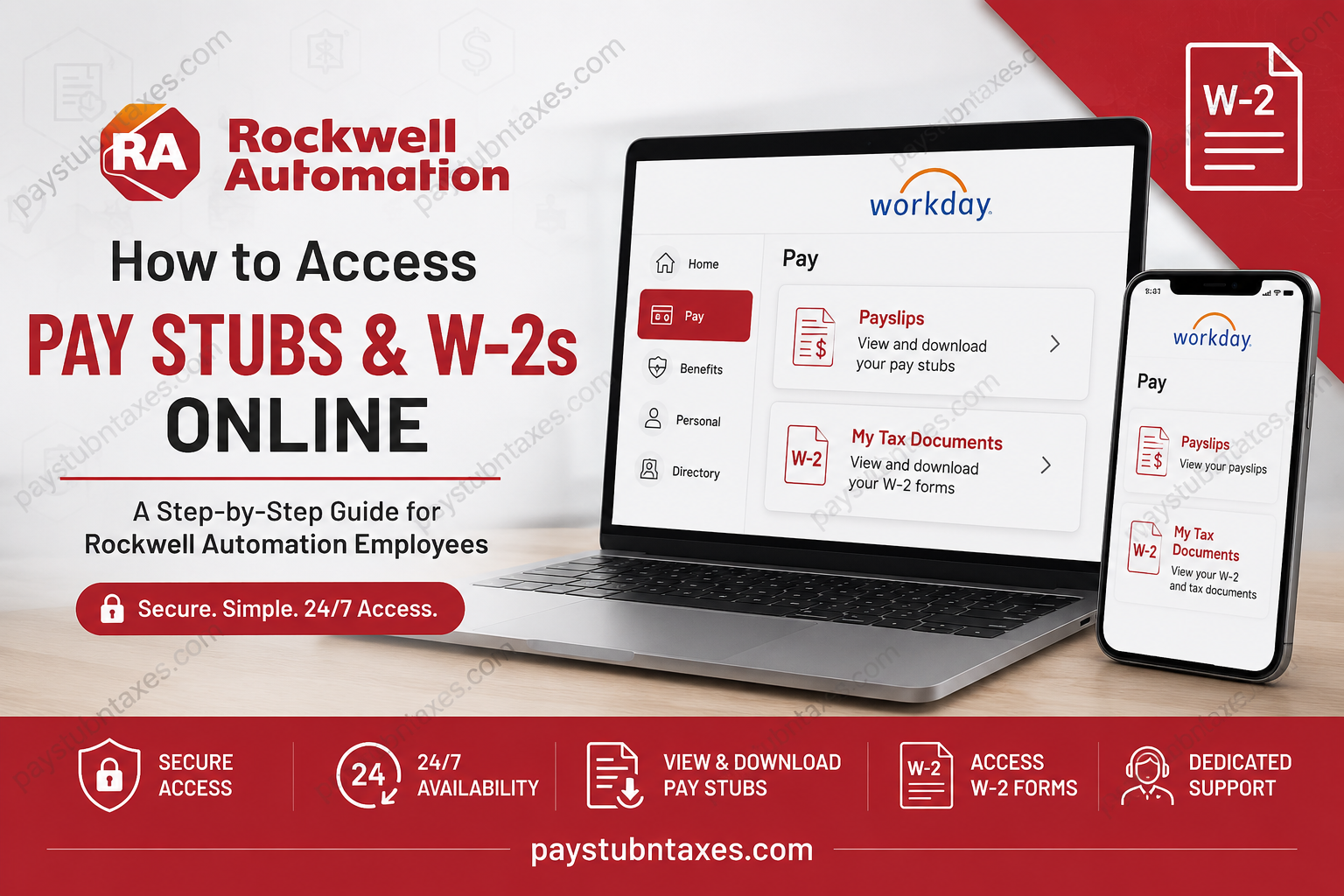
In today’s increasingly digitized workplace, convenient access to payroll records is no longer a luxury but a necessity. For employees of Rockwell Automation and Sensia, the Workday self-service platform provides secure, around-the-clock access to essential employment documents, including pay stubs, W-2 tax forms, and personal information. Whether you need to verify your earnings, prepare your taxes, or maintain financial records, Workday streamlines the process with remarkable efficiency. As a global leader in industrial automation and digital transformation, Rockwell Automation continues to empower not only manufacturers worldwide but also its workforce through cutting-edge digital tools and employee-centric services. The company’s mission—to make the world more productive and sustainable through technology—extends to its internal systems, ensuring employees can manage payroll information seamlessly. This commitment to innovation and operational excellence is deeply embedded in the company’s culture and vision.
About Rockwell Automation
Headquartered in Milwaukee, Wisconsin, Rockwell Automation is one of the world’s foremost providers of industrial automation and digital transformation solutions. Serving customers in more than 100 countries, the company employs approximately 28,000 professionals dedicated to advancing smart manufacturing and sustainable industrial practices. Its renowned brands include Allen-Bradley, FactoryTalk, and LifecycleIQ.
Rockwell Automation’s guiding philosophy is simple yet profound: connect human imagination with technological potential to expand what is humanly possible. This ethos has enabled the organization to remain at the forefront of industrial innovation for more than a century.
Accessing Rockwell Automation Workday
Employees can access payroll and tax documents through the Rockwell Automation Workday portal:
Workday Login Portal:
https://wd1.myworkday.com/rockwellautomation/
The Workday sign-in interface offers dedicated authentication pathways for both Rockwell Automation and Sensia employees. Employees simply select their appropriate Single Sign-On (SSO) option to access the system securely. The portal specifically provides separate login buttons for Rockwell Automation SSO and Sensia SSO.
Login Instructions
- Visit the Workday portal.
- Select the appropriate SSO option:
- Rockwell Employees: Choose Rockwell Automation SSO
- Sensia Employees: Choose Sensia SSO
- Enter your company credentials.
- Complete multi-factor authentication if prompted.
- Access your Workday dashboard.
Workday employs secure authentication protocols, and some employees may be required to complete two-factor authentication as an additional safeguard against unauthorized access. The system may prompt users to answer security questions or verify their identity before granting access.
How to View and Download Pay Stubs
Rockwell Automation employees can retrieve current and historical pay statements directly from Workday at any time.
On Desktop
- Log into Workday.
- Navigate to Pay.
- Select Payslips.
- Choose the desired pay date or check number.
- View, download, or print your pay stub.
Workday centralizes payroll management, enabling employees to securely access payroll information and maintain comprehensive financial records.
On the Workday Mobile App
The Workday mobile application allows employees to access payroll information while on the move.
To view pay stubs via mobile:
- Open the Workday mobile app.
- Tap Pay on the landing page.
- Select a payslip from Pay History.
- Open Pay Details.
- Tap Get PDF to generate the document.
- Save or share the PDF to your device. The app provides an option to open and store the generated file locally.
This mobile functionality ensures that employees can access payroll documents whenever and wherever needed, epitomizing the adage that convenience is the hallmark of modern enterprise systems.
How to Access Your W-2 Form Online
Electronic W-2 forms are generally made available through Workday near the end of January each year.
To access your W-2:
- Sign in to Workday.
- Navigate to Pay.
- Select My Tax Documents.
- Choose the applicable tax year.
- View, download, or print your W-2 form.
Employees who opted for paper delivery rather than electronic delivery should expect their W-2 forms to be mailed on or before January 31, in accordance with federal tax reporting requirements.
Why Use Workday?
Workday is more than merely a payroll portal; it is a comprehensive human capital management platform that enables employees to:
- View pay statements
- Access tax documents
- Update personal information
- Manage benefits
- Review employment details
- Maintain payroll records securely
Cloud-based platforms such as Workday have revolutionized workforce administration by providing secure, real-time access to critical employment data. This digital transformation reduces administrative burdens while improving employee experience.
Employee Support and Assistance
If you experience login issues or have questions regarding pay stubs, W-2 forms, or benefits, contact the Rockwell Automation Service Center:
Phone: 1-877-687-7272
Hours: Monday–Friday, 8:00 a.m.–4:00 p.m. Central Time
The company’s employee resources emphasize accessibility and support, ensuring workers can promptly resolve payroll or benefits-related inquiries.
Troubleshooting Common Issues
Forgot Your Password?
Use the password reset feature on the Workday login page or contact your internal IT support team.
Locked Out of Your Account?
Repeated failed login attempts may temporarily lock your account for security reasons. Reach out to your HR or IT department for assistance.
Cannot Find Your W-2?
Confirm that:
- The tax year has been released.
- You selected electronic delivery.
- Your mailing address is current if you chose paper delivery.
Final Thoughts
In an era where time is of the essence and efficiency reigns supreme, Rockwell Automation’s Workday platform provides employees with a robust, secure, and user-friendly solution for managing payroll information. Whether accessing a pay stub for financial verification or retrieving a W-2 during tax season, employees can navigate the process with ease and confidence. By marrying technological sophistication with employee convenience, Rockwell Automation once again demonstrates why it remains a global leader in industrial transformation—both on the factory floor and beyond.
FAQs
1. How do I log into Rockwell Automation Workday?
Visit the Workday portal and select either Rockwell Automation SSO or Sensia SSO, then enter your company credentials.
2. What is the Rockwell Automation Workday URL?
The official Workday login URL is: https://wd1.myworkday.com/rockwellautomation/
3. Can Sensia employees use the same Workday portal?
Yes. Sensia employees use the same portal but select Sensia SSO during login.
4. Where can I find my pay stubs in Workday?
Go to Pay > Payslips and select the desired pay date or check number.
5. Can I download my pay stub as a PDF?
Yes. Workday allows employees to download and print pay stubs in PDF format.
6. How do I access my W-2 form online?
Navigate to Pay > My Tax Documents and choose the relevant tax year.
7. When are W-2 forms released each year?
W-2 forms are generally available by the end of January.
8. What if I selected paper delivery for my W-2?
Your W-2 will be mailed to your address on or before January 31.
9. Can former employees access Workday?
Yes, former employee can access workday. Contact HR or the service center for assistance.
10. Is there a Workday mobile app?
Yes. Employees can use the Workday mobile app on iOS and Android devices.
11. How do I view pay stubs on the Workday mobile app?
Open the app, tap Pay, select a payslip from Pay History, and download it as a PDF.
12. What should I do if I forgot my Workday password?
Use the password reset option on the login page or contact your IT department.
13. Why am I locked out of Workday?
Multiple failed login attempts or security measures may temporarily lock your account.
14. Is Workday secure?
Yes. Workday uses secure login methods, including Single Sign-On (SSO) and multi-factor authentication.
15. Who do I contact for payroll or W-2 assistance?
Contact the Rockwell Automation Service Center at 1-877-687-7272, Monday through Friday, from **8:00 a.m. to 4:00 p.m. Central Time.
