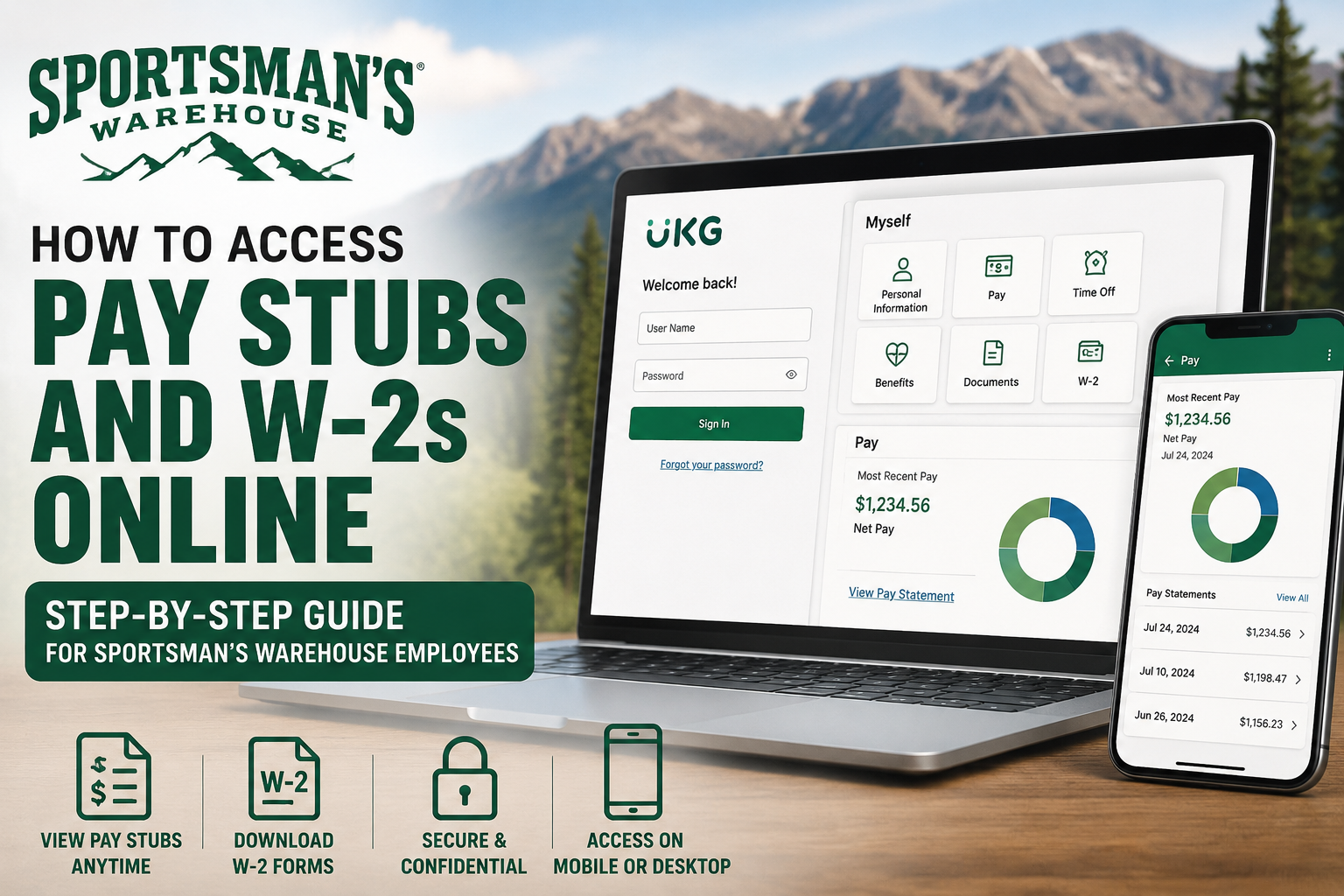
Employees of Sportsman’s Warehouse can conveniently access their pay stubs, payroll details, and W-2 tax forms online through the UKG Pro (formerly UltiPro) self-service portal. The platform provides secure access to payroll records, tax documents, direct deposit information, and personal employment details from any device with internet access. Sportsman’s Warehouse is one of America’s leading outdoor sporting goods retailers, serving hunters, anglers, campers, and outdoor enthusiasts since 1986. The company is recognized for providing premium outdoor gear, expert customer service, and a strong commitment to adventure and conservation.
What You Can Access Through the UKG Portal
Using the Sportsman’s Warehouse employee self-service system, employees can:
- View current and previous pay stubs
- Download and print pay statements
- Access W-2 tax forms online
- Review year-to-date earnings
- Update personal information
- Manage direct deposit details
- Access payroll and tax information securely
The UKG/UltiPro platform also allows employees to view detailed earnings, deductions, taxes, and net pay summaries.
How to Log in to the Sportsman’s Warehouse UKG Portal
Follow these steps to access your payroll information online.
Step 1: Open the UKG Login Portal
Visit the official employee login page:
Step 2: Enter Your Login Credentials
On the login page, enter:
- Your employee username
- Your password
Then click Sign In.
For first-time users, the system may require:
- A temporary password
- Password reset
- Security challenge questions setup
The tutorial explains that employees may be asked to create a secure password containing:
- Uppercase letters
- Lowercase letters
- Numbers
- Special characters
Step 3: Access Your Pay Statements
Once logged in:
- Open the Menu
- Select Myself
- Click Current Pay Statement
Employees can then:
- View paycheck details
- Review deductions and taxes
- Check year-to-date earnings
- Download or print statements
How to Print Sportsman’s Warehouse Pay Stubs
After opening a pay statement:
- Click the Print icon
- Choose Social Security number display preferences
- Generate the printable version
- Save or print the document
The UKG system provides printer-friendly PDF versions for payroll records.
How to Access Sportsman’s Warehouse W-2 Forms Online
Employees can also retrieve W-2 tax forms electronically through the same portal.
Steps to Access W-2s
- Log in to the UKG/UltiPro portal
- Navigate to Myself
- Select W-2
- Choose the applicable tax year
- Download or print your W-2 form
Accessing Pay Stubs Using the UKG Mobile App
Sportsman’s Warehouse employees may also use the UKG Pro mobile application to access payroll information.
Using the mobile app, employees can:
- View recent paychecks
- Access pay history
- Download PDF pay statements
- Share or email pay statements securely
- View year-to-date totals
Employees can open the Pay section and select individual pay statements for viewing or downloading as PDF documents.
Troubleshooting Login Problems
If you cannot access your account:
- Verify your username and password
- Use the Forgot Password option
- Complete security challenge verification
- Clear browser cache and cookies
- Try another supported browser
- Contact Sportsman’s Warehouse HR or payroll department
The UltiPro documentation also recommends using updated browsers for the best experience.
Benefits of the Sportsman’s Warehouse UKG System
The UKG self-service platform offers several advantages:
- 24/7 secure payroll access
- Faster W-2 retrieval during tax season
- Paperless payroll management
- Easy paycheck tracking
- Mobile-friendly access
- Convenient payroll document downloads
Employees can securely manage payroll information without waiting for printed copies or HR assistance.
Final Thoughts
The Sportsman’s Warehouse UKG Pro portal makes payroll management simple and efficient for employees. Whether you need to review your latest paycheck, print a pay stub, or download your W-2 form for tax filing, the self-service system provides secure and convenient online access anytime. By following the steps outlined above, Sportsman’s Warehouse employees can quickly access payroll records from a desktop computer or mobile device with ease.
Frequently Asked Questions (FAQ)
1. How do I access Sportsman’s Warehouse pay stubs online?
Log in to the UKG Pro employee portal using your credentials and navigate to Myself > Current Pay Statement to view your pay stubs.
2. What portal does Sportsman’s Warehouse use for payroll?
Sportsman’s Warehouse uses the UKG Pro (formerly UltiPro) self-service payroll portal.
3. Where can I download my Sportsman’s Warehouse W-2 form?
After logging into UKG Pro, go to Myself > W-2 and select the tax year to download or print your W-2.
4. What is the Sportsman’s Warehouse UKG login link?
The official employee login page is: https://welcome.ultipro.com/ui/#/signin/pass/t/spo1002smwh?
5. Can former Sportsman’s Warehouse employees access W-2 forms?
In many cases, former employees may still access tax forms through UKG. If access is unavailable, contact HR or payroll support.
6. How do I reset my UKG Pro password?
Click the Forgot Password option on the login page and complete the security verification process.
7. Can I print Sportsman’s Warehouse pay stubs?
Yes. Open the pay statement and click the print or PDF option to download and print your payroll records.
8. Does Sportsman’s Warehouse offer a mobile payroll app?
Yes. Employees can use the UKG Pro mobile app to access pay statements and payroll information.
9. What information appears on Sportsman’s Warehouse pay stubs?
Pay stubs typically include:
- Gross pay
- Net pay
- Taxes withheld
- Deductions
- Hours worked
- Year-to-date earnings
10. How often are pay statements updated in UKG?
Pay statements are generally updated every payroll cycle once payroll processing is completed.
11. Can employees download pay stubs as PDF files?
Yes. UKG Pro allows employees to download pay statements in printable PDF format.
12. Why can’t I log in to my Sportsman’s Warehouse payroll account?
Common reasons include:
- Incorrect password
- Expired credentials
- Locked account
- Browser compatibility issues
13. Is the UKG portal secure?
Yes. UKG Pro uses encrypted and secure login systems to protect employee payroll and tax information.
14. Can I view previous pay stubs in UKG Pro?
Yes. Employees can access both current and historical pay statements through the payroll history section.
15. Who should I contact for Sportsman’s Warehouse payroll support?
Employees should contact the Sportsman’s Warehouse HR or payroll department for assistance with account access, W-2s, or payroll issues.
