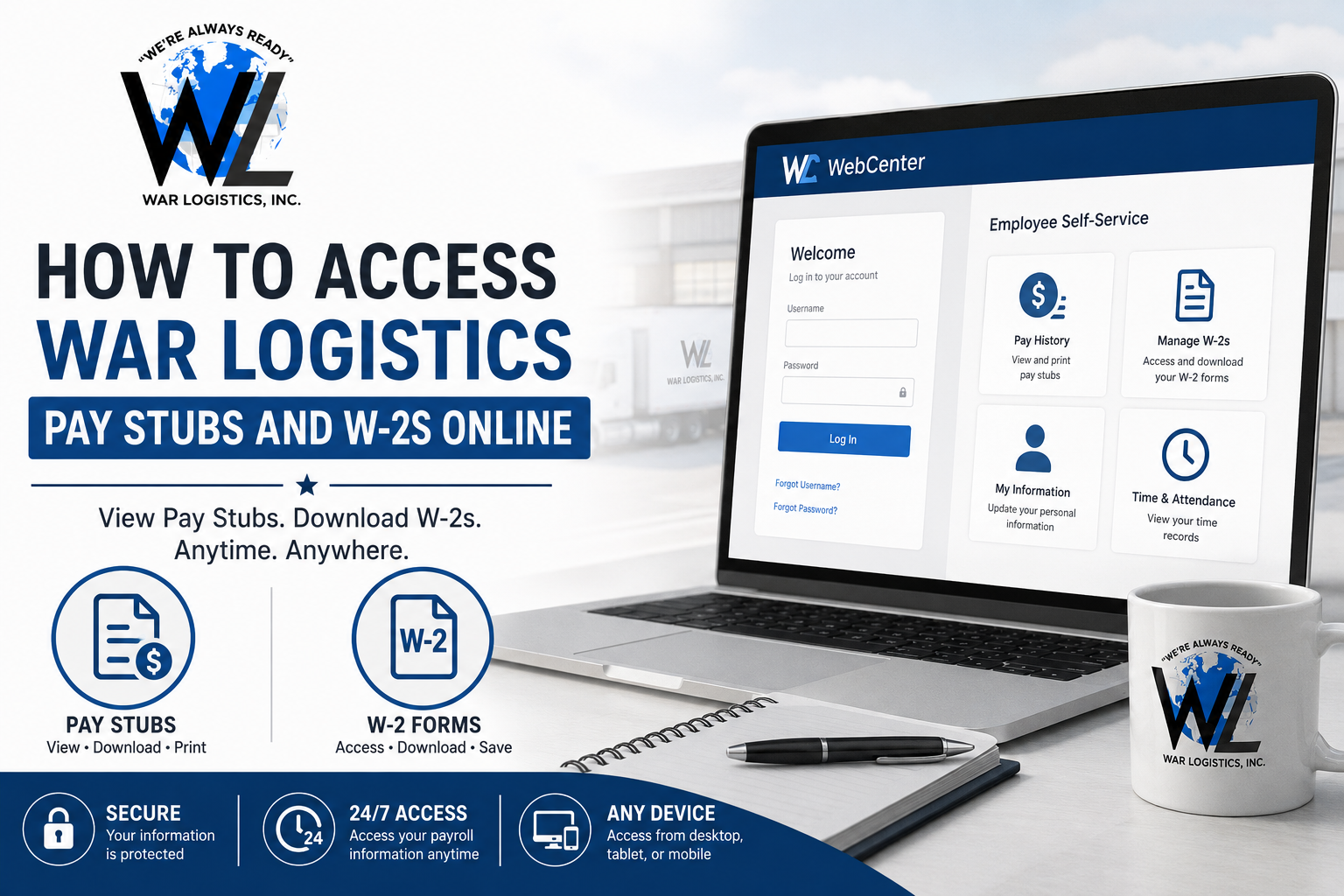
War Logistics, INC is a veteran-owned full-service logistics company that specializes in warehousing, staffing, transportation, and packaging solutions across the United States. Founded in 2011 by U.S. Navy veteran Ronnie Kattawar, the company has built a strong reputation for operational excellence under the slogan, “We’re Always Ready.” As an employee of War Logistics, you can conveniently access your pay stubs and W-2 tax forms online through the WebCenter employee self-service portal. This secure platform allows employees to review payroll history, download paycheck statements, and manage electronic W-2 forms anytime.
War Logistics Pay Stub Portal
War Logistics employees can log in to the WebCenter portal here:
Portal Link:
War Logistics WebCenter Login
The WebCenter platform provides secure access to:
- Weekly or biweekly pay stubs
- Payroll history
- Printable paycheck statements
- Electronic W-2 forms
- Tax and deduction details
- Employee account information
How to Access War Logistics Pay Stubs Online
Follow these simple steps to view your pay stubs online.
Step 1: Visit the WebCenter Login Page
Go to the official War Logistics WebCenter portal: https://webcenter.ontempworks.com/warlogistics/account/login
Step 2: Enter Your Username and Password
Employees typically receive their WebCenter login credentials from the HR department or recruiter after onboarding. According to the WebCenter tutorial, employees should receive their username and password by their second day of employment.
If you cannot find the email, check your spam or junk folder before contacting HR.
Step 3: Access the Pay History Section
Once logged in:
- Navigate to the Pay History tab located in the top menu.
- Select the desired pay date.
- Open the paycheck record to view details.
The system allows employees to review:
- Gross pay
- Net pay
- Tax deductions
- Hours worked
- Accruals
- Adjustments
Step 4: Print or Download Your Pay Stub
To print your paycheck stub:
- Click View Printable Version
- Choose your preferred download format
- Save or print the document directly from your browser
Available formats may include:
- Excel
- CSV
- Word
- Text files
How to Access War Logistics W-2 Forms Online
Employees who opt for electronic tax forms can access and download W-2s directly from WebCenter.
Step 1: Log Into WebCenter
Open the employee portal:
Step 2: Open “Manage W-2s”
After signing in:
- Click Manage W-2s
- Select the tax year you want to download
- Your W-2 form will automatically download as a PDF file
Step 3: Enable Electronic W-2 Delivery
If electronic W-2 access is not enabled:
- Select Change W-2 Options
- Click Receive W-2s Electronically
- Save your preferences
Once activated, future W-2 forms will be available online for download.
Forgot Your WebCenter Password?
If you forget your login credentials:
- Visit the login page
- Click Forgot Username or Forgot Password
- Follow the recovery instructions sent to your email
If account recovery does not work, contact your War Logistics recruiter or HR representative for assistance.
Benefits of Using the War Logistics WebCenter Portal
Using the online payroll portal offers several advantages:
- 24/7 access to payroll records
- Fast W-2 downloads during tax season
- Secure document management
- Easy paycheck printing
- Access from desktop or mobile devices
- Reduced paperwork and faster record retrieval
About War Logistics, INC
War Logistics, INC is a 100% veteran-owned and operated logistics company headquartered in Southaven, Mississippi. The company provides:
- Warehouse solutions
- Staffing services
- Transportation management
- Packaging services
- Distribution and fulfillment solutions
The company is also SAM-qualified and operates throughout the United States and Canada.
War Logistics offers employees several workplace benefits, including:
- Health insurance
- Dental and vision coverage
- Disability insurance
- Life insurance
- Supplemental insurance options
Contact War Logistics HR Support
If you experience issues accessing your pay stubs or W-2 forms, contact War Logistics directly.
War Logistics, INC
Address:
1130 Stateline Road E Ste A
Southaven, MS 38632
Phone:
(662) 510-2329
(662) 510-2365
Email:
recruiter@wlinc-us.com
Final Thoughts
The War Logistics WebCenter portal makes it simple for employees to manage payroll records and tax documents online. Whether you need to download your latest pay stub, print payroll history, or access your annual W-2 form, the platform offers a secure and efficient self-service solution. Employees are encouraged to enable electronic W-2 delivery for faster access during tax season and to keep their login credentials secure for uninterrupted portal access.
FAQ – War Logistics Pay Stubs and W-2s
1. How do I access my War Logistics pay stubs online?
You can access your pay stubs by logging into the War Logistics WebCenter portal and selecting the “Pay History” tab.
2. What is the official War Logistics employee portal?
The official employee portal is: https://webcenter.ontempworks.com/warlogistics/account/login
3. Where can I find my War Logistics W-2 form?
After logging into WebCenter, click “Manage W-2s” to view and download your available tax forms.
4. Can I download my pay stubs as PDF files?
Yes. Employees can select “View Printable Version” and save pay stubs in PDF format.
5. How do I reset my WebCenter password?
Click “Forgot Password” on the login page and follow the instructions to recover your account credentials.
6. When do employees receive WebCenter login credentials?
Employees usually receive login details from HR or recruiters during onboarding or within the first few days of employment.
7. Can former employees access War Logistics W-2 forms online?
Former employees may still access electronic W-2s if their WebCenter account remains active. Otherwise, they should contact HR.
8. What information is available in the Pay History section?
The Pay History section includes:
- Gross pay
- Net pay
- Tax deductions
- Hours worked
- Payroll adjustments
- Accrual details
9. How do I enable electronic W-2 delivery?
Inside WebCenter, select “Manage W-2s,” then choose “Change W-2 Options” and enable electronic delivery.
10. Can I print my War Logistics pay stubs?
Yes. Employees can print paycheck statements directly from the printable version option inside WebCenter.
11. Is the War Logistics payroll portal secure?
Yes. WebCenter is a secure employee self-service payroll platform designed to protect employee payroll and tax information.
12. What should I do if my pay stub is incorrect?
Contact your HR representative or recruiter immediately for payroll assistance and corrections.
13. Can I access WebCenter from my mobile phone?
Yes. The WebCenter portal is accessible from smartphones, tablets, and desktop browsers.
14. What should I do if I cannot access my account?
Verify your username and password first. If the issue continues, contact War Logistics HR support.
15. How can I contact War Logistics for payroll support?
Employees can contact War Logistics using the following information:
- Phone: (662) 510-2329
- Email: recruiter@wlinc-us.com
