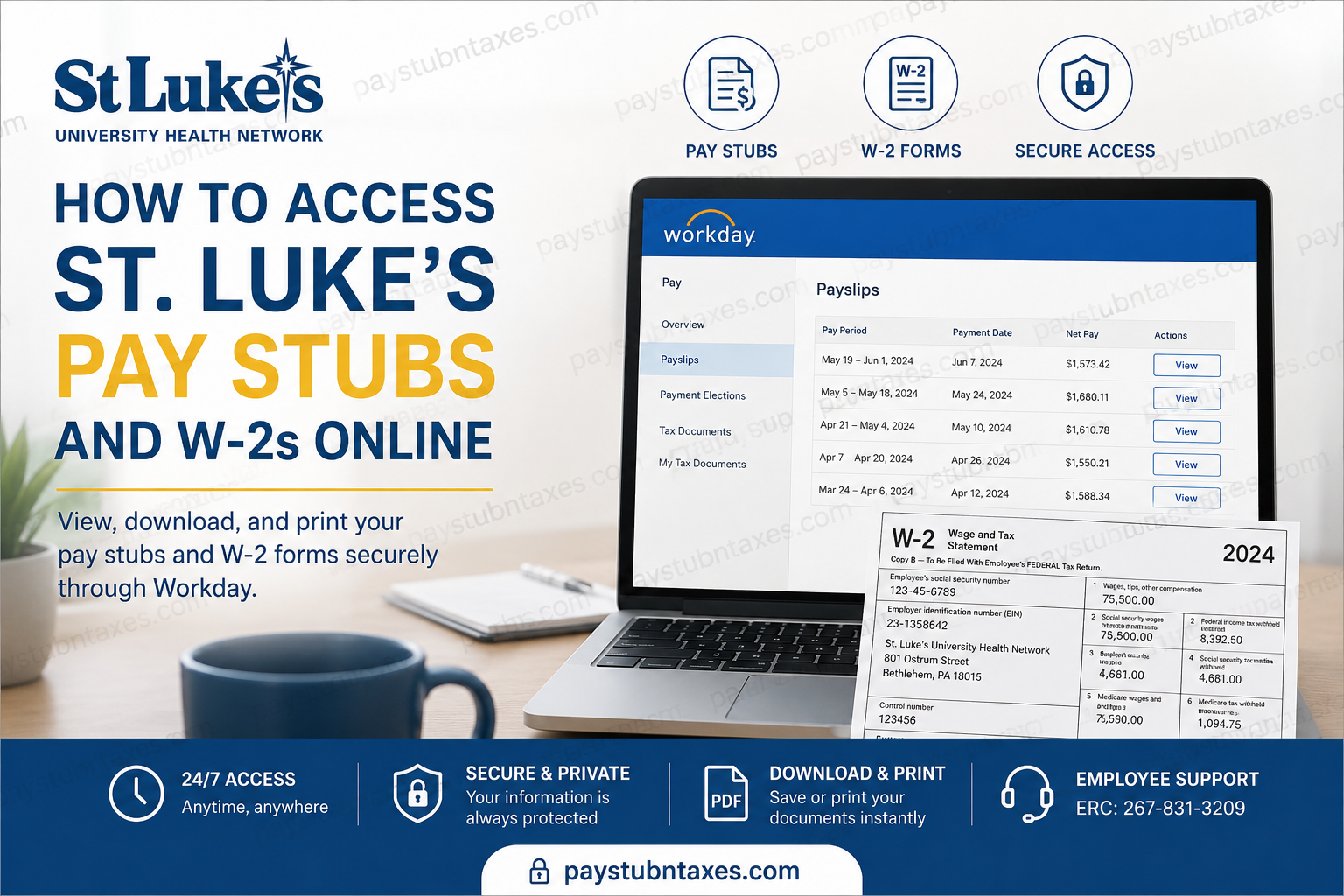
Managing payroll and tax records online has become an essential convenience for modern employees, particularly within large healthcare systems such as St. Luke’s University Health Network. As one of the nation’s most respected nonprofit healthcare networks, St. Luke’s provides employees with secure digital access to pay stubs, payslips, tax documents, and W-2 forms through the Workday self-service portal. Whether you are a current employee attempting to review your latest paycheck or a staff member preparing tax documentation for filing season, this comprehensive guide explains precisely how to access, download, and print your St. Luke’s pay stubs and W-2 statements online.
St. Luke’s University Health Network operates across 16 campuses and more than 350 outpatient locations throughout Pennsylvania and New Jersey, employing over 23,000 healthcare professionals and support staff. The organization has earned national recognition for excellence in patient care, employee support, safety, and healthcare innovation.
St. Luke’s Employee Payroll Portal
St. Luke’s employees can securely access payroll records using the official Workday portal:
Workday Login: St. Luke’s Workday Portal
Employees can use the portal to:
- View current and previous pay stubs
- Download payslips in PDF format
- Access electronic W-2 forms
- Update direct deposit information
- Review tax withholding elections
- Print payroll documents for financial or tax purposes
The Workday sign-in interface requires employee credentials and secure authentication.
How to Access St. Luke’s Pay Stubs Online
Employees can conveniently retrieve payslips from the Workday self-service dashboard using a desktop computer, laptop, or mobile browser.
Step-by-Step Guide to View Payslips
Step 1: Log Into Workday
Visit the official St. Luke’s Workday portal and sign in using your employee credentials.
Step 2: Open Your Employee Profile
After logging in:
- Click your Profile icon
- Select View Profile from the dropdown menu
Step 3: Navigate to the Pay Section
Inside your employee profile:
- Click the Pay icon
- Open the Payslips tab
Step 4: View or Print Your Pay Stub
Locate the desired pay period and click:
- View to open the payslip
- Print to generate a printable version
The system will display detailed payroll information, including:
- Gross earnings
- Net pay
- Federal and state tax deductions
- Benefit deductions
- Overtime or shift differentials
- Direct deposit allocations
Step 5: Download Your Payslip PDF
To save a digital copy:
- Click the PDF icon
- Select Download to export the payslip document
Employees can then store payroll records securely for personal documentation, loan applications, or tax preparation.
How to Access St. Luke’s W-2 Forms Online
St. Luke’s employees may also retrieve electronic W-2 statements directly through Workday.
According to payroll guidelines, W-2 statements are generally postmarked on or before January 31 each year. Employees preferring electronic access may download them through the Workday portal.
Steps to Retrieve W-2 Statements
Step 1: Sign In to Workday
Access your Workday account using your employee credentials.
Step 2: Open the Pay Dashboard
From the Workday homepage:
- Click the Pay dashboard
Step 3: Select “My Tax Documents”
Within the payroll section:
- Click My Tax Documents
This section stores electronic W-2 forms and related tax records.
Step 4: Open Your W-2 Form
Locate the appropriate tax year and select:
- View/Print to open the document
Step 5: Print or Download the W-2
Once the form loads:
- Use the Printer icon to print the document
- Use the Download icon to save a digital copy
Employees who require accessible formatting may also use the Accessible Form option available within Workday.
Benefits of Using the St. Luke’s Workday Portal
The Workday employee self-service system offers several significant advantages for healthcare professionals and staff members.
1. Secure Payroll Access
Employees can retrieve sensitive payroll information through encrypted authentication and secure login procedures.
2. 24/7 Availability
Pay stubs and W-2 forms remain accessible from virtually anywhere with internet access.
3. Faster Tax Preparation
Electronic W-2 delivery reduces delays during tax season and enables quicker filing.
4. Paperless Convenience
Digital payroll management minimizes paperwork while simplifying long-term document storage.
5. Improved Financial Tracking
Employees can review historical payroll records, tax deductions, overtime earnings, and benefit contributions whenever necessary.
Common Problems and Troubleshooting Tips
Although Workday is generally reliable, employees occasionally experience login or document access issues.
Forgot Password or Username
Use the account recovery options available on the login screen to reset credentials securely.
W-2 Not Available Yet
W-2 forms may not appear until payroll processing is finalized in January.
Browser Compatibility Issues
If the portal fails to load properly:
- Clear browser cache
- Enable pop-ups
- Try Microsoft Edge or Google Chrome
- Disable browser extensions temporarily
PDF Download Problems
Ensure that:
- Your browser allows file downloads
- Adobe Acrobat Reader is installed
- Pop-up blockers are disabled
Employee Support Contact Information
If additional assistance is required regarding payroll, tax documents, or Workday access, employees may contact:
Employee Resource Center
Phone: 267-831-3209
About St. Luke’s University Health Network
Founded in 1872, St. Luke’s University Health Network has evolved into one of the nation’s leading nonprofit healthcare systems. The network includes hospitals, outpatient centers, specialty clinics, educational institutions, and research facilities across Pennsylvania and New Jersey.
The organization’s mission emphasizes compassionate care, operational excellence, community health improvement, and employee development. St. Luke’s also remains one of the region’s largest employers, supporting thousands of healthcare professionals across diverse medical specialties.
Final Thoughts
The St. Luke’s Workday payroll system provides employees with a secure and highly efficient method for managing payroll records and tax documentation online. By centralizing payslips, tax forms, and payroll services within a single digital platform, the organization ensures that employees can quickly access critical financial information whenever needed. Whether you need to print a recent pay stub, download a W-2 for tax filing, or review payroll deductions, the Workday self-service portal offers a streamlined and user-friendly solution designed to support the needs of modern healthcare professionals.
Frequently Asked Questions (FAQs)
1. How do I access my St. Luke’s pay stubs online?
You can access your pay stubs through the St. Luke’s Workday portal by signing in with your employee credentials and navigating to the Pay > Payslips section.
2. What is the official St. Luke’s Workday login portal?
The official employee payroll portal is: St. Luke’s Workday Login
3. Can I download my St. Luke’s payslip as a PDF?
Yes. Workday allows employees to download payslips as PDF documents for printing, financial verification, or recordkeeping purposes.
4. How do I print my St. Luke’s pay stub?
Open the payslip inside Workday and click the Print or Printer icon to generate a printable version.
5. When are St. Luke’s W-2 forms available?
W-2 statements are generally postmarked and electronically published on or before January 31 each year.
6. How do I access my St. Luke’s W-2 online?
Log in to Workday, open the Pay Dashboard, and select My Tax Documents to access your W-2 forms.
7. Can former employees access St. Luke’s W-2 forms?
Former employees may still be able to access tax documents through Workday depending on account availability. If access is unavailable, contact the Employee Resource Center for assistance.
8. What should I do if I forgot my Workday password?
Use the password recovery or “Can’t access your account?” option on the Workday login page to reset your credentials securely.
9. Does St. Luke’s use direct deposit for payroll?
Yes. SLUHN employees receive payroll payments through direct deposit.
10. Can I view previous pay stubs in Workday?
Yes. Workday stores historical payroll records, allowing employees to review earlier pay periods whenever needed.
11. Why is my W-2 not showing in Workday?
Your W-2 may not yet be published if payroll processing is still ongoing. Most W-2 forms become available by the end of January.
12. Is the St. Luke’s Workday portal secure?
Yes. Workday uses secure authentication and encrypted access to protect employee payroll and tax information.
13. Can I access St. Luke’s payroll records from my phone?
Yes. Employees can access Workday from mobile browsers and compatible devices with internet access.
14. Who do I contact for payroll or Workday support?
Employees can contact the St. Luke’s Employee Resource Center at 267-831-3209 for payroll or portal assistance.
15. What information appears on a St. Luke’s payslip?
A typical payslip includes gross pay, net pay, tax withholdings, deductions, benefits, overtime, and direct deposit details.
