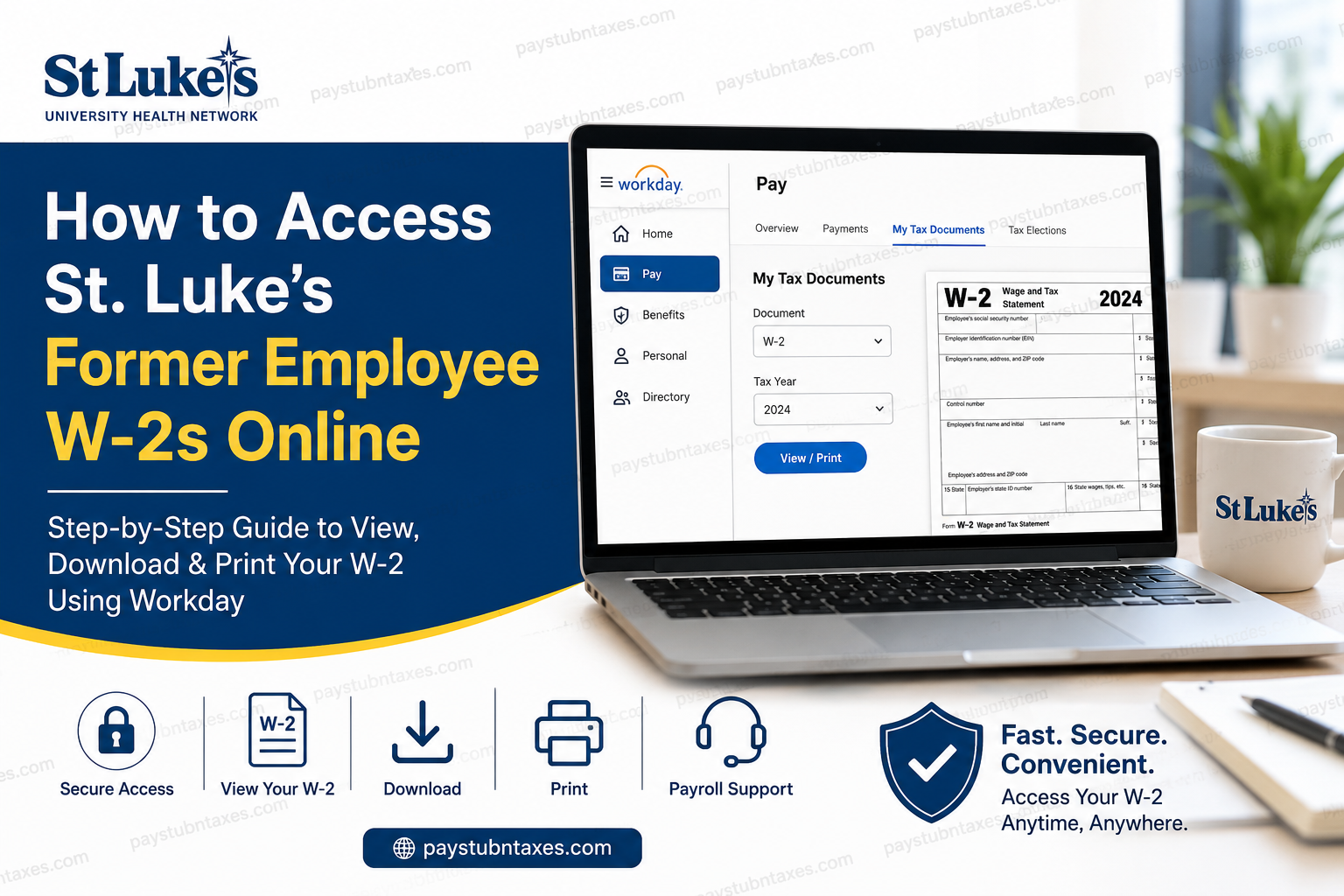
Former employees of St. Luke’s University Health Network can conveniently retrieve their W-2 tax statements online through the Workday self-service portal, provided they were enrolled for electronic tax document delivery during their employment. As one of the nation’s most respected healthcare systems, St. Luke’s has streamlined payroll and tax document management through a secure digital platform that allows separated employees to access important payroll records efficiently and securely.
St. Luke’s University Health Network (SLUHN) is a nationally recognized, non-profit healthcare organization serving Pennsylvania and New Jersey through 16 campuses and more than 350 outpatient facilities. The network employs more than 23,000 healthcare professionals and support staff while maintaining an outstanding reputation for patient care, clinical excellence, and innovation.
Can Former Employees Access W-2 Forms Online?
Yes. Former employees of St. Luke’s University Health Network may continue accessing their W-2 tax forms electronically for a limited period after separation from employment. The Human Resources department typically provides post-employment Workday login credentials, enabling former staff members to sign in securely and retrieve tax documentation online.
Employees who previously consented to electronic tax document delivery can download their W-2 forms directly from Workday. Those who did not opt for paperless delivery will generally receive their W-2 forms by mail, postmarked on or before January 31 of the following tax year.
St. Luke’s Workday Login Portal
Former employees can access the Workday portal using the following link: SLUHN Workday Login Portal
The portal uses secure authentication and encrypted access protocols to protect sensitive payroll and tax information.
Step-by-Step Guide to Access Your St. Luke’s W-2 Online
Step 1: Open the Workday Login Page
Navigate to the St. Luke’s Workday sign-in portal using the official link provided by HR. You will arrive at the secure Workday authentication screen where you must enter your username and password.
Step 2: Enter Your Login Credentials
Use the Workday username and password provided by the Employee Resource Center or Human Resources department after your employment separation.
If you experience login difficulties, use the “Forgot Your Password?” option available on the login page.
Step 3: Access the Pay Dashboard
After successfully signing in:
- Locate the Pay application or payroll dashboard on the Workday homepage.
- Click the payroll section to open your compensation and tax records.
The Workday payroll dashboard contains historical payroll documents, tax elections, direct deposit information, and W-2 tax forms.
Step 4: Open “My Tax Documents”
Inside the Pay dashboard:
- Select My Tax Documents
- Locate the appropriate tax year
- Find the W-2 form associated with your employment period
W-2 documents are stored digitally within the Workday system for eligible users.
Step 5: View or Download Your W-2
Once your tax document appears:
- Click View/Print
- Wait a few moments for the PDF to load
- Use the printer icon to print the form
- Use the download icon to save a digital copy for tax filing purposes
Workday also allows users to navigate multiple pages and access printer-friendly formats.
What If You Did Not Consent to Electronic Delivery?
Employees who declined electronic W-2 delivery typically receive a paper copy through standard mail. According to payroll distribution timelines, mailed W-2 statements are generally postmarked no later than January 31 each year.
If you have changed addresses since leaving St. Luke’s, it is advisable to contact the Employee Resource Center immediately to avoid delivery complications or delays.
Common Issues Former Employees May Encounter
Expired Workday Access
Former employee access is usually available only for a limited duration after termination. If your login credentials no longer work, contact the Employee Resource Center for assistance.
Forgotten Password
The Workday portal includes password recovery tools that allow users to reset credentials securely.
Missing W-2 Forms
If your W-2 statement does not appear inside Workday:
- Confirm that the correct tax year is selected
- Ensure you previously enrolled in electronic delivery
- Contact payroll support for manual assistance
Benefits of Accessing W-2 Forms Online
Using the Workday self-service portal offers several advantages:
- Faster access to tax documents
- Secure digital storage
- Ability to download duplicate copies anytime
- Reduced risk of lost mail
- Convenient access during tax filing season
For former healthcare professionals managing multiple employment records, electronic access can significantly simplify annual tax preparation.
About St. Luke’s University Health Network
Founded in 1872, St. Luke’s University Health Network has evolved into one of the largest healthcare providers in Pennsylvania and New Jersey. The organization operates hospitals, outpatient centers, specialty clinics, trauma centers, and educational institutions while maintaining affiliations with major medical education programs.
The network continues to distinguish itself through clinical innovation, academic excellence, and patient-centered healthcare delivery. In 2025, the U.S. Department of Health and Human Services ranked St. Luke’s as the nation’s leading health system for quality, safety, and patient experience.
Contact Information for Former Employees
If you require additional assistance regarding Workday access or W-2 retrieval, contact:
Employee Resource Center
Phone: 267-831-3209
You may also contact the Human Resources department for account recovery or payroll-related inquiries.
Final Thoughts
Accessing your St. Luke’s former employee W-2 online is a relatively straightforward process through the secure Workday self-service platform. By maintaining your login credentials and enrolling in electronic delivery, you can retrieve tax records quickly, securely, and without unnecessary delays during tax season. Whether you need to print a replacement W-2, download a digital copy for your accountant, or verify historical payroll information, Workday provides a dependable and user-friendly solution for former St. Luke’s employees.
Frequently Asked Questions (FAQs)
1. How can former employees access St. Luke’s W-2 online?
Former employees can log in to the St. Luke’s Workday portal using credentials provided by HR after termination. Once logged in, they can access W-2 forms through the “My Tax Documents” section.
2. What is the official St. Luke’s Workday login portal?
The official Workday portal for former SLUHN employees is: SLUHN Workday Portal
3. When are St. Luke’s W-2 forms available?
W-2 statements are generally available by the end of January each year. Paper copies are typically postmarked on or before January 31.
4. Can I still access Workday after leaving St. Luke’s?
Yes. Former employees usually retain limited Workday access for a certain period after separation from employment.
5. What should I do if I forgot my Workday password?
Use the “Forgot Your Password?” option on the Workday sign-in page or contact the Employee Resource Center for assistance.
6. Where can I find my W-2 after logging into Workday?
Navigate to: Pay Dashboard → My Tax Documents → View/Print W-2
7. Can I download a PDF copy of my W-2?
Yes. Workday allows users to download and save W-2 forms in PDF format for tax filing and personal records.
8. Can I print my W-2 directly from Workday?
Absolutely. After opening the W-2 document, click the printer icon to print a physical copy.
9. What if I did not consent to electronic W-2 delivery?
Employees who declined electronic delivery generally receive a paper W-2 mailed to their address on file.
10. Who should I contact for W-2 assistance?
Former employees can contact the Employee Resource Center at 267-831-3209 for login or payroll support.
11. Why is my W-2 not showing in Workday?
Possible reasons include:
- Incorrect tax year selection
- Expired Workday access
- Delayed payroll processing
- Lack of electronic delivery enrollment
12. Is the St. Luke’s Workday portal secure?
Yes. Workday uses secure encrypted authentication to protect employee payroll and tax information.
13. Can I access older W-2 forms through Workday?
In many cases, historical W-2 forms remain accessible within the My Tax Documents section while your account remains active.
14. What devices can I use to access Workday?
You can access Workday from desktops, laptops, tablets, and smartphones with internet access.
15. Why should I choose electronic W-2 delivery?
Electronic delivery provides faster access, secure digital storage, reduced mailing delays, and convenient document retrieval anytime during tax season.
