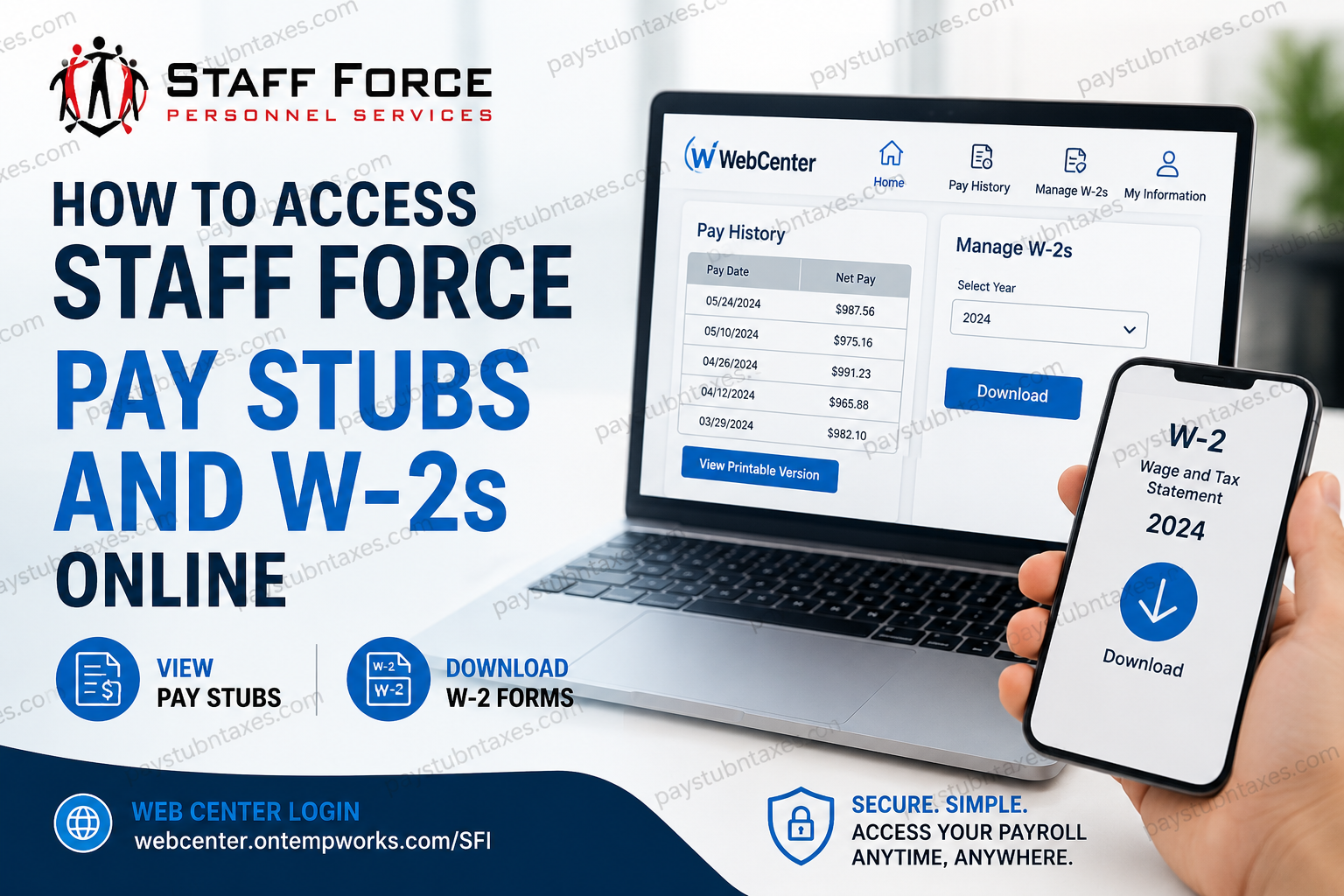
Staff Force, Inc. has established itself as one of the most respected privately owned staffing agencies in the United States, delivering workforce solutions across Texas, Arizona, Oklahoma, and Tennessee since 1989. With a reputation built upon integrity, accountability, and long-term partnerships, the company continues to support thousands of employees and associates through efficient payroll and workforce management systems. To simplify payroll access for employees, Staff Force provides a secure online self-service platform known as WebCenter, where associates can conveniently view pay stubs, download W-2 forms, and manage payroll-related information from virtually anywhere. Employees can securely access their payroll documents online through the Staff Force WebCenter portal. Whether you are a current employee seeking your latest paycheck details or a former associate attempting to retrieve your annual tax documents, this comprehensive guide explains exactly how to access Staff Force pay stubs and W-2s online quickly and securely.
What Is Staff Force WebCenter?
WebCenter is the official employee self-service portal used by Staff Force associates to manage payroll and employment-related records online. Through this portal, employees can:
- Access and print pay stubs
- Download W-2 tax statements
- Review payroll history
- Manage login credentials
- Access employment information securely online
The portal is available 24/7, allowing employees to retrieve payroll documents whenever necessary without visiting a local branch office.
Staff Force WebCenter Login Portal
Employees can access the Staff Force payroll portal using the official WebCenter login page:
Official Login Link
The portal requires a valid username and password created during onboarding or account activation.
How to Access Staff Force Pay Stubs Online
Viewing your pay stubs through WebCenter is straightforward and typically requires only a few minutes.
Step-by-Step Instructions to View Pay Stubs
Step 1: Visit the WebCenter Login Portal
Navigate to the official Staff Force WebCenter website.
Step 2: Log Into Your Account
Enter your username and password on the login page and click Log In.
Step 3: Open Pay History
After successfully signing in, go to:
Home Page → Pay History
Step 4: Select Your Pay Date
Choose the specific pay date you wish to review. Employees can browse previous payroll records directly from the Pay History section.
Step 5: View or Print Your Pay Stub
Click View Printable Version to open a downloadable or printable copy of your paycheck stub.
The printable version allows employees to:
- Save the pay stub as a PDF
- Print physical copies
- Maintain payroll documentation for loans, rentals, or tax preparation.
How to Download Staff Force W-2 Forms Online
Staff Force also enables employees to retrieve annual W-2 tax forms electronically through WebCenter.
Steps to Download Your W-2
Step 1: Sign In to WebCenter
Visit the Staff Force WebCenter login page and access your employee account.
Step 2: Locate “Manage W-2s”
Once logged in, find the Manage W-2s option located near your To-Do List dashboard.
Step 3: Choose the Tax Year
Select the appropriate W-2 year from the dropdown menu.
Step 4: Download the W-2
Click the blue Download button to save the W-2 directly to your computer or mobile device.
Employees who opted for electronic W-2 delivery can instantly download their tax forms in PDF format.
First-Time WebCenter Login Instructions
New employees typically receive an automated activation email from WebCenter that includes instructions for creating login credentials.
According to the onboarding process, employees receive an automated email from:
DoNotReply@staff-force.com
This email contains a secure link for creating a username and password. If the email does not arrive by the second day of employment, employees should check their junk or spam folders before contacting their HR Account Specialist.
Creating Your Account
- Open the activation email
- Click the account setup link
- Create a username
- Set a secure password
- Save your credentials for future use
After account activation, employees can immediately access payroll and tax documents online.
Forgot Your Username or Password?
If you cannot access your account, the WebCenter login page includes:
- Forgot Username
- Forgot Password
Employees may use these recovery tools to reset account credentials securely. Some WebCenter systems also allow password recovery directly through the login interface.
If recovery tools do not work, contact your local Staff Force office or HR Account Specialist for assistance.
Benefits of Using Staff Force WebCenter
The Staff Force WebCenter portal offers several important advantages for employees and associates.
1. 24/7 Payroll Access
Employees can retrieve payroll records anytime without waiting for office hours.
2. Faster W-2 Delivery
Electronic W-2 access eliminates mailing delays and allows immediate downloads.
3. Secure Payroll Management
WebCenter provides password-protected access to sensitive payroll information.
4. Printable Payroll Records
Employees can print official paycheck stubs and tax statements whenever needed.
5. Mobile-Friendly Convenience
The portal can be accessed from smartphones, tablets, laptops, and desktop computers.
Common Issues and Troubleshooting Tips
Activation Email Not Received
- Check spam or junk folders
- Search for emails from DoNotReply@staff-force.com
- Contact your HR Account Specialist if the email is missing after two days
Unable to Log In
- Verify username spelling
- Reset your password
- Clear browser cache and cookies
- Try a different browser or device
W-2 Not Available
W-2 forms are generally released during tax season. If your form is unavailable:
- Confirm you selected the correct tax year
- Ensure electronic W-2 delivery is enabled
- Contact Staff Force payroll support
Browser Compatibility Issues
For best performance, use updated versions of:
- Google Chrome
- Microsoft Edge
- Mozilla Firefox
- Safari
Staff Force Employee Benefits and Workforce Support
Staff Force is widely recognized for prioritizing employee support and workforce development. The company offers benefits such as weekly payroll, insurance options, and workforce training opportunities for temporary employees.
Beyond staffing services, Staff Force also participates extensively in community outreach initiatives across Texas, Phoenix, Oklahoma City, and Tennessee, supporting organizations such as the YMCA, Wounded Warrior Project, Salvation Army, Meals on Wheels, and Homes for Our Troops.
This commitment to both employees and communities reinforces the company’s longstanding reputation for trust, professionalism, and sustainable growth.
Contact Staff Force for Payroll Assistance
If you experience issues accessing pay stubs or W-2 forms, Staff Force recommends contacting your local office directly.
Corporate Office
Staff Force, Inc.
419 Mason Park Boulevard
Katy, TX 77450
Phone: (281) 492-6044
Employees may also text or call their local Staff Force office for payroll support and account assistance.
Final Thoughts
Staff Force has streamlined payroll management through its secure WebCenter platform, making it remarkably simple for employees to access pay stubs and W-2 forms online. Whether you need payroll verification, tax documentation, or historical paycheck records, the portal provides fast, reliable, and secure access from virtually anywhere. By following the steps outlined above, Staff Force associates can efficiently manage their payroll information without unnecessary delays, ensuring convenient access to critical financial records throughout the year.
Frequently Asked Questions (FAQ)
1. How do I access my Staff Force pay stubs online?
You can access your pay stubs by logging into the Staff Force WebCenter portal and navigating to Pay History from the homepage.
2. What is the official Staff Force payroll portal?
The official payroll portal is WebCenter: Staff Force WebCenter Login
3. How can I print my Staff Force paycheck stub?
After selecting your pay date in the Pay History section, click View Printable Version to print or save your pay stub as a PDF.
4. How do I download my Staff Force W-2 online?
Log into WebCenter, click Manage W-2s, select the tax year, and then click the Download button.
5. When will Staff Force W-2 forms become available?
W-2 forms are generally available during tax season, typically by the end of January.
6. What should I do if I forgot my WebCenter password?
Use the Forgot Password option on the WebCenter login page to reset your password securely.
7. How do first-time users activate their Staff Force WebCenter account?
New employees receive an activation email from DoNotReply@staff-force.com containing instructions to create a username and password.
8. What if I never received my WebCenter activation email?
Check your spam or junk folder first. If the email is still missing, contact your HR Account Specialist or local Staff Force office.
9. Can former Staff Force employees access W-2 forms online?
Yes, former employees can usually access W-2 forms through the WebCenter portal if their account remains active.
10. Is Staff Force WebCenter available on mobile devices?
Yes, the portal is mobile-friendly and can be accessed using smartphones and tablets.
11. Can I save my pay stubs as PDF files?
Yes, WebCenter allows employees to download and save printable pay stubs in PDF format.
12. Is the Staff Force payroll portal secure?
Yes, WebCenter uses password-protected access to help protect employee payroll and tax information.
13. Who do I contact for payroll support at Staff Force?
Employees should contact their local Staff Force office or HR Account Specialist for payroll assistance.
14. What information can I view inside WebCenter?
Employees can view pay history, printable pay stubs, W-2 forms, and other employment-related records.
15. Why is my W-2 not showing in WebCenter?
Your W-2 may not yet be released, or you may have selected the wrong tax year. If the issue continues, contact payroll support for assistance.
