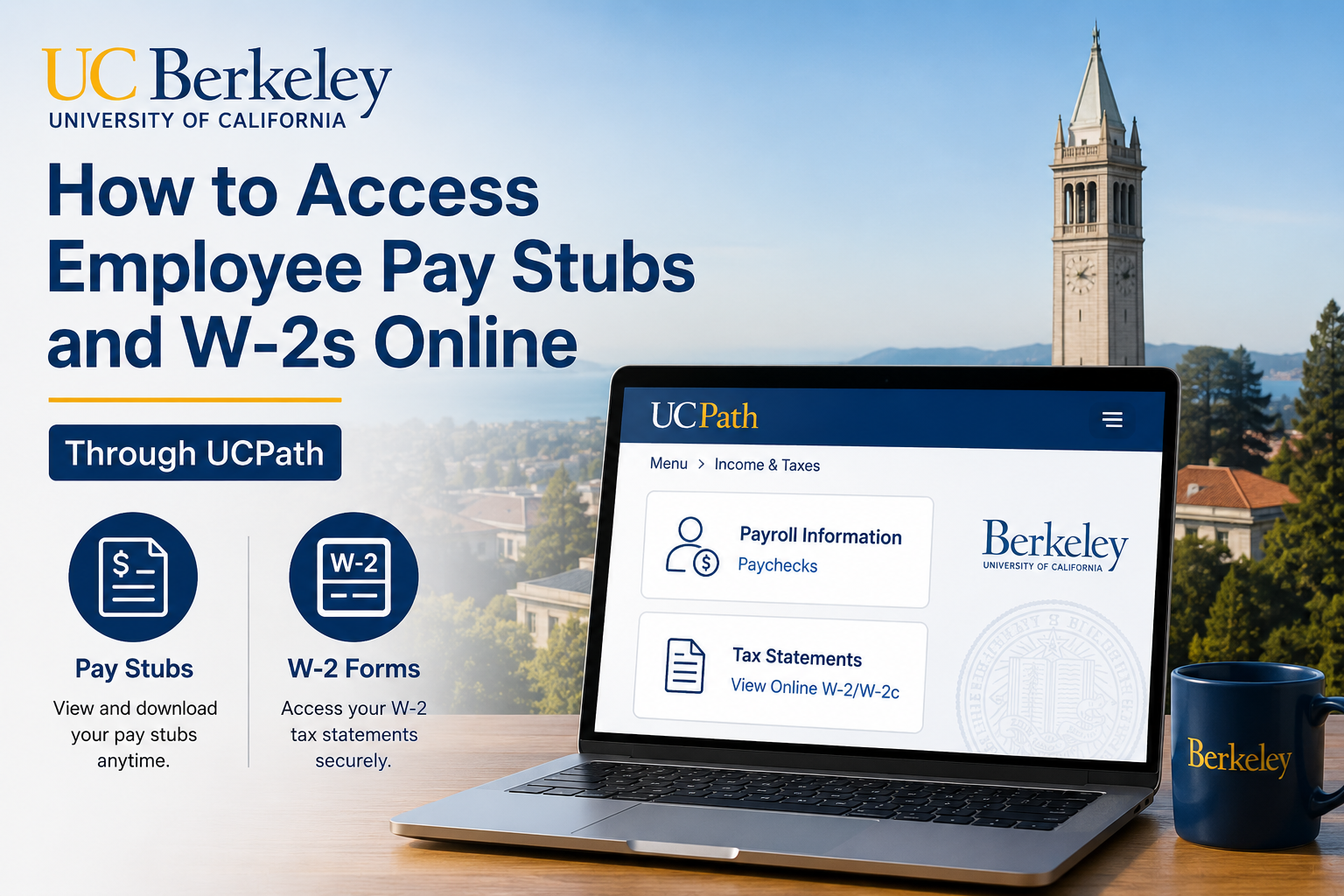
The University of California, Berkeley was founded in 1868 with a vision to create a university that would “contribute even more than California’s gold to the glory and happiness of advancing generations.” Today, UC Berkeley remains one of the world’s most prestigious public research universities, recognized for academic excellence, groundbreaking discoveries, and innovation. As a current UC Berkeley employee, you can conveniently access your pay stubs, payroll history, and W-2 tax forms online through the UCPath self-service portal. The system allows employees to securely manage payroll records anytime, anywhere.
UC Berkeley UCPath Login Portal
Official UCPath Website: UCPath Portal
When signing in:
- Open the UCPath portal.
- Select University of California, Berkeley.
- Enter your CalNet credentials to continue.
How to Sign In to UCPath at UC Berkeley
UC Berkeley employees authenticate through the CalNet Authentication Service.
Standard Employee Login
- Visit the UCPath login page.
- Choose the University of California, Berkeley.
- Enter your:
- CalNet ID
- Passphrase
- Click Sign In.
How to Sign In as a Special Purpose Account (SPA)
UC Berkeley also supports Special Purpose Accounts (SPAs) for departmental or administrative access.
Sign In Through the SPA List
- Add a “+” before your CalNet ID.
Example:+mycalnetid - Enter your passphrase.
- A drop-down list will appear showing the SPAs you can access.
- Select the appropriate SPA account.
Direct SPA Login
You may also sign in directly by entering:
spa-mydept+mycalnetid
Then enter your passphrase to continue.
Managing SPAs
Employees can manage Special Purpose Accounts through the UC Berkeley Special Purpose Accounts application using their personal credentials.
How to Access UC Berkeley Pay Stubs Online
After successfully signing into UCPath:
- Open the main navigation menu.
- Select Income & Taxes.
- Choose Payroll Information.
- Click Paychecks.
You will then be able to:
- View current and previous pay stubs
- Download PDF paycheck copies
- Review payroll deductions
- Verify direct deposit information
- Check year-to-date earnings
- Print payroll records for personal or financial use
How to Access UC Berkeley W-2 Forms Online
UCPath also provides electronic W-2 tax forms for employees.
W-2 Navigation Path
Go to: Menu > Income & Taxes > Tax Statements > View Online W-2/W-2c > Choose Tax Year
Once selected, you can:
- View digital W-2 copies
- Download W-2 PDFs
- Print tax statements
- Access corrected W-2c forms if issued
Benefits of Accessing Payroll Documents Online
Using UCPath online payroll services provides several advantages:
- 24/7 secure access
- Faster retrieval of tax forms
- Paperless payroll management
- Easy printing and downloading
- Historical payroll access
- Secure identity verification
UC Berkeley CalNet Support and Password Assistance
If you experience login issues, password problems, or multi-factor authentication difficulties, UC Berkeley provides several support options.
Available Support Resources
- IT Help Desk
- CalNet Account Support
- 2-Step Verification Assistance
- Password Reset Support
- UCPath Employee Assistance
Helpful Resources
Common UCPath Login Issues and Solutions
| Issue | Solution |
| Forgot CalNet password | Reset through CalNet account management |
| MFA code not working | Retry verification or contact IT support |
| SPA access unavailable | Verify SPA permissions with department administrator |
| Unable to view W-2 | Verify SPA permissions with the department administrator |
| Browser errors | Clear cache or try another browser |
Tips for Secure Payroll Access
To protect your payroll information:
- Never share your CalNet credentials
- Use strong passwords
- Enable multi-factor authentication
- Always sign out after use
- Access UCPath only through official UC websites
Frequently Asked Questions (FAQs)
Can UC Berkeley employees access pay stubs from home?
Yes. Employees can securely log into UCPath from any internet-connected device.
Where can I download my W-2 online?
You can access your W-2 under: Income & Taxes > Tax Statements > View Online W-2/W-2c
What is a CalNet ID?
A CalNet ID is the official UC Berkeley authentication credential used to access university systems.
Can I print my pay stubs?
Yes. UCPath allows employees to download and print paycheck PDFs.
What is an SPA account?
A Special Purpose Account (SPA) is a shared or departmental account used for administrative functions at UC Berkeley.
How do I access an SPA account?
You can sign in by adding a “+” before your CalNet ID or by entering the SPA name directly with your CalNet ID.
What should I do if I forget my CalNet password?
Use the CalNet password recovery system or contact UC Berkeley IT support.
Does UCPath store historical paychecks?
Yes. Employees can access previous paycheck records and tax statements through UCPath.
Can I access corrected W-2 forms online?
Yes. W-2c corrected tax forms are available in the same Tax Statements section.
Is UCPath secure?
Yes. UCPath uses secure authentication and identity verification methods to protect employee information.
Can I access UCPath on mobile devices?
Yes. The UCPath portal is accessible through most smartphones and tablets.
What browser works best with UCPath?
Updated versions of Chrome, Firefox, Edge, and Safari typically work best.
What if my multi-factor authentication fails?
Contact UC Berkeley IT support or CalNet 2-Step Help for assistance.
Can graduate student employees access UCPath?
Yes. Eligible UC Berkeley employees, including student employees, can access payroll records through UCPath.
When are W-2 forms available?
W-2 forms are generally available electronically by the end of January each year.
