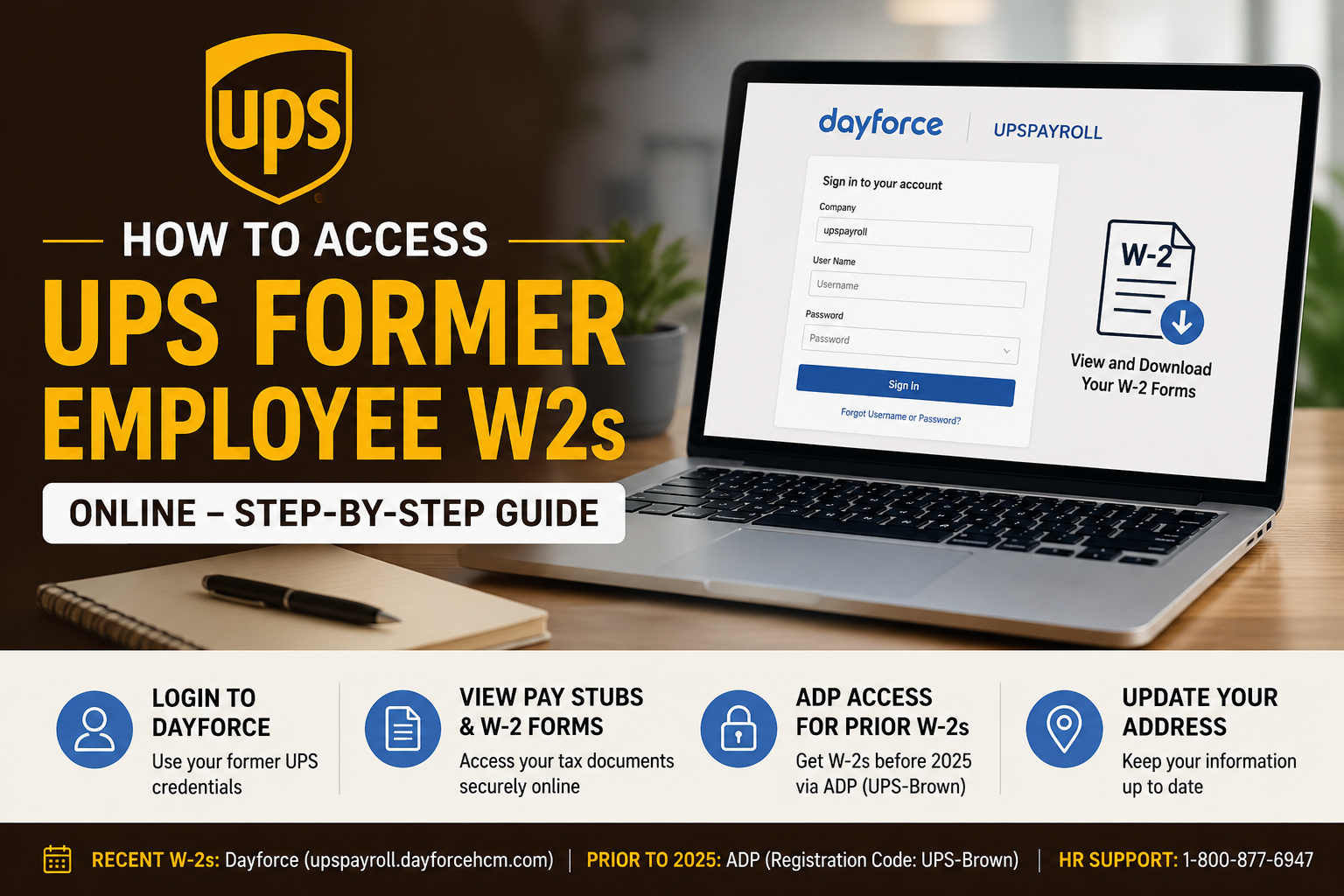
UPS is one of the world’s largest package delivery and logistics companies, serving millions of customers globally through advanced shipping, freight, and supply chain solutions. Former UPS employees can conveniently access their W-2 forms online through the Dayforce HCM self-service platform and, for older tax records, through the ADP self-service portal. Whether you recently left UPS or worked there years ago, this guide explains exactly how to retrieve your W-2 forms online, reset your credentials, update your address, and access historical tax documents without contacting payroll unnecessarily.
UPS Former Employee W2 Portal Information
Current W-2 Access Portal
Former employees can retrieve recent W-2 forms through the Dayforce payroll portal:
Portal Link:
UPS Dayforce Payroll Portal
Alternative login portal:
If using the MyRecords portal, enter the following company code:
- Company Code: upspayroll
UPS Former Employee Login Instructions
Former UPS employees should use the same username and password previously used for UPSers access.
Step-by-Step Login Process
- Visit the Dayforce portal.
- Enter your username and password.
- If prompted, enter the company code:
upspayroll
- Complete any security verification steps.
- Navigate to:
- My Documents
- or Year-End Forms
- Select the desired tax year.
- Download or print your W-2 form.
The Dayforce portal also allows access to earnings statements, payroll records, and prior pay details.
How to Recover Your UPS Login Credentials
If you forgot your UPS login credentials:
- Click “Forgot Username?” on the login page.
- Verify your identity using your registered email or security details.
- Reset your password through the secure verification process.
The Dayforce system also supports password recovery through registered email authentication and security questions.
How to Register for Dayforce W-2 Access
If you have never used the Dayforce W-2 portal before, you may need to create a new account.
Registration Steps
- Open:
MyRecords Dayforce Portal - Click “Register New Account”
- Enter your email address
- Verify your identity using:
- Last 4 digits of your Social Security Number
- Security code sent to your email
- Create your password
- Set up security questions
- Sign in and access your documents
The system allows access to electronic W-2 forms from previous tax years.
How to Access UPS W-2s Prior to 2025
UPS migrated payroll tax access systems over time. If you need W-2 forms from years prior to 2025, use the ADP self-service portal instead of Dayforce.
ADP W-2 Portal
ADP Self-Service Portal
UPS ADP Registration Code
- UPS-Brown
ADP Registration Steps
- Open the ADP portal
- Click Create Account
- Enter the registration code:
UPS-Brown
- Verify your identity
- Create login credentials
- Access historical W-2 statements
How to Update Your Mailing Address for W-2 Delivery
It is important to keep your mailing address updated to avoid delays receiving tax documents.
If You Are Still Employed at UPS
- Log into UPSers
- Open Workday
- Update your address information
If You Are No Longer Employed
You can:
- Submit a USPS change-of-address request
- Or contact UPS HR directly
UPS HR Contact Number
- +1-800-877-6947
Common UPS W-2 Access Issues and Solutions
Incorrect Username or Password
Use the “Forgot Username?” or password reset option on Dayforce.
Email Not Recognized
Ensure you use the same email associated with your UPS employment records.
Unable to Verify Identity
Double-check:
- Last 4 digits of SSN
- Registered email
- Company code (
upspayroll)
W-2 Not Appearing
Switch the tax year dropdown menu and verify the correct year is selected.
Need Older W-2 Forms
Use the ADP portal for pre-2025 tax records.
Can Former UPS Employees Access Pay Stubs Online?
Yes. Former employees may still access pay statements and payroll records through Dayforce if their account remains active.
Inside the portal, users can typically access:
- Earnings statements
- Payroll summaries
- Direct deposit details
- Tax withholding forms
- Historical payroll documents
Final Thoughts
UPS provides multiple secure options for former employees to access W-2 forms online. Recent tax records are available through the Dayforce payroll system, while older W-2 forms can still be retrieved using the ADP self-service platform.
By maintaining updated contact information and securing your login credentials, you can quickly retrieve payroll documents without waiting for mailed copies or contacting HR support repeatedly.
Frequently Asked Questions
How do I access my UPS W-2 online as a former employee?
You can access your W-2 through the UPS Dayforce payroll portal using your former UPS login credentials.
What is the UPS Dayforce company code?
The company code is:
upspayroll
Where can I get UPS W-2s prior to 2025?
Older W-2 forms are available through the ADP self-service portal using registration code:
UPS-Brown
Can I still access UPSers after leaving UPS?
Most former employees lose full UPSers access after separation, but payroll access may continue through Dayforce.
What if I forgot my UPS username?
Use the “Forgot Username?” option on the login page.
Can I access UPS pay stubs online after leaving the company?
Yes. Dayforce may still allow access to prior payroll statements and earnings records.
What should I do if my W-2 was mailed to the wrong address?
Contact UPS HR or submit a USPS mail forwarding request immediately.
Does UPS mail paper W-2 forms?
Yes, paper W-2s may still be mailed if electronic consent was not selected.
What is the UPS HR phone number?
UPS HR can be reached at:
- +1-800-877-6947
Can I print my UPS W-2 from Dayforce?
Yes. You can download and print your W-2 directly from the portal.
Is the Dayforce login the same as UPSers?
Usually yes. Most former employees use the same credentials previously used for UPSers.
What if Dayforce says my email does not match?
Use the email associated with your employment records or contact UPS HR for assistance.
Can seasonal UPS employees access W-2s online?
Yes. Seasonal employees can also retrieve W-2 forms through Dayforce.
How long are W-2 forms available online?
Availability varies, but multiple years of tax forms are usually accessible online.
Is ADP still used by UPS?
Yes. ADP is commonly used for historical W-2 records before 2025.
