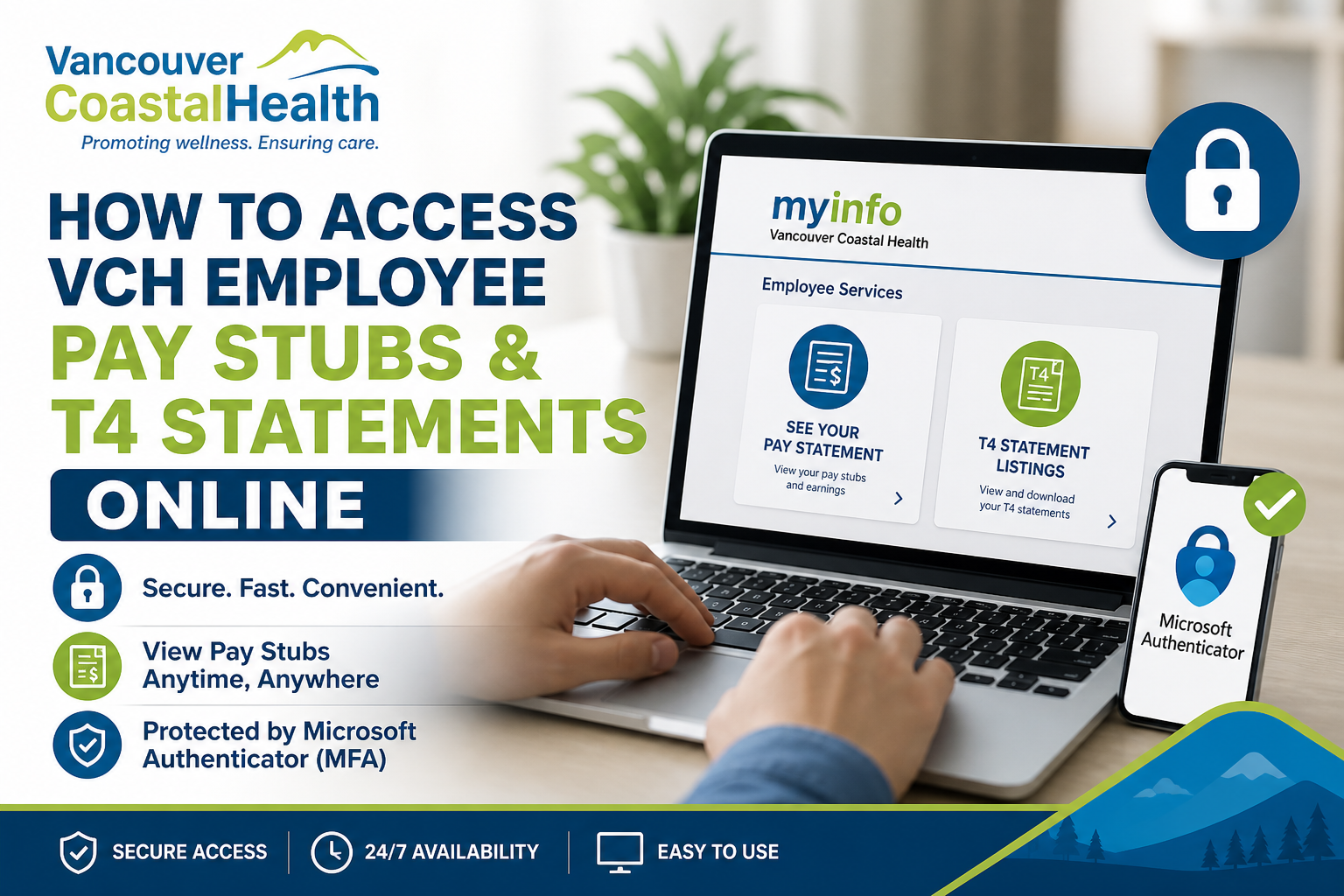
Vancouver Coastal Health (VCH) is one of British Columbia’s leading regional health authorities, delivering high-quality healthcare services to over 1.25 million residents. As part of its commitment to efficiency and digital accessibility, VCH provides employees with secure online access to their pay stubs and T4 tax statements through the official VCH Pay Statements Portal. This comprehensive guide explains, step by step, how VCH employees can register, log in, and access their electronic pay statements and tax documents seamlessly.
Where to Access VCH Pay Stubs and T4 Statements
VCH employees can access their payroll documents through the official portal:
👉 VCH Pay Statements Portal: https://myinfo.vch.ca/
According to the staff hub documentation, this platform enables employees to view and manage electronic pay statements securely.
System Requirements Before Access
Before accessing your pay stubs or T4 forms, ensure the following:
1. VCH Network Account
You must have an active Health Authority network login (username and password).
2. MyID Registration (Important for First-Time Users)
If your Employee ID is not linked, you must complete MyID registration.
3. Microsoft Authenticator App (Mandatory)
- Required for remote access
- Must be set up onsite at a VCH, PHSA, or PHC facility (unless special approval is granted)
Step-by-Step Guide to Access VCH Pay Stubs Online
Step 1: Visit the Official Portal
Go to: https://myinfo.vch.ca/
Step 2: Log In to Your Account
- Enter your health domain credentials
- Complete authentication if prompted
Step 3: Open Pay Statements
- Click “SEE YOUR PAY STATEMENT”
- View your latest or previous pay slips
Step 4: Access T4 Statements
- Navigate to T4 Statement Listings
- Download or print your tax forms as needed
How to Register (MyID Setup for First-Time Users)
If you cannot access your pay statements, you likely need to link your Employee ID:
Registration Process:
- Visit: http://myid.healthbc.org/ (on a network-connected device)
- Log in using your network credentials
- Select Vancouver Coastal Health as your organization
- Enter required personal details (e.g., Employee ID, DOB)
- Complete authentication
Once completed, your Employee ID will be linked to your login credentials, enabling access to payroll services.
Accessing Pay Statements on Personal Devices
After successful MyID registration:
- You can log in from home computers or mobile devices
- Access remains available via: https://myinfo.vch.ca/
- No need to stay on the internal network after setup
Setting Up Microsoft Authenticator (MFA)
To ensure secure access, VCH requires Multi-Factor Authentication (MFA):
Setup Steps:
- Visit: https://aka.ms/mfasetup
- Sign in with your work credentials
- Download the Microsoft Authenticator app
- Add your account by scanning the QR code
- Approve login requests via your mobile device
This adds an essential layer of security and compliance to protect employee data.
Troubleshooting Common Issues
Issue 1: Unable to Access Pay Statements
- Ensure MyID registration is completed
- Verify correct organization selection (VCH)
Issue 2: Login Errors
- Reset password via self-service tools
- Confirm correct network credentials
Issue 3: MFA Not Working
- Reconfigure Microsoft Authenticator
- Ensure device notifications are enabled
Support Contacts
For additional assistance:
- Technical Support (Service Desk):
📧 vchServiceDesk@hssbc.ca
📞 604-875-4334 / 1-888-875-4334 - Payroll Support:
📧 PayrollVCH@phsa.ca
📞 604-297-8683 (Option 2) / 1-866-875-5306
Key Benefits of the VCH Payroll Portal
- 24/7 access to pay stubs and tax documents
- Secure authentication with MFA
- Paperless and environmentally friendly
- Easy download and printing options
- Accessible from any device after setup
Conclusion
Vancouver Coastal Health has streamlined payroll access through a secure and user-friendly digital platform. By completing the required setup—including MyID registration and Microsoft Authenticator—you can conveniently access your pay stubs and T4 statements anytime, anywhere. This system reflects VCH’s commitment to innovation, efficiency, and employee empowerment—ensuring that vital financial information is always within reach.
Frequently Asked Questions (FAQs)
1. What is the official website to access VCH pay stubs?
The official portal is https://myinfo.vch.ca/, where employees can securely view pay statements and tax documents.
2. How do I log in to the VCH Pay Statements portal?
Use your Health Authority network username and password, then complete authentication using the Microsoft Authenticator app.
3. What should I do if I cannot access my pay statements?
You likely need to complete MyID registration to link your employee ID with your network account.
4. How do I register for MyID at VCH?
Visit http://myid.healthbc.org/ on a network-connected device, log in, select VCH, and complete your profile details.
5. Can I access VCH pay stubs from home?
Yes. After successful setup, you can access your pay statements from any personal device or network.
6. Where can I find my T4 tax statements?
After logging in, navigate to T4 Statement Listings within the MyInfo portal.
7. Is Microsoft Authenticator required?
Yes. It is mandatory for secure remote access to VCH systems and payroll services.
8. Do I need to set up MFA onsite?
Yes. Initial setup of the Microsoft Authenticator app must typically be completed onsite at a VCH, PHSA, or PHC facility.
9. What is MyID and why is it important?
MyID links your Employee ID with your network login, enabling access to payroll and other internal systems.
10. What happens if my Employee ID is not linked?
You will receive an error prompting you to complete MyID registration before accessing pay statements.
11. Can I download or print my pay stubs?
Yes. The portal allows you to view, download, and print your pay statements and T4 forms.
12. Who do I contact for technical issues?
Contact the VCH Service Desk at 604-875-4334 or email vchServiceDesk@hssbc.ca.
13. Who should I contact for payroll-related questions?
Reach out to Payroll Customer Service via PayrollVCH@phsa.ca or call the provided payroll support numbers.
14. Can new employees access pay stubs immediately?
New employees must first complete network account activation and MyID registration before accessing payroll data.
15. Is the VCH payroll system secure?
Yes. The system uses Multi-Factor Authentication (MFA) and secure network credentials to protect sensitive employee data.
