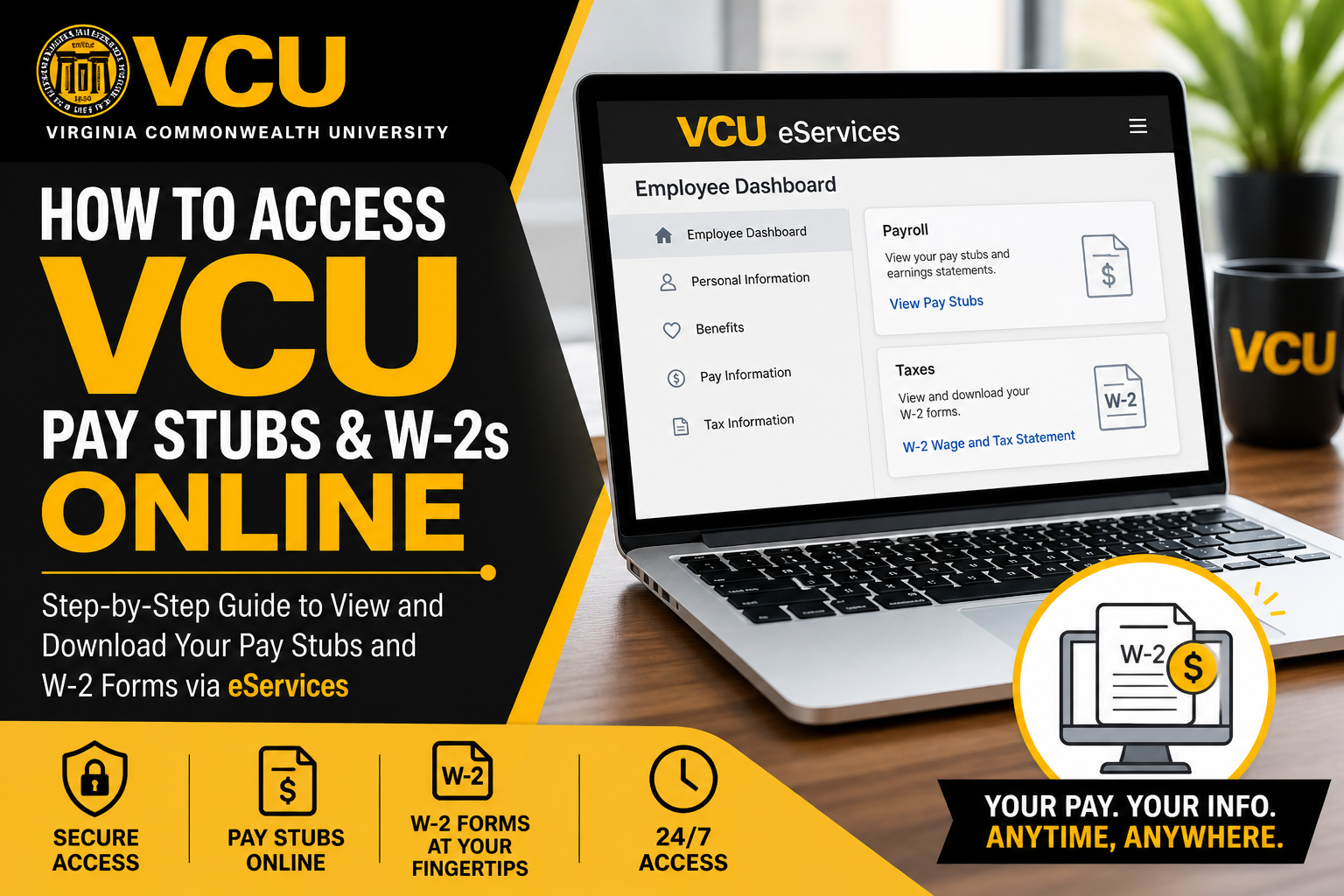
Virginia Commonwealth University (VCU) stands as one of the most innovative and inclusive public research institutions in the United States. With a thriving community of over 300,000 members and a strong commitment to excellence, diversity, and research, VCU empowers its employees with efficient digital tools—including seamless access to payroll information. If you are a VCU employee or associate, you can conveniently access your pay stubs and W-2 tax forms online through the official VCU eServices portal. This guide provides a clear, step-by-step walkthrough to help you navigate the process effortlessly.
What is VCU eServices?
VCU eServices is a centralized self-service platform that allows employees to manage essential financial and employment-related information, including:
- Pay stubs (earnings statements)
- W-2 wage and tax statements
- Direct deposit details
- Tax information and updates
Access the portal here:
👉 http://go.vcu.edu/eservices
How to Access VCU Pay Stubs Online
Follow these steps to view your pay statements:
Step-by-Step Instructions
- Visit the VCU eServices portal: http://go.vcu.edu/eservices
- Log in using your VCU eID and password
- Navigate to the “Employee” tab
- Open the Employee Dashboard
- Locate and select the Payroll or Earnings Statement section
- Click on the desired pay period to view or download your pay stub
VCU Payroll Services ensures that all employee pay information is processed accurately, efficiently, and on time.
How to Access VCU W-2 Forms Online
VCU provides electronic access to W-2 forms for employees who have given e-consent.
Steps to Retrieve Your W-2
- Log in to the VCU eServices portal
- Click the “Employee” tab
- Select Employee Dashboard
- Scroll to the “Taxes” dropdown menu
- Click “W-2 Wage and Tax Statement”
- Choose the tax year
- Click “Display” to view or download your form
Employees can also access previous years’ W-2 forms through the same section.
If you have not opted for electronic delivery, your W-2 will be sent via mail to your registered address.
Setting Up Direct Deposit (Optional but Recommended)
To ensure timely salary payments, VCU allows employees to configure direct deposit through eServices.
Quick Setup Guide
- Log in to eServices
- Go to the “Employees” page
- Click on the “Direct Deposit” tile
- Add or update your bank account details
- Allocate payment distribution (up to three accounts)
- Save changes and authorize the setup
You can split your salary across multiple accounts and assign priorities for distribution.
⚠️ Important: Always use your bank account number—not your debit card number when setting up deposits.
Understanding Payroll and Tax Information
VCU Payroll Services manages:
- Wage payments and compensation
- Tax withholdings (Federal, State, Social Security, Medicare)
- Direct deposits
- Compliance with federal and state regulations
The university follows a semi-monthly payroll schedule, and tax deductions depend on your filing status, wages, and withholding selections.
Troubleshooting & Support
If you encounter issues accessing your pay stubs or W-2 forms, you can contact VCU Payroll Services:
- 📧 Email: payroll@vcu.edu
- 📞 Phone: (804) 828-0740
- 📍 Address: Human Resources Building, Richmond, VA
VCU also offers support for:
- W-2 inquiries and corrections
- Direct deposit issues
- Payroll discrepancies
- Tax-related questions
Key Benefits of Using VCU eServices
- 24/7 secure access to payroll records
- Instant download of pay stubs and W-2 forms
- Easy tax management and record keeping
- Faster payroll processing with direct deposit
- Environmentally friendly (paperless system)
Final Thoughts
Virginia Commonwealth University continues to lead with innovation—not only in education and research but also in employee services. The VCU eServices portal ensures that employees can access critical payroll documents quickly, securely, and efficiently. By following the steps outlined in this guide, you can confidently manage your pay stubs, W-2s, and payroll settings with ease.
Frequently Asked Questions (FAQs)
1. How do I log in to the VCU eServices portal?
Visit http://go.vcu.edu/eservices and sign in using your VCU eID and password.
2. Where can I find my VCU pay stubs?
After logging in, go to the “Employee” tab, open the Employee Dashboard, and select your earnings statement or pay stub.
3. How can I download my VCU W-2 form?
Navigate to the “Taxes” section in the Employee Dashboard, click “W-2 Wage and Tax Statement,” select the year, and download it.
4. Do I need to opt in to view my W-2 online?
Yes, you must provide e-consent to access your W-2 electronically. Otherwise, it will be mailed to your address.
5. Can I access previous years’ W-2 forms?
Yes, the eServices portal allows you to view and download W-2 forms from previous tax years.
6. What should I do if I forget my VCU eID password?
Use the password recovery option on the VCU login page or contact IT support for assistance.
7. How often are VCU employees paid?
VCU typically pays employees on a semi-monthly schedule.
8. How do I set up direct deposit at VCU?
Log in to eServices, go to the “Employees” page, select “Direct Deposit,” and enter your bank details.
9. Can I split my paycheck into multiple bank accounts?
Yes, VCU allows you to distribute your salary across up to three accounts.
10. Why is my W-2 not showing in eServices?
It may not be available yet, or you may not have provided e-consent. Check with Payroll Services if needed.
11. What if I entered the wrong bank account for direct deposit?
Update your details immediately in eServices or contact payroll support to prevent payment issues.
12. Can international employees use eServices?
Yes, but those without a U.S. bank account may receive payments via check or prepaid debit card.
13. Who should I contact for payroll issues at VCU?
You can contact VCU Payroll Services via email at payroll@vcu.edu or by phone.
14. Is the VCU eServices portal secure?
Yes, it uses secure login credentials and encryption to protect employee data.
15. Can I print my pay stubs and W-2 forms?
Yes, both documents can be downloaded and printed directly from the eServices portal.
