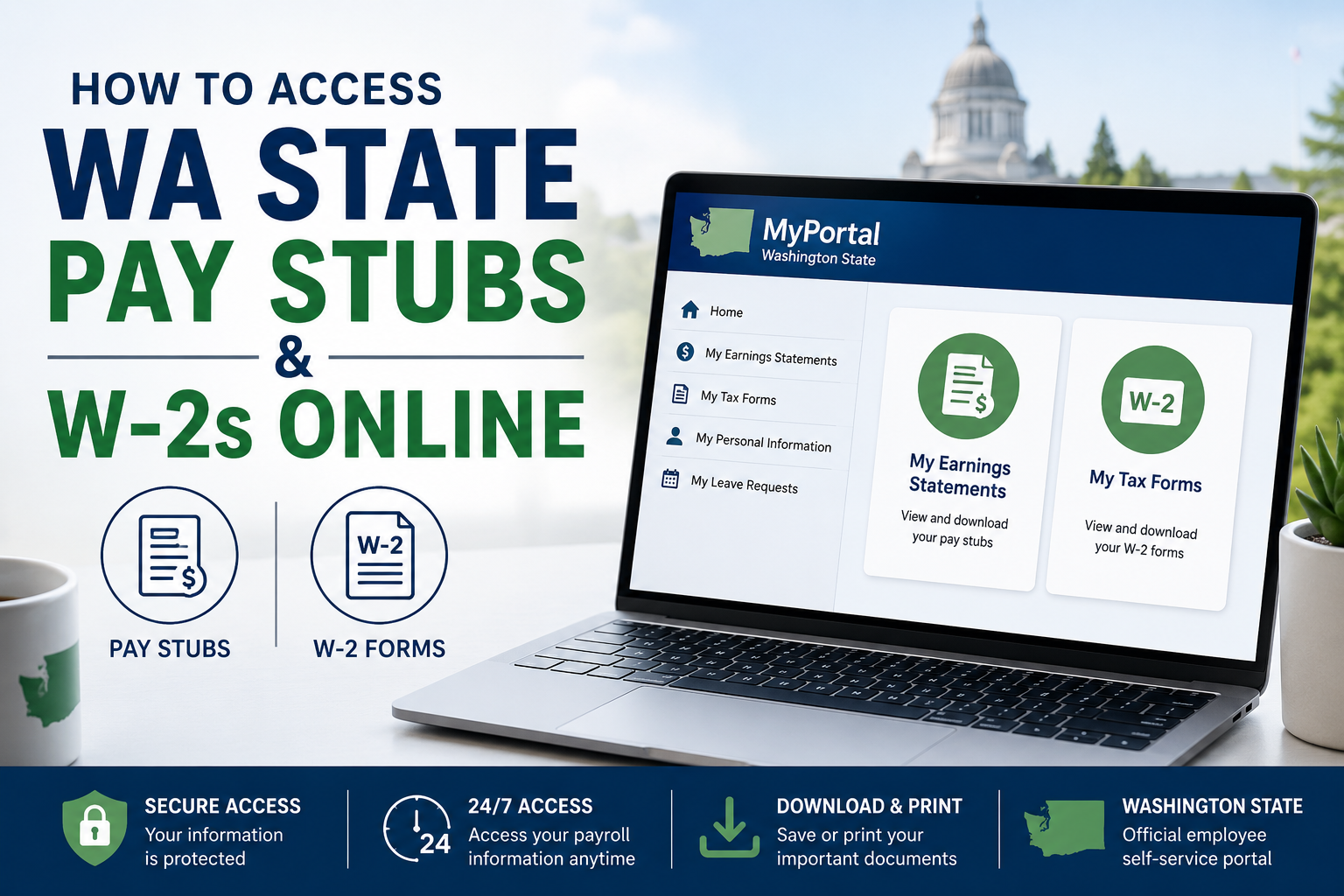
Washington State employees can conveniently access pay stubs, earnings statements, and Forms W-2 online through the MyPortal self-service platform provided by the Washington Office of Financial Management (OFM). MyPortal allows employees to manage payroll records, tax documents, addresses, leave requests, and workplace settings in one secure location. Whether you are an active employee or a recently separated employee, this guide explains how to log in, retrieve your earnings statements, download W-2 tax forms, and troubleshoot common access issues.
What Is MyPortal?
What Is MyPortal?
MyPortal is an employee self-service system used by Washington State agencies that process payroll through the Human Resource Management System (HRMS). Employees can use the portal to:
- View and download pay stubs
- Access online Forms W-2
- Update addresses and communication details
- Manage leave requests (for participating agencies)
- Review employment information and workplace settings
The platform serves as an all-in-one HR and payroll solution for Washington State employees.
MyPortal Login Links
Washington State employees must use the correct login portal depending on their agency setup.
For Agencies Using State Enterprise Active Directory (EAD) or ADFS
Use: MyPortal.wa.gov
This option supports Single Sign-On (SSO) authentication.
For Agencies Outside State EAD or ADFS
Use: MyPortalExt.wa.gov
This portal is designed for non-SSO users and separated employees.
Unsure Which Portal to Use?
Contact your agency HR/Payroll office or agency IT support team for assistance.
How to Log In to WA State Employee MyPortal
Single Sign-On (SSO) Users
Employees whose agencies participate in EAD or ADFS can log in using agency credentials.
Steps to Access MyPortal
- Visit MyPortal.wa.gov
- Select your agency’s Active Directory or ADFS account
- Enter your agency email address and network password
- Complete Multi-Factor Authentication (MFA) if prompted
- Access the MyPortal home screen
Employees accessing the system from home or personal devices may need to complete an additional MFA verification step such as:
- Microsoft Authenticator
- Text verification code
- Automated phone verification
Non-SSO Users
If your agency does not participate in EAD or ADFS, follow these steps:
- Visit MyPortalExt.wa.gov
- Enter your personnel number as your User ID
- Enter your MyPortal password
- Select “Log On”
If your personnel number contains fewer than eight digits, add leading zeros. For example:
- 123456 becomes 00123456
How to Access WA State Pay Stubs Online
Washington State earnings statements are available through the “My Earnings Statements” tile inside MyPortal. Earnings statements become available at least two days before payday.
Steps to View Pay Stubs
Step 1: Log In to MyPortal
Access your account using either:
- MyPortal.wa.gov
- MyPortalExt.wa.gov
Step 2: Open the “My Earnings Statements” Tile
Select the tile from the MyPortal dashboard.
Step 3: Select a Pay Date
A list of available earnings statements will appear, organized by year and pay date.
Click:
- A pay date row, or
- The arrow icon beside the pay date
to open the earnings statement.
Step 4: View, Print, or Download
Employees can:
- View pay stubs in PDF or HTML format
- Print earnings statements
- Download copies for records
- Zoom and search documents
Search and Download Earnings Statements
MyPortal allows employees to search pay statements by:
- Pay date
- Payroll year
- Gross pay
- Deductions
- Take-home pay
Users can also organize statements using:
- Ascending or descending order
- Payroll year
- Payroll type
To download a PDF version:
- Open “My Earnings Statements”
- Click the Download PDF icon beside the selected pay period
- Save or print the document
How to Access WA State W-2 Forms Online
Washington State employees can retrieve tax documents through the “My Tax Forms” tile in MyPortal. Forms W-2 are available for employees paid through the HRMS central payroll system.
Steps to View W-2 Forms
Step 1: Log In to MyPortal
Use the correct MyPortal login portal for your agency.
Step 2: Open “My Tax Forms”
Click the My Tax Forms tile from the dashboard.
Step 3: Select Your W-2
Choose the desired tax year to display your Form W-2.
Step 4: Download or Print
Employees can:
- View W-2 forms in PDF format
- Print copies
- Download electronic versions
Forms W-2 remain available online for a rolling five-year period.
How to Switch to Online W-2 Delivery
By default, Washington State employees receive paper W-2 forms by mail. However, employees can choose paperless delivery.
Steps to Enroll in Online W-2 Delivery
- Open the “My Online Selections” tile
- Click “Edit”
- Select “Online”
- Save your changes
Once enrolled:
- Future W-2 forms will be electronic only
- Paper copies will no longer be mailed
- Employees may switch back to paper delivery before year-end
Access for Former Employees
Separated employees can continue accessing MyPortal for up to 30 days after leaving state service.
Former employees should:
- Use MyPortalExt.wa.gov
- Update their communication email to a personal address before separation
- Download all necessary payroll and tax records promptly
Important MyPortal Security Tips
Washington State employees should follow these security practices:
- Always sign out after use
- Log off shared computers completely
- Avoid saving passwords on public devices
- Use secure internet connections
- Enable agency-required MFA protections
MyPortal sessions automatically time out after 14 minutes of inactivity for security purposes.
Common MyPortal Problems and Solutions
Forgot Password
Use the “Forgot Password” option on the login page. Password reset emails are sent to the email address stored in HRMS.
Account Locked
Accounts lock after five unsuccessful password attempts. Use the password reset option to regain access.
Cannot Find W-2c Forms
Forms W-2c are not available in MyPortal. Contact your agency HR/Payroll office for corrected tax forms.
Missing Earnings Statements
MyPortal stores pay stubs for a rolling two-year period.
Benefits of Using MyPortal
MyPortal gives Washington State employees secure, 24/7 access to payroll and HR information. Benefits include:
- Quick access to pay stubs and tax forms
- Paperless payroll management
- Secure online document storage
- Convenient remote access
- Easy W-2 downloads during tax season
The platform simplifies payroll management while improving employee access to important financial records.
Final Thoughts
MyPortal makes it easy for Washington State employees to securely access pay stubs, earnings statements, and W-2 tax forms online. Whether you are an active employee using Single Sign-On or a former employee using MyPortalExt, the platform provides convenient self-service access to payroll information anytime and anywhere. To avoid issues during tax season or payroll processing, employees should regularly verify their login credentials, keep contact information updated, and download important records before separation from employment.
FAQ – WA State Employee Pay Stubs and W-2s
1. What is MyPortal for Washington State employees?
MyPortal is a secure employee self-service platform used by Washington State employees to access pay stubs, W-2 tax forms, leave requests, employment information, and personal HR data.
2. Where can I log in to access WA State pay stubs?
Employees should use:
- MyPortal.wa.gov for agencies using EAD or ADFS
- MyPortalExt.wa.gov for non-SSO agencies or former employees
3. How do I view my WA State pay stubs online?
After logging in to MyPortal:
- Open the “My Earnings Statements” tile
- Select a pay date
- View, print, or download the earnings statement
4. How soon are earnings statements available before payday?
Washington State earnings statements are typically available at least two days before payday.
5. Can I download my WA State pay stubs as PDFs?
Yes. MyPortal allows employees to download and print pay stubs in PDF format directly from the earnings statements section.
6. How do I access my W-2 form online?
To access your W-2:
- Log in to MyPortal
- Open the “My Tax Forms” tile
- Select the desired tax year
- Download or print your Form W-2
7. How many years of W-2 forms are available in MyPortal?
MyPortal stores Forms W-2 online for a rolling five-year period.
8. How long are pay stubs available in MyPortal?
Earnings statements remain available in MyPortal for a rolling two-year period.
9. Can former Washington State employees access MyPortal?
Yes. Former employees can access MyPortal for up to 30 days after separation from state service.
10. What should former employees use to log in?
Former employees should use MyPortalExt.wa.gov to access payroll and tax records.
11. What if I forgot my MyPortal password?
Use the “Forgot Password” option on the login page. Password reset instructions will be sent to the email address stored in HRMS.
12. Why is my MyPortal account locked?
Accounts lock after five unsuccessful login attempts. Employees can reset their password using the “Forgot Password” feature.
13. Can I receive my W-2 electronically only?
Yes. Employees can switch to online-only W-2 delivery through the “My Online Selections” tile in MyPortal.
14. Are W-2c corrected tax forms available in MyPortal?
No. Corrected Forms W-2c are not available online. Employees must contact their agency HR or payroll office for assistance.
15. Is MyPortal secure for accessing payroll information?
Yes. MyPortal uses secure login procedures, session timeouts, and Multi-Factor Authentication (MFA) for many agencies to help protect employee payroll data.
