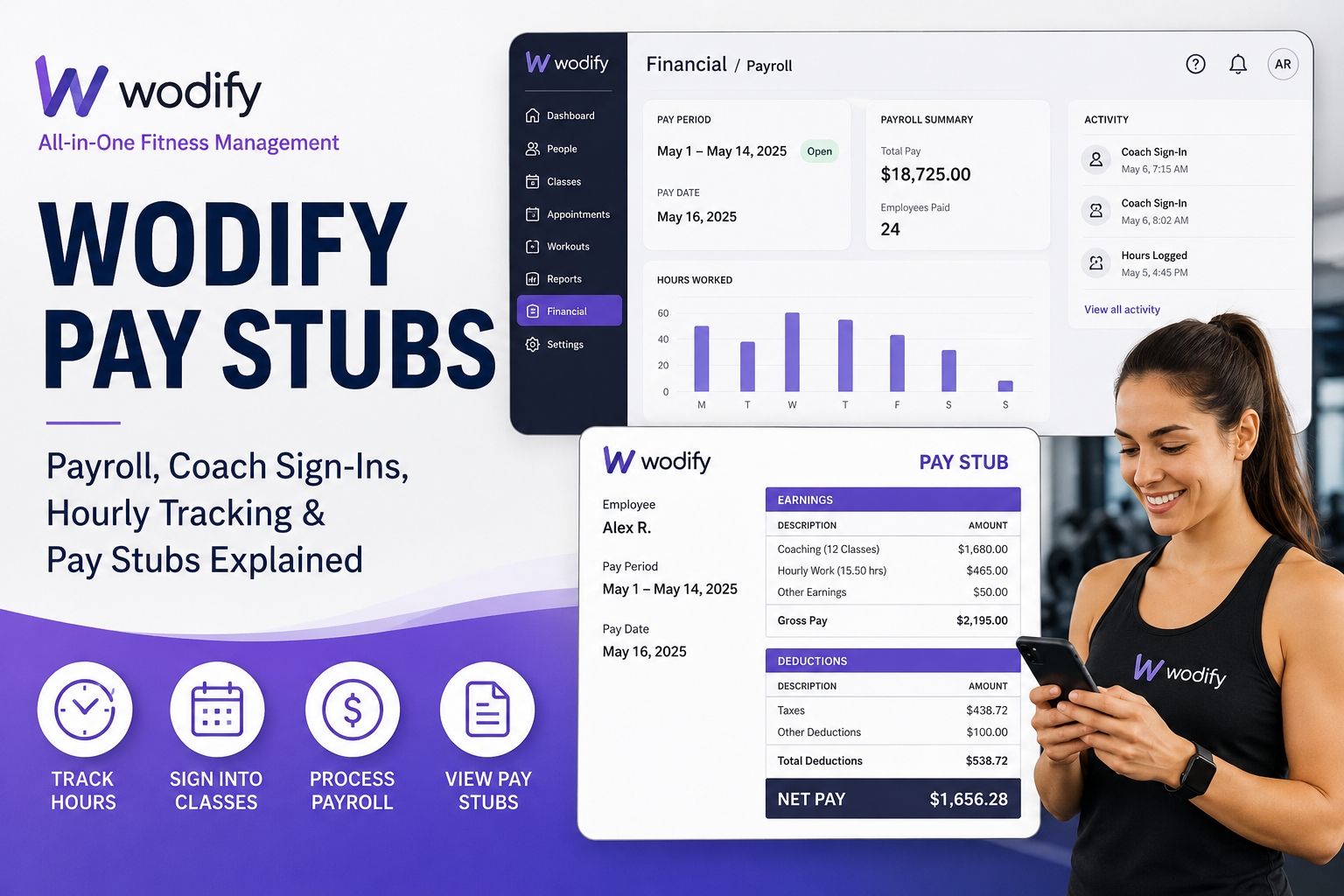
Wodify is one of the fitness industry’s most trusted business management platforms, serving more than 5,000 gyms, CrossFit boxes, boutique fitness studios, and wellness businesses worldwide. Designed to simplify gym operations, Wodify combines scheduling, membership management, class tracking, performance analytics, payroll tools, and employee management into one integrated system. For gym owners, coaches, front-desk staff, and hourly employees, Wodify Payroll provides a streamlined way to manage work hours, coaching sessions, and compensation tracking. The system allows businesses to configure payroll positions, process pay periods, and monitor employee hours with accuracy and efficiency.
What Are Wodify Pay Stubs?
Wodify pay stubs are payroll records generated through the Wodify payroll management system. These records help fitness businesses track employee compensation, hours worked, coaching sessions, and payroll activity for each pay period.
Depending on how a gym configures payroll, employees may be paid:
- Per class coached
- Per hour coached
- Hourly for non-class roles
- Flat-rate compensation for specific programs
The payroll system is especially useful for gyms employing coaches, office managers, interns, cleaners, front-desk staff, and administrative personnel.
How Wodify Payroll Works
Wodify Payroll is built to standardize staff compensation and simplify payroll tracking for gym owners and administrators. According to Wodify’s official help documentation, payroll setup includes:
- Enabling payroll
- Creating staff positions
- Setting compensation rates
- Assigning employees to classes
- Tracking hours or coaching attendance
- Processing payroll periods
The platform supports several payroll frequencies, including:
- Weekly
- Bi-weekly
- Semi-monthly
- Monthly
This flexibility allows gym owners to customize payroll processing according to their business model.
How Coaches Track Hours in Wodify
One of Wodify’s most valuable payroll features is automated coach time tracking.
When coaches are configured in payroll and assigned to classes, they can sign into their scheduled sessions directly through the platform. Wodify then records the class and updates payroll automatically.
Coaches Can Sign In Through:
1. Kiosk Mode
In kiosk mode, coaches use the Coaches Widget located beside the class sign-in area. Once signed in, their hours or class attendance are added to the current payroll period. Password verification is required for confirmation.
2. Simple Sign-In
Wodify also offers a simplified sign-in experience where coaches can locate their class roster and use a dedicated sign-in button to register attendance quickly.
3. Wodify Mobile App
Employees and coaches can manage sign-ins directly from the Wodify mobile application, making payroll tracking more convenient for on-the-go fitness professionals.
Hourly Employees and Payroll Tracking
Wodify is not limited to coaches alone. The system also supports “Hourly Only” employees who are paid based strictly on hours worked rather than classes coached.
Examples include:
- Front desk employees
- Office managers
- Janitorial staff
- Interns
- Administrative personnel
How Hourly Employees Log Hours
Employees can log hours directly inside the Wodify app by:
- Opening the side menu
- Selecting Settings
- Navigating to Payroll
- Choosing Add Hours
- Entering work details
- Saving the entry
Managers and admins can also manually add hours through:
Financial > Process Payroll
This ensures payroll accuracy even if employees forget to clock in.
How Gym Owners Set Up Payroll in Wodify
Administrators can configure payroll through the Wodify Financial dashboard.
Step 1: Enable Payroll
Navigate to:
Financial > Setup Payroll
From there, admins can activate payroll and choose the preferred payroll frequency.
Step 2: Create Positions
Admins can create custom positions such as:
- Coach
- Front Desk
- Staff
- Cleaning Staff
- Office Manager
Each position can have separate pay rules and assigned locations.
Step 3: Configure Pay Rates
Businesses can assign:
- Per-class pay
- Hourly pay
- Flat-rate compensation
- Effective start dates
Different employees can have different compensation structures within the same organization.
Step 4: Assign Employees to Classes
Once payroll is enabled, employees must be configured for positions before they can appear in class assignment menus.
Processing Payroll in Wodify
Wodify allows administrators to process payroll periods for tracking and reconciliation purposes.
To process payroll:
- Go to Financial > Process Payroll
- Select location and pay period
- Click Process Payroll
It is important to note that Wodify itself does not directly issue payments. Instead, it serves as a payroll tracking and management system that helps businesses organize compensation records.
Common Wodify Payroll Features
Multiple Pay Rates
Employees can hold multiple payroll roles with different pay structures. For example:
- Coach paid per class
- Cleaner paid hourly
- Front desk employee paid hourly
Wodify automatically calculates compensation according to the selected position.
Payroll Error Notifications
If a coach misses sign-in for a scheduled class, Wodify can send automated email notifications to ensure accurate payroll tracking.
Mobile Accessibility
The Wodify mobile app allows employees and coaches to:
- Sign into classes
- Log hours
- Manage schedules
- Track payroll activities remotely
Why Fitness Businesses Choose Wodify
Wodify was founded in 2012 by CrossFit enthusiast Ameet Shah and quickly expanded across the global fitness industry. The company focuses on helping gym owners simplify operations through automation, analytics, and employee management tools.
The platform has become especially popular among:
- CrossFit gyms
- Functional fitness studios
- Boutique gyms
- Wellness businesses
- Personal training facilities
Its integrated payroll tracking capabilities reduce administrative burden while improving staff accountability and payroll transparency.
Final Thoughts
Wodify Payroll is a powerful solution for fitness businesses that need an efficient way to track employee compensation, coaching attendance, and hourly payroll data. Whether employees are paid per class or by hours worked, the platform provides accurate payroll tracking tools that simplify operations for both staff and administrators. From mobile time tracking to automated payroll processing and flexible pay configurations, Wodify continues to help gyms and fitness studios streamline workforce management and improve operational efficiency.
Frequently Asked Questions (FAQs)
1. What is Wodify Payroll?
Wodify Payroll is a payroll tracking and staff compensation management system designed for gyms, fitness studios, CrossFit affiliates, and wellness businesses.
2. Does Wodify generate pay stubs?
Yes. Wodify tracks employee hours, class attendance, and payroll information that businesses use to generate payroll records and pay stubs.
3. How do coaches track classes in Wodify?
Coaches can sign into assigned classes using kiosk mode, Simple Sign-In, or the Wodify mobile app.
4. Can hourly employees use Wodify?
Yes. Wodify supports “Hourly Only” employees such as office staff, interns, cleaners, and front-desk workers.
5. How do employees log hours in Wodify?
Employees can log hours through the Wodify app by navigating to Settings > Payroll > Add Hours.
6. Can managers add employee hours manually?
Yes. Admins and managers can add or edit employee hours through Financial > Process Payroll.
7. Does Wodify support mobile payroll tracking?
Yes. The Wodify mobile app allows employees and coaches to track hours and sign into classes remotely.
8. What payroll schedules does Wodify support?
Wodify supports weekly, bi-weekly, semi-monthly, and monthly payroll schedules.
9. Can employees have multiple pay rates in Wodify?
Yes. Employees can hold multiple positions with different hourly or class-based compensation rates.
10. Does Wodify directly send employee payments?
No. Wodify processes and tracks payroll information but does not directly issue employee payments.
11. Who can access payroll settings in Wodify?
Only Admins and Managers can access payroll setup and payroll processing tools.
12. Can coaches be paid per class?
Yes. Wodify allows gyms to configure flat-rate pay per class or hourly pay based on class duration.
13. What happens if a coach forgets to sign into class?
Wodify can send automated notifications for missing class sign-ins to help maintain accurate payroll records.
14. Is Wodify suitable for CrossFit gyms?
Absolutely. Wodify was originally developed for CrossFit gyms and is now widely used by boutique fitness businesses worldwide.
15. Why do fitness businesses use Wodify Payroll?
Fitness businesses use Wodify Payroll because it simplifies payroll tracking, class attendance management, staff scheduling, and compensation reporting in one platform.
