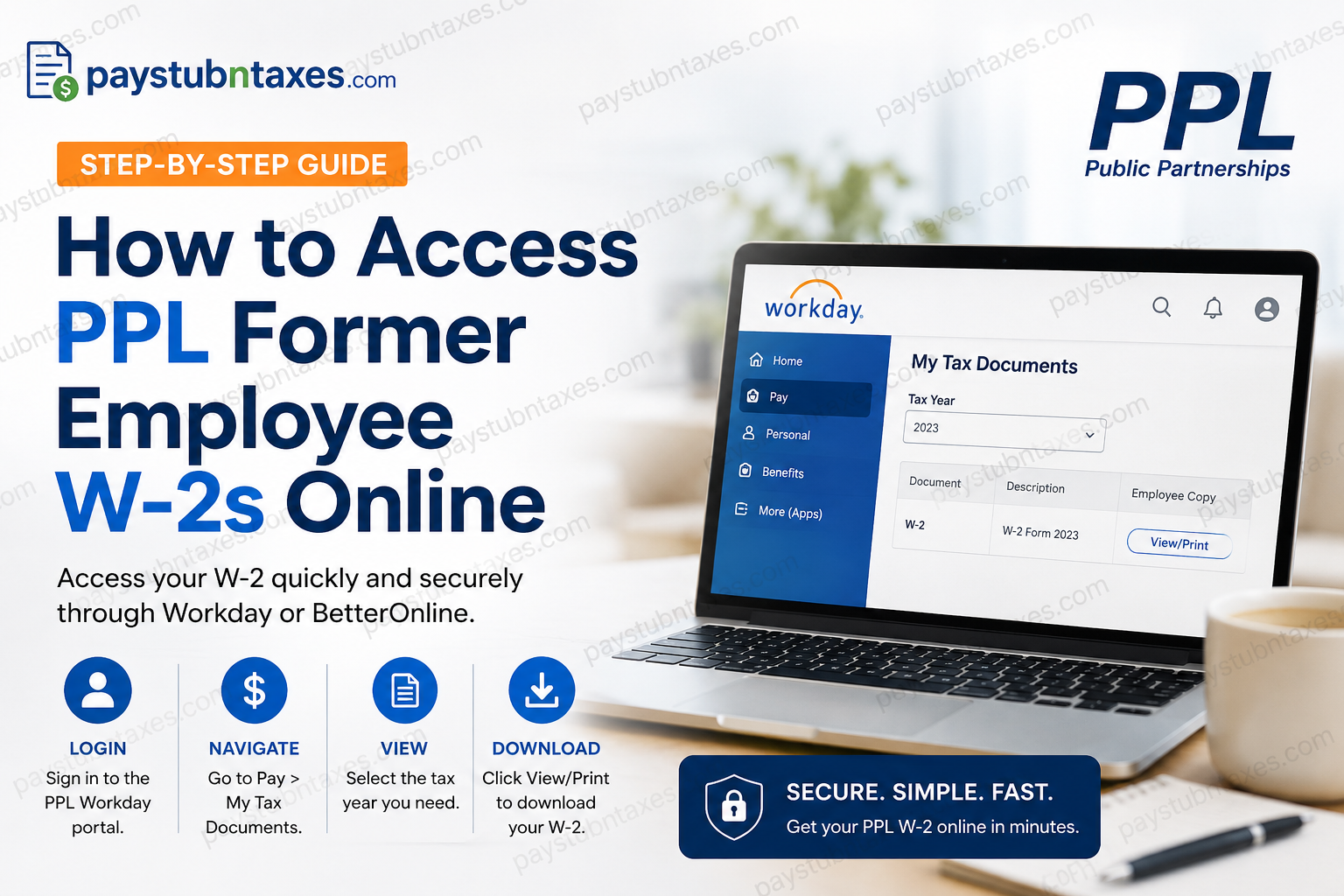
If you previously worked for Public Partnerships LLC (PPL) and need a copy of your Form W-2 for tax filing, loan applications, or personal records, obtaining it is usually a straightforward process. PPL has transitioned its payroll and tax document services to Workday, allowing eligible former employees to retrieve their W-2 forms electronically. This guide explains how to access your PPL W-2 online, what to do if you cannot log in, and where to seek assistance if your tax form has not arrived.
About Public Partnerships LLC (PPL)
Public Partnerships LLC (PPL) is the nation’s leading provider of financial management services for self-directed care programs, supporting individuals with disabilities, chronic illnesses, and aging adults who wish to remain in their homes and communities. The company works with multiple state Medicaid programs and facilitates payroll administration, caregiver payments, and program management for more than 700,000 participant and caregiver relationships.
As part of its payroll modernization initiative, PPL migrated employee payroll services, including W-2 and pay statement access, to the Workday platform.
Can Former Employees Access Their PPL W-2 Online?
Yes. Former employees may still access their W-2 forms online through the PPL Workday portal, provided they received their offboarding login credentials and their account remains active.
However, online access to W-2 forms through the BetterOnline portal has ended for recent tax years. W-2 forms are also mailed to employees’ home addresses on file, generally on or before January 31 each year.
If you need a W-2 for a year before PPL transitioned to Workday, you may still be able to retrieve it through the BetterOnline system.
PPL Former Employee W-2 Portal
Workday Login Portal:
https://wd1-identity.myworkday.com/wday/authgwy/publicpartnerships/upc/login?redirect=n
During the offboarding process, PPL sends former employees their Workday username and password via email. Keep these credentials in a secure location, as they are necessary for accessing tax documents after separation from employment.
How to Access Your PPL W-2 in Workday
Follow these steps to retrieve your W-2 online:
Step 1: Sign in to Workday
Visit the PPL Workday Employee Portal and enter your login credentials.
Step 2: Open the Pay Worklet
After signing in, navigate to the Workday dashboard and select Pay.
Step 3: Go to My Tax Documents
Under the View section, click: My Tax Documents
Step 4: Locate Your W-2
A list of available tax forms will appear. Find the appropriate tax year.
Step 5: View or Print Your W-2
Under the Employee Copy column, select: View/Print
The document will be generated automatically and can be downloaded, saved, or printed for your records.
What If the Document Is Still Processing?
In some cases, Workday may display a message indicating:
“Your request is being processed.”
You have two options:
- Wait for the document to generate immediately; or
- Select Notify Me Later.
If you choose Notify Me Later, Workday will send a notification containing a downloadable link to your W-2 once the file is ready.
How to Access Older PPL W-2 Forms Through BetterOnline
If you need a W-2 from a tax year that predates PPL’s transition to Workday, you may still be able to retrieve it through BetterOnline.
Step 1: Visit: https://fms.publicpartnerships.com
Step 2: Sign in to your account. If you have never registered, click Sign Up and complete the registration process.
Step 3: Select W2 Forms from the navigation menu.
Step 4: You will be redirected to the ADP portal.
Step 5: Click Pay on the left-hand menu.
Step 6:Under Tax Statements, select: Download Statement.
Your W-2 will download to your computer and can be printed or saved for future use.
What If I Forgot My Workday Login Credentials?
If you no longer have access to your Workday account:
- Check the email account you used during employment.
- Search for your offboarding communications from PPL.
- Look for password reset options on the Workday login page.
- Contact PPL’s tax support team for assistance.
What If I Never Received My W-2?
PPL generally mails W-2 forms to the employee’s address of record no later than January 31.
If you have:
- moved recently,
- changed your mailing address,
- lost your form, or
- still have not received your W-2,
contact PPL directly.
Email: ppltaxquestions@pplfirst.com
The support team can assist with questions regarding mailed forms, duplicate copies, and online access issues.
Common Reasons You Cannot Access Your PPL W-2
You may experience difficulties accessing your tax form if:
- Your Workday account has been locked.
- You no longer have your login credentials.
- Your email address has changed.
- The W-2 has not yet been released.
- Your internet browser is blocking downloads.
- Your employment ended before the Workday migration and your records remain in BetterOnline.
Fortunately, most issues can be resolved quickly by contacting PPL support.
Tips for Keeping Your W-2 Secure
Because your W-2 contains sensitive information, including your Social Security number and wage details, you should:
- Download documents only on secure devices.
- Save electronic copies in encrypted storage.
- Avoid using public Wi-Fi when accessing payroll systems.
- Print only when necessary.
- Keep copies for at least three to seven years for tax and verification purposes.
Final Thoughts
Accessing your PPL former employee’s W-2 online is generally a seamless process once you know which system holds your records. Most recent tax forms are available through Workday, while older forms may still be accessible through BetterOnline and ADP. If online access proves unsuccessful, remember that PPL also mails W-2 forms each year and provides dedicated tax support to help former employees obtain their documents without unnecessary stress. Whether you need your W-2 to file taxes, apply for a mortgage, or verify your income, following the steps outlined above should put you back on the right track in short order.
Frequently Asked Questions
1. How do I get my PPL W-2 online?
Former employees can access their W-2 by logging into the PPL Workday portal and navigating to Pay → My Tax Documents → View/Print.
2. What is the PPL Workday login website?
The PPL Workday portal is: https://wd1-identity.myworkday.com/wday/authgwy/publicpartnerships/upc/login?redirect=n.
3. Can former employees still access Workday after leaving PPL?
Yes. Former employees can access Workday using the credentials provided during the offboarding process, subject to account availability.
4. Does PPL mail W-2 forms?
Yes. PPL typically mails W-2 forms to employees’ addresses on file on or before January 31 each year.
5. I forgot my Workday password. What should I do?
Try using the password recovery option or contact PPL’s tax support team for assistance.
6. What if I never received my W-2?
Email PPL at ppltaxquestions@pplfirst.com for assistance obtaining a replacement copy.
7. Can I access old PPL W-2 forms through BetterOnline?
Yes. W-2s issued before PPL transitioned to Workday may still be available through BetterOnline.
8. What is the BetterOnline website?
The BetterOnline portal is: https://fms.publicpartnerships.com
9. How do I download an old W-2 from BetterOnline?
Log in to BetterOnline, select W2 Forms, access the ADP portal, choose Pay, and click Download Statement.
10. Can I print my W-2 from Workday?
Yes. The View/Print option allows you to download and print your W-2 immediately.
11. How long should I keep my W-2 forms?
The IRS generally recommends keeping tax records for at least three years, although many people retain W-2s for up to seven years.
12. Can I access my PPL W-2 from a mobile device?
Yes. Workday can be accessed from most smartphones and tablets with internet access.
13. Why can’t I see my W-2 in Workday?
Possible reasons include incorrect login credentials, an inactive account, browser issues, or the W-2 not yet being released.
14. What information do I need to access my W-2?
You typically need your Workday username, password, and access to the email account associated with your former employment.
15. Who should I contact for PPL W-2 questions?
For tax document assistance, email: ppltaxquestions@pplfirst.com
PPL’s support team can help with mailed forms, login problems, and replacement W-2 requests.
