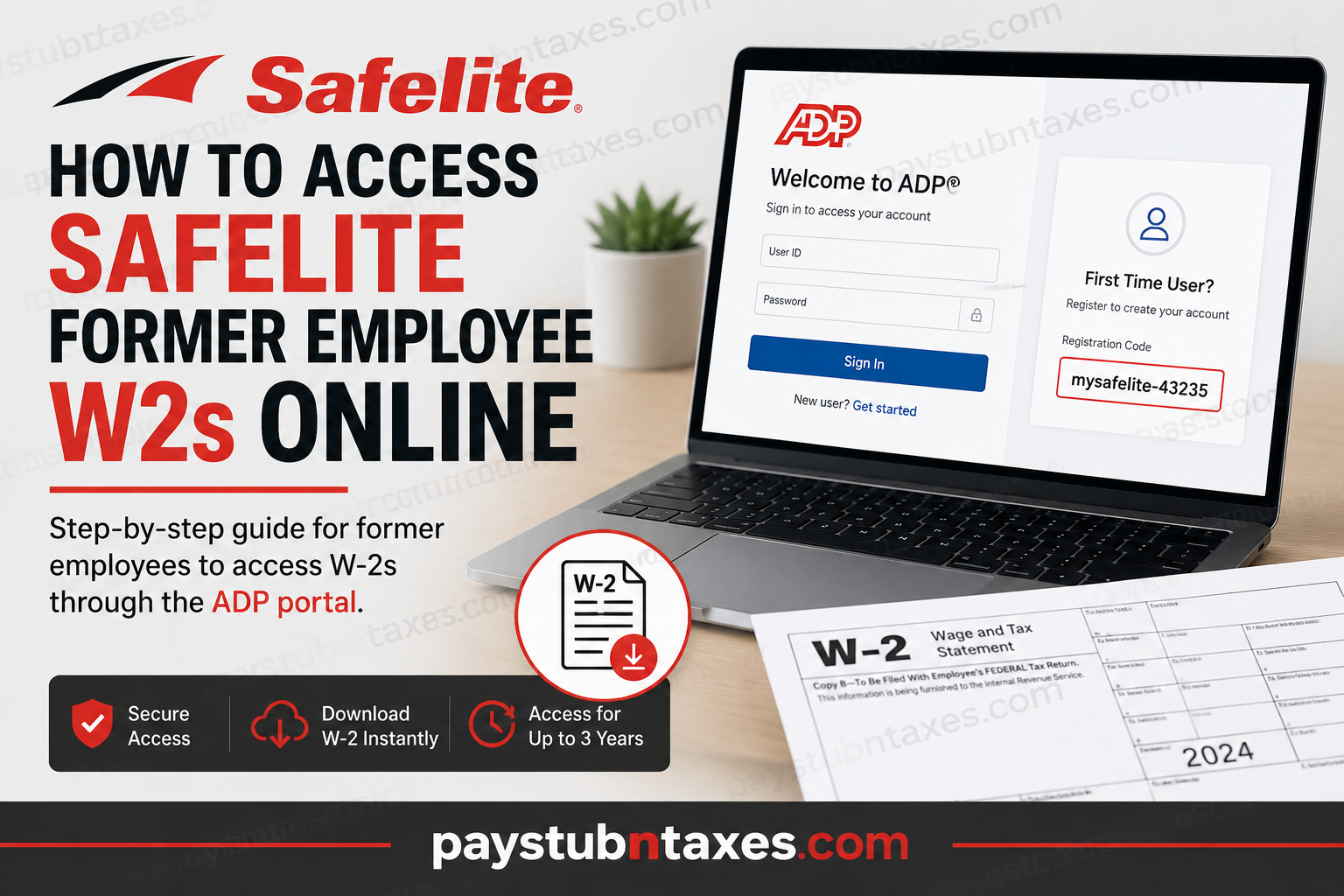
Former Safelite employees can conveniently access their W-2 tax forms online through the ADP self-service portal. Even after leaving the company, eligible former associates retain access to the system for up to three years following termination. This allows former employees to securely download year-end tax documents without needing to contact Human Resources in most cases. Whether you need your W-2 for tax filing, income verification, or personal records, this guide explains exactly how to access your Safelite W-2 online quickly and securely.
What Is the Safelite W2 Portal?
Safelite uses the ADP self-service platform to manage payroll and tax documents for both current and former employees. Through the portal, users can:
- View and download W-2 forms
- Access pay statements
- Update certain personal information
- Manage tax-related records online
Official ADP Login Portal https://my.adp.com
Can Former Safelite Employees Access ADP?
Yes. Former Safelite employees continue to have access to the ADP portal for up to three years after termination.
If you previously used ADP while employed at Safelite, you can typically log in using your existing credentials without creating a new account.
This extended access makes it easy to retrieve important tax documents during tax season without additional paperwork or delays.
How to Access Your Safelite W2 Online
Follow these simple steps to retrieve your W-2 form through ADP.
Step 1: Visit the ADP Portal
Go to:
👉 https://my.adp.com
This is the official ADP self-service website used by Safelite employees and former associates.
Step 2: Sign In to Your Existing Account
Enter your:
- User ID
- Password
Once logged in, navigate to the Tax Statements or W-2 section to view and download your form.
You can save the document as a PDF or print it directly for tax filing purposes.
First-Time ADP Users: How to Register
If you never activated your ADP account while employed at Safelite, you must complete the registration process before accessing your W-2.
How to Register on ADP
- Visit https://my.adp.com
- Click “New User? Get Started”
- Enter the Safelite registration code:
Registration Code: mysafelite-43235
- Follow the on-screen prompts to verify your identity
- Create your username and password
- Complete your account setup
After registration is complete, you will gain access to your available tax documents and payroll records.
Forgot Your ADP Login Information?
If you forgot your username or password:
- Click “Forgot User ID” or “Forgot Password” on the ADP login page
- Follow the identity verification steps
- Reset your credentials securely online
In most cases, access can be restored within minutes.
Need Help Accessing Your W2?
If you no longer have portal access, experience account issues, or need to update your mailing address, contact Safelite’s Payroll Department directly.
Safelite Payroll Support
📞 1-877-800-7634
The payroll team can assist with:
- W-2 access issues
- Address changes
- Account verification
- Tax statement inquiries
- Reissued W-2 forms
Benefits of Accessing Your W2 Online
Using the ADP portal offers several advantages:
Faster Access
Download your W-2 instantly instead of waiting for mailed copies.
Secure Document Storage
Your tax records remain protected through ADP’s encrypted system.
24/7 Availability
Access your forms anytime from any device with internet access.
Easy Printing and Downloading
Save digital copies for future reference or tax filing software.
Important Tips for Former Safelite Employees
Before logging in, keep these recommendations in mind:
- Use an updated browser for the best experience
- Ensure your contact information is current
- Download and save copies of important tax documents
- Access your records before the three-year access period expires
Final Thoughts
Safelite makes it straightforward for former employees to access W-2 forms online through the ADP self-service portal. As long as your post-employment access period remains active, you can securely retrieve tax documents without contacting HR. If you are a first-time ADP user, simply register using the Safelite registration code and complete the setup process. For any unresolved issues, Safelite’s Payroll Department remains available to help. By using the ADP portal, former associates can manage their tax records efficiently, securely, and conveniently from anywhere.
Frequently Asked Questions (FAQs)
1. How do I get my Safelite W-2 online?
You can access your Safelite W-2 through the ADP portal by visiting my.adp.com and signing in with your account credentials.
2. Can former Safelite employees still access ADP?
Yes. Former Safelite employees retain ADP access for up to three years after leaving the company.
3. What is the Safelite ADP registration code?
The Safelite ADP registration code is: mysafelite-43235
4. What website do I use to access my Safelite W-2?
Use the official ADP self-service portal: https://my.adp.com.
5. What should I do if I never registered for ADP while employed at Safelite?
Click “New User? Get Started” on the ADP login page and complete registration using the Safelite registration code.
6. Can I download and print my W-2 from ADP?
Yes. ADP allows users to download, save, and print W-2 forms directly from the portal.
7. What if I forgot my ADP username or password?
Select “Forgot User ID” or “Forgot Password” on the ADP sign-in page and follow the recovery instructions.
8. How long does Safelite keep former employee ADP access active?
Former employees generally maintain ADP access for three years after termination.
9. Who do I contact if I cannot access my W-2 online?
Contact Safelite Payroll Support at: 📞 1-877-800-7634
10. Can I update my address through ADP?
Some updates may be available online, but if you experience issues, contact the Safelite Payroll Department directly.
11. Is the Safelite ADP portal secure?
Yes. ADP uses secure encryption and identity verification measures to protect employee payroll and tax information.
12. When are W-2 forms usually available on ADP?
W-2 forms are typically available by the end of January each year for the previous tax year.
13. Do I need to contact HR to access my W-2?
No. Most former employees can access their tax forms directly through ADP without contacting HR.
14. Can I access ADP on my mobile phone?
Yes. The ADP portal is mobile-friendly and can also be accessed through the ADP mobile application.
15. What happens if my three-year ADP access period expires?
If your online access expires, you may need to contact Safelite Payroll Support to request copies of your tax documents.
