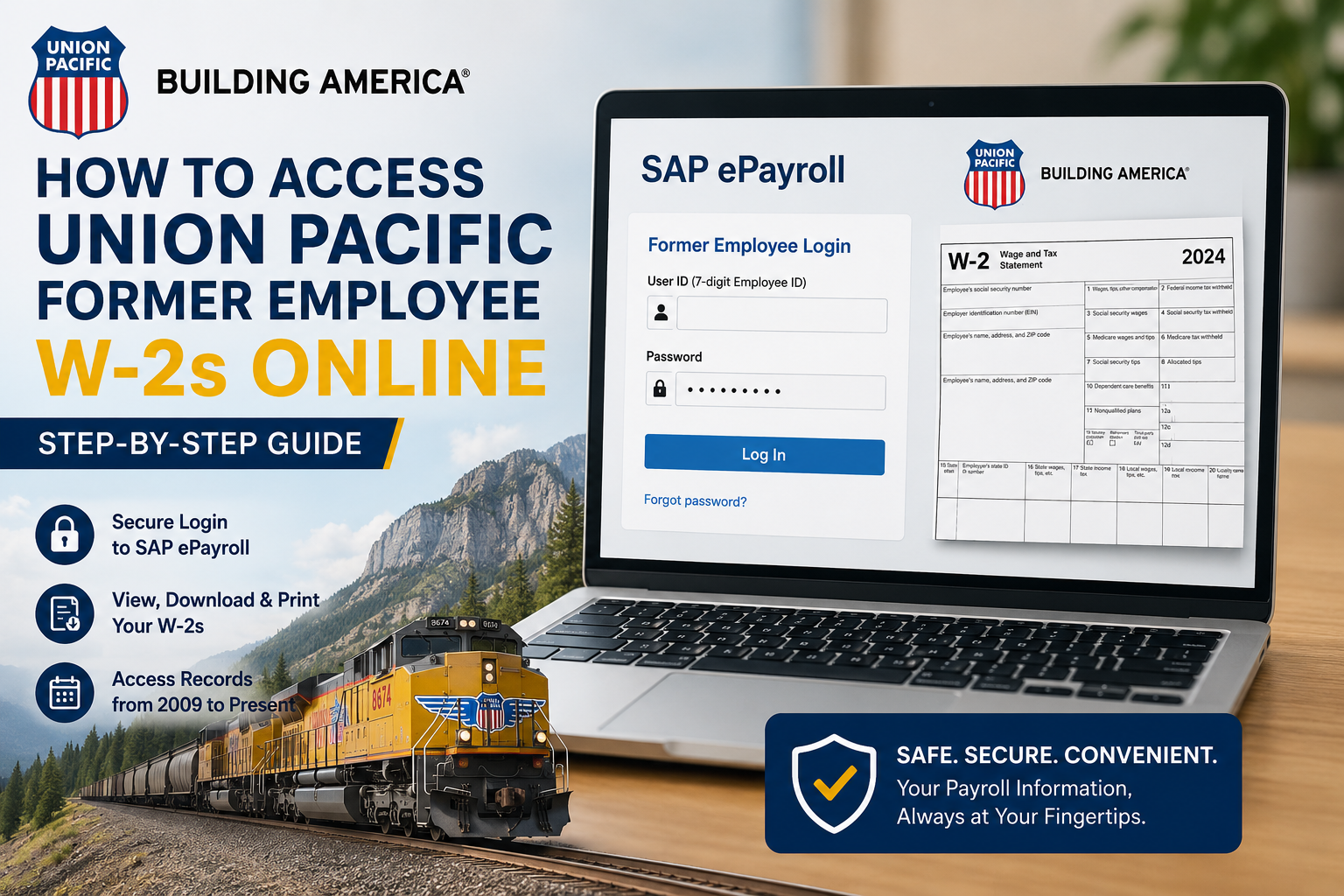
One of America’s most recognized transportation companies, Union Pacific operates one of the largest railroad networks in the United States, connecting 23 states across the western two-thirds of the country. The company plays a critical role in the global supply chain by transporting agricultural products, automotive freight, chemicals, industrial goods, coal, and intermodal shipments through a safe, reliable, and environmentally responsible rail network. If you are a former employee or retiree of Union Pacific, you can conveniently access your W-2 forms online through the SAP ePayroll self-service portal. The platform allows eligible users to securely view, download, print, and manage payroll and tax documents from virtually anywhere.
Union Pacific Former Employee W-2 Portal
Former employees can access their W-2 statements through the SAP ePayroll portal:
Portal Link:
Union Pacific SAP ePayroll Portal
The SAP ePayroll system provides access to:
- W-2 tax statements
- Pay stubs
- W-4 withholding information
- Direct deposit details
- Address management tools
- Historical payroll records from 2009 to the present
Who Can Access the Portal?
The Union Pacific SAP ePayroll system is available for:
- Former employees
- Retirees
- Qualified pension recipients
- Non-qualified pension recipients
- Surviving spouses receiving pension benefits
Former employees must log in using their 7-digit Employee ID.
Step-by-Step Guide to Access Union Pacific Former Employee W-2s
Step 1: Open the SAP ePayroll Portal
Visit the official Union Pacific former employee payroll portal: https://sapext.www.uprr.com/irj/portal/epayroll
You will arrive at the Union Pacific login page, where you must enter your credentials.
Step 2: Enter Your Employee ID
Use your:
- 7-digit Union Pacific Employee ID
- SAP ePayroll password
Your Employee ID can typically be found on previous pay stubs or payroll records.
Step 3: Use the Default Password for First-Time Login
If this is your first time accessing SAP ePayroll, your temporary password format is:
- UPRR + last four digits of your Social Security Number
Example
If your SSN ends in 6789, your default password will be: UPRR6789
After successful login, the system will prompt you to create a new password immediately.
Step 4: Navigate to “My W-2”
After signing in:
- Click the ePayroll tab
- Select My W-2
- Choose the desired tax year
- Open your W-2 statement
- Download, save, or print the form
The portal allows users to retain digital copies for tax filing and recordkeeping purposes.
Accessing Historical W-2 Records
Union Pacific allows eligible users to access payroll and tax records from 2009 to present through SAP ePayroll.
This includes:
- Former employee W-2s
- Pension-related 1099-R forms
- Supplemental pension records
- Historical pay statements
Different Login Types Explained
Union Pacific provides multiple payroll access categories depending on your employment or retirement status.
Former Employee Login
Use this option if you need:
- W-2 forms
- Pay stubs
- Employment payroll records
This login is intended for individuals accessing records from active employment periods.
Qualified Pension Login
Use this login if:
- Your pension identifier begins with 9
- You need access to pension payments or 1099-R forms
Non-Qualified Pension Login
Use this login if:
- Your pension identifier begins with 8
- You receive supplemental pension payments
How to Download or Print Your W-2
Once your W-2 opens:
- Use the Save button to download the file
- Use the Print button for a hard copy
Union Pacific’s SAP ePayroll system supports secure electronic document storage and printing.
Forgot Your Password or Employee ID?
If you cannot access your account:
Password Assistance
Contact Online Systems Support (OSS):
- Phone: 800-621-8953
Employee ID Assistance
You may find your Employee ID:
- On old pay stubs
- On retirement paperwork
- By contacting HR Services
Browser and System Requirements
To use the SAP ePayroll portal smoothly, ensure your device supports:
- Internet access
- JavaScript enabled
- Adobe Reader
- Modern web browser
- Cookies enabled
Some browser pop-up blockers may need to be temporarily disabled.
Benefits of Using Union Pacific SAP ePayroll
The self-service payroll system offers several advantages:
- 24/7 online access
- Faster W-2 retrieval
- Secure payroll management
- Digital document storage
- Reduced paper clutter
- Easy printing and downloading
- Access to direct deposit information
The portal also allows retirees and former employees to manage address updates and tax withholding elections conveniently online.
Common Login Problems and Solutions
| Issue | Solution |
| Forgot password | Contact OSS support |
| Account locked | Reset credentials through support |
| Incorrect Employee ID | Verify using old pay records |
| W-2 not available | Ensure the correct tax year is selected |
| Browser issues | Clear cache or try another browser |
| Portal not loading | Disable pop-up blockers |
Final Thoughts
Union Pacific’s SAP ePayroll system makes it simple for former employees and retirees to securely access W-2 forms, payroll records, and pension-related tax documents online. With 24/7 accessibility, downloadable tax statements, and long-term payroll record retention, the platform offers a convenient and efficient solution for managing employment tax documentation electronically.
Frequently Asked Questions
How do former employees access Union Pacific W-2 forms?
Former employees can log into the SAP ePayroll portal using their 7-digit Employee ID and password to access and print W-2 statements online.
What is the Union Pacific’s former employee payroll portal?
The official portal is: https://sapext.www.uprr.com/irj/portal/epayroll
What is the default SAP ePayroll password?
The default password is: UPRR + the last four digits of your Social Security Number.
Example: UPRR6789
Can retirees access 1099-R forms online?
Yes. Retirees and pension recipients can access 1099-R forms through the Qualified Pension or Non-Qualified Pension login options.
How far back can I access W-2 records?
Union Pacific provides payroll and tax records from 2009 to the present.
What if I forgot my Employee ID?
You can locate it on old pay stubs or contact HR Services for assistance.
Can I print my W-2 directly from the portal?
Yes. The SAP ePayroll system includes built-in save and print functions.
Who do I contact for technical support?
For login or password assistance, contact OSS at: 800-621-8953
Can former employees update their address online?
Yes. SAP ePayroll allows eligible users to manage address information through the My Profile section.
Is the portal available outside the Union Pacific network?
Yes. Former employees can securely access the portal remotely using the external login page.
