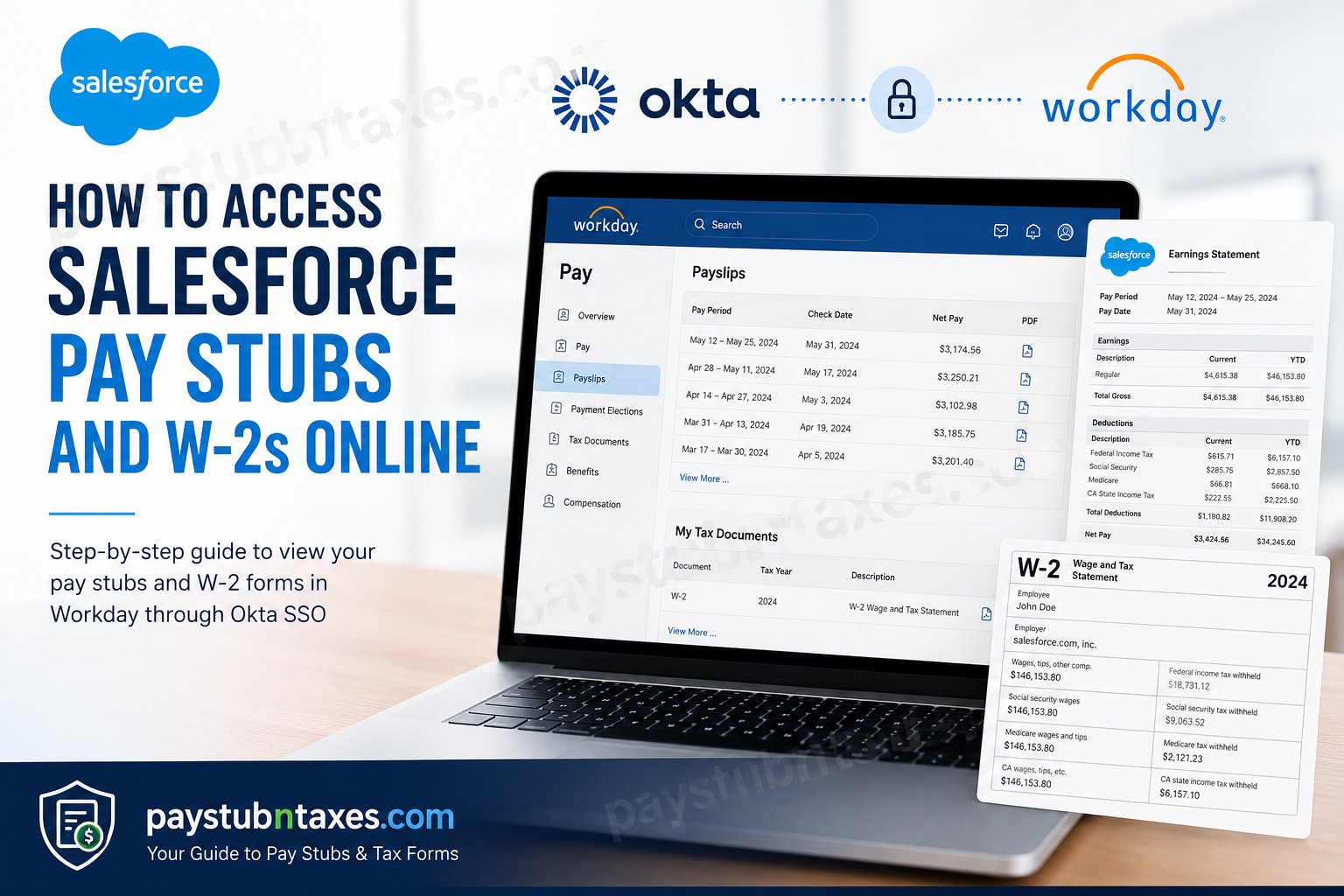
Managing payroll and tax documents digitally has become an essential part of modern employment, especially at global technology companies like Salesforce. Whether you need a recent pay stub for income verification or a year-end W-2 form for tax filing, Salesforce employees can conveniently retrieve these documents online through the Workday self-service portal integrated with Okta Single Sign-On (SSO). Salesforce, Inc. is one of the world’s leading cloud computing and customer relationship management (CRM) companies, headquartered in San Francisco, California. Founded in 1999 by Marc Benioff, Salesforce has evolved into a global enterprise software powerhouse offering solutions for sales, customer service, analytics, artificial intelligence, marketing automation, and application development. For fiscal year 2026, Salesforce reported annual revenue of approximately $41.5 billion and maintained a workforce of more than 83,000 employees worldwide. As a Salesforce employee, your payroll and tax documents are securely stored within Workday, which is accessible through Salesforce’s Okta authentication environment.
Salesforce Workday Payroll Portal
Salesforce employees access payroll records through the Workday portal below:
Official Salesforce Workday Login
Portal: Salesforce Workday Login
The system uses Okta-based Single Sign-On authentication for secure employee access.
After signing in with your Salesforce SSO credentials, you can launch the Workday application directly from your Okta dashboard under My Apps if it does not open automatically.
How to Access Salesforce Pay Stubs Online
Salesforce employees can view, print, and download their current and historical pay statements directly from Workday.
Step-by-Step Instructions
Step 1: Sign In to Salesforce Workday
Visit the official Salesforce Workday portal and enter your Salesforce SSO credentials.
The Okta sign-in page will request your username and authentication credentials before redirecting you to Workday.
Step 2: Open the Pay Application
Once logged in:
- Go to the Workday homepage
- Select View All Apps
- Open the Pay application
Alternatively, use the left-side navigation menu to access the Pay section directly.
Step 3: Open Payslips
Inside the Pay application:
- Click Payslips
- A list of available pay periods will appear
You can now:
- View payslips
- Download PDF copies
- Print payroll records
- Access year-to-date earnings information
Information Available on Salesforce Pay Stubs
Your Salesforce pay stub contains detailed payroll and compensation information, including:
- Gross pay
- Net pay
- Pay period begin and end dates
- Check date
- Direct deposit information
- Federal and state tax deductions
- Pre-tax deductions
- Post-tax deductions
- Employer-paid benefits
- Taxable wages
- Withholding details
Employees can also review retirement contributions, insurance deductions, healthcare elections, and additional withholding details directly within each payslip.
How to Access Salesforce W-2 Forms Online
Salesforce employees can retrieve year-end W-2 tax statements through Workday’s My Tax Documents section.
Step-by-Step Guide
Step 1: Log In to Workday
Access Workday using your Salesforce SSO credentials.
Step 2: Open the Pay Dashboard
From the Workday homepage:
- Select the Pay dashboard
Step 3: Open My Tax Documents
Under the Pay section:
- Click My Tax Documents
This area stores your W-2 tax forms electronically.
Step 4: View or Print Your W-2
Locate the appropriate tax year and click:
- View/Print
You can then:
- Download your W-2
- Print your W-2
- View accessible versions
- Navigate through multiple pages
How to Download Salesforce W-2 Forms
After opening the W-2 preview:
- Click the Download icon
- Save the PDF copy securely to your device
To print your W-2:
- Click the Printer icon in the upper-right corner
- Choose your printer settings
- Print your document
Salesforce Okta Sign-In Help
If you forget your Salesforce username or password, Okta provides an automated recovery process.
Password Recovery Steps
- Click I can’t access my account
- Enter your registered email address
- Follow the recovery instructions sent to your inbox
Okta also advises employees to verify the correct login URL before entering credentials to prevent phishing risks and unauthorized access attempts.
Benefits of Using Workday for Payroll Access
Salesforce employees benefit from a centralized payroll and HR system that offers:
- Secure cloud-based access
- Mobile-friendly payroll viewing
- Instant W-2 retrieval
- Digital tax document storage
- Direct deposit management
- Paperless payroll access
- Real-time payroll history
The Workday environment significantly reduces dependency on printed payroll documents while improving accessibility for remote and hybrid employees.
Common Salesforce Payroll Access Issues
Unable to Sign In
If your login fails:
- Confirm you are using the correct Salesforce SSO credentials
- Verify your Okta account is active
- Reset your password through the recovery link
- Clear browser cache and cookies
Workday App Missing from Okta Dashboard
If Workday does not appear automatically:
- Open the Okta dashboard
- Navigate to My Apps
- Launch the Workday application manually
Missing W-2 Form
W-2 forms are typically published electronically before the IRS filing deadline in January.
If your W-2 is unavailable:
- Check back later
- Confirm electronic delivery settings
- Contact Salesforce HR or Payroll Support
Security Tips for Salesforce Employees
To protect sensitive payroll and tax information:
- Never share your SSO credentials
- Enable multi-factor authentication
- Use secure internet connections
- Avoid accessing payroll portals on public devices
- Log out after every session
Since payroll systems contain confidential financial information, Salesforce employees should remain cautious of phishing emails and fake login pages impersonating Workday or Okta.
Final Thoughts
Salesforce provides employees with a streamlined and secure digital payroll experience through Workday and Okta Single Sign-On integration. Whether you need to review your latest pay stub, print prior payroll records, or download your W-2 tax forms for filing season, the process is fast, intuitive, and accessible from virtually anywhere. By leveraging Workday’s self-service payroll tools, Salesforce employees can maintain full control over their payroll records while benefiting from enterprise-grade security and cloud-based convenience.
Frequently Asked Questions (FAQs)
1. How do I access Salesforce pay stubs online?
You can access Salesforce pay stubs by logging into the Workday portal using your Salesforce SSO credentials through Okta authentication.
2. What portal does Salesforce use for payroll?
Salesforce uses Workday integrated with Okta Single Sign-On for payroll and HR access.
3. Where can I find my Salesforce W-2 online?
Your W-2 forms are located under Pay > My Tax Documents in Workday.
4. Can former Salesforce employees access Workday?
Access policies may vary depending on employment status and offboarding procedures. Contact HR if access has been disabled.
5. How do I reset my Salesforce Workday password?
Use the Okta recovery option labeled I can’t access my account on the login page.
6. Can I print my Salesforce W-2?
Yes. Workday allows employees to print or download W-2 forms directly as PDF files.
7. Does Salesforce use Okta authentication?
Yes. Salesforce payroll access is integrated with Okta SSO authentication.
8. Can I download old pay stubs from Workday?
Yes. Historical payslips remain available within the Workday Pay section.
9. Is the Salesforce payroll portal mobile-friendly?
Yes. Workday can be accessed from mobile devices for convenient payroll management.
10. What information appears on a Salesforce pay stub?
Pay stubs include gross pay, taxes, deductions, net pay, benefits, and direct deposit details.
11. When are Salesforce W-2 forms available?
W-2 forms are generally released electronically before the annual IRS deadline in January.
12. Can I save my W-2 electronically?
Yes. Workday allows PDF downloads for secure digital storage.
13. What should I do if my W-2 is incorrect?
Contact Salesforce Payroll or HR immediately to request corrections.
14. Why can’t I access Workday from Okta?
Your account permissions, browser settings, or authentication session may require troubleshooting.
15. Is Salesforce payroll access secure?
Yes. Salesforce uses enterprise-grade authentication and encrypted access through Okta and Workday.
